

Today we are taking a look at StartIsBack a program that promises to restore the Windows 7 style start screen to Windows 8. With Windows 8 Microsoft introduced a new Start screen with its “Metro” UI that has a series of tiles. Relatively great except when one is in a work environment and has live tiles show up with someone’s changed profile picture that looks unbecoming. Also, a lot of users prefer the ability to easily launch applications from the Windows 8 desktop instead of having to swap from the more traditional desktop to the Metro UI. StartIsBack is a program we have been using to not only bring the Windows 7 style start menu to Windows 8 but also to allow full access to the Start Screen. Let’s take a look at the utility.
StartIsBack Configuration
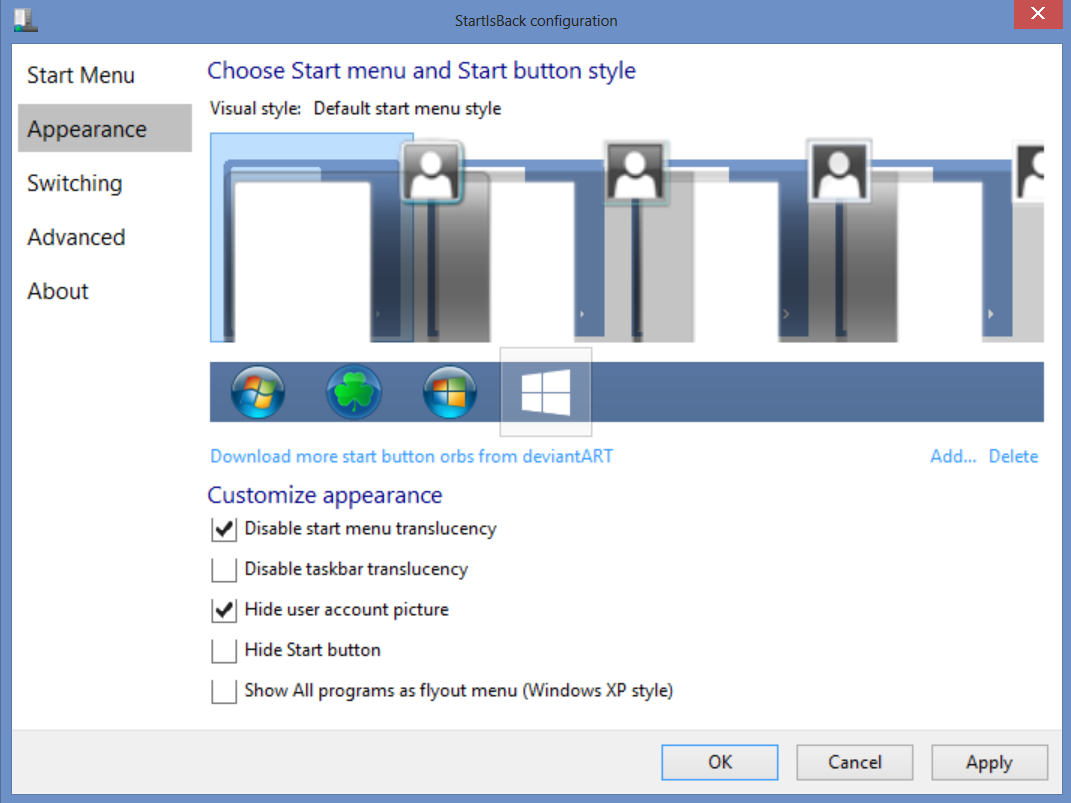
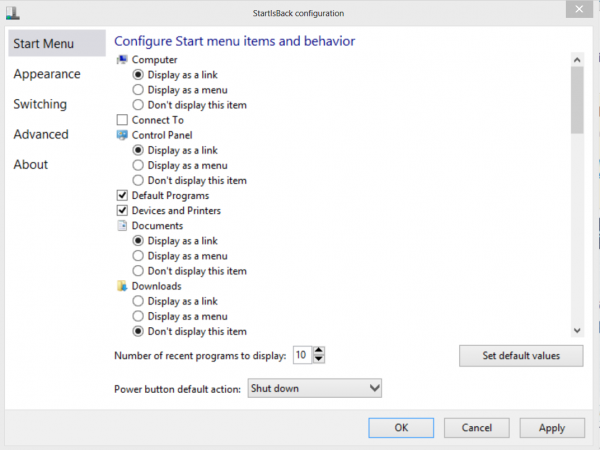
StartIsBack has a very simple installer and setup screen. We have been using this in various beta stages and it has improved quite a bit. The basic configuration allows for a very Windows 7 like implementation of the start menu in Windows 8.
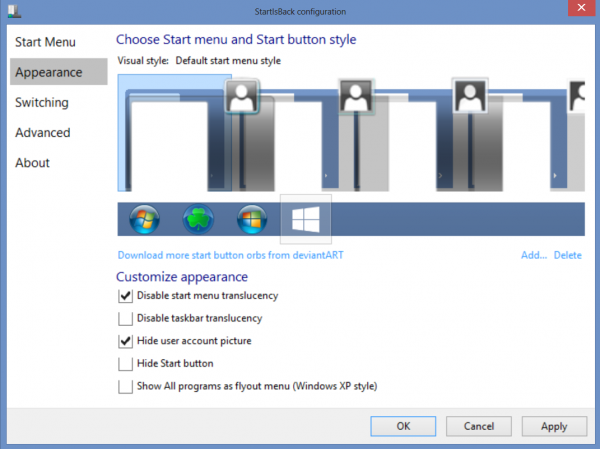
StartIsBack also brings back the Windows 7 style start menu to Windows 8 with a little flare. One can customize the appearance of the start menu that is displayed.
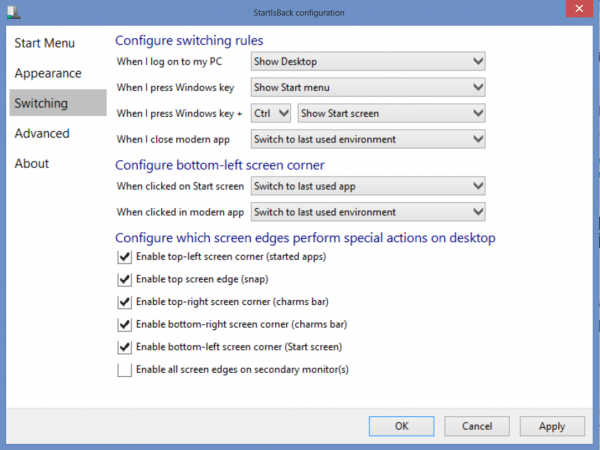
One great feature is the ability to fine tune how one gets to the start menu and start screen. For example, on a desktop the configuration below makes sense. On a Microsoft Surface Pro, the configuration below will make the touch UI of the start screen unreachable through the home screen button. One can then switch what triggers the start menu versus the start screen in Windows 8. Another key feature of StartIsBack is the ability to enable or disable Windows 8 screen edges on primary and secondary monitors.
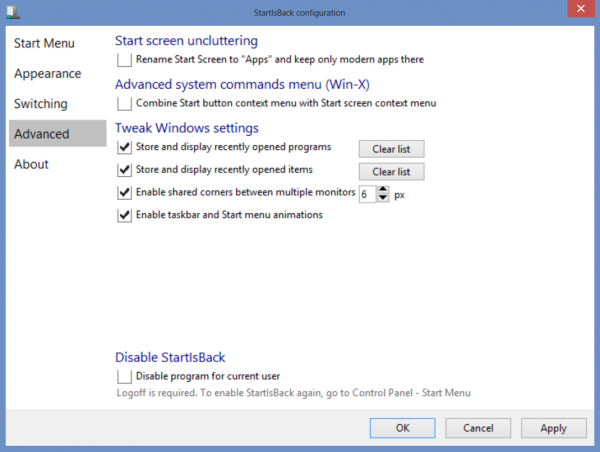
StartIsBAck also has settings to tweak various settings such as displaying recently shared items or disabling StartIsBack for a given user.
Conclusion
Overall StartIsBack accomplishes its goal of bringing the Windows 7 start menu back to Windows 8. The utility also goes beyond and offers a few tweaks that allow easy adjustment of some of the Windows 8 features such as determining what screen edges do. Overall, the solution works well. One has to wonder why Microsoft didn’t just enable similar functionality in the first place.

Do you know how this compares to Stardock’s Start8? I have been using that and liking it,however, it costs $5 per PC, that’s not expensive, but the license terms for this one is better.
I also would like to have that comparison. Also with maybe license cost comparisons. Not like anyone has 1 PC anymore.
I can HIGHLY recommend this application. The pricing/licensing is great compared to Stardock’s Start8 and it is essentially the same product in terms of feature set. I believe the only feature Start8 has is the ability to view a metro app in its own window on the Windows 8 desktop. Frankly, I completely ignore the metro apps so this is a non issue for me.
This is FAR better than classic shell which seems more oriented toward making the OS more like XP than anything else. I tried that initially and found that it was too frustrating to get the start menu to work just like it did in Windows 7. It’s nice that classic shell is free but it does FEEL like a free product to me. The $5 for StartIsBack was more than worth it.
Also, the developer is very responsive and is still tweaking/improving the product.
I actually find Ex7forW8 works best and is free. Google around and you will find it, use an older Win7 install disk or mount a Win7 image (win8 is great for image mounting), let it find the files and follow the prompts. Now you have a start menu for free.
Turn off UAC if you don’t like explorer prompts.
StartIsBack is the second one I tried and I LOVED it.
Then I realized that none of my touch screen features worked. I was SO sad. Uninstalled immediately.
AJ what didn’t work? I use it on my Surface Pro actually.
This is a lifesaver. I love the app and it works well. However I have paid for it twice and never get a key. Now it says the trial has expired and it is a real pain.
I agree with Carl, this app is a life saver. I purchased the app but until today I didn’t realise that I had only activated the license key on my desktop computer and not my laptop. Few, lucky I keep my purchase notes handy.
Carl, my key ended up getting sorted to the junk mail filter. Maybe check there or e-mail them.
“X Have to pay for this utility when it should be part of Windows 8 base functionality.”
you cannot mark this as a fault of the programme. The fault is with the arrogance of Microsoft for releasing such a stupid operating system in the first place. 8.1 is no substitute either.
StartIsBack deserves 10/10. The useless apps and the like should be defaulted to off in the installation of Windows instead of forcing people into the “buy our apps route” I was about to ditch 8 and go back to 7 but found this life saver instead.
Why would anyone want to do this? I find the W10 Start Menu to be perfectly productive. Roll with the changes, I say. W7 is looong gone. W10 is so much better on so many levels.
Comments are closed.