YuanLey YS100-0602T Management
As you would expect from such a basic, cheap switch, it is an unmanaged switch. So there is no management interface or other frills to show. It is plug-and-play.
YuanLey YS100-0602T Performance
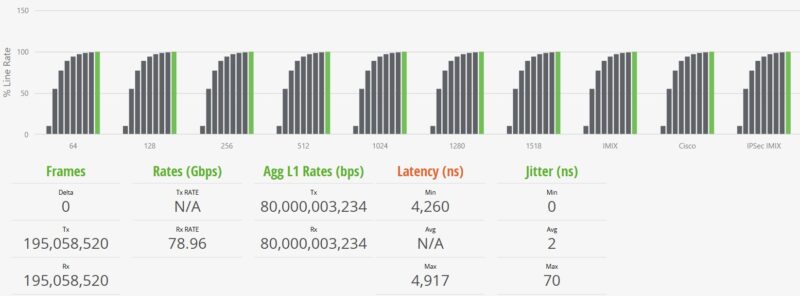
For this, we are using a Keysight XGS2 chassis with the NOVUS10/1GE16DP card. We are using an RFC2544 Quick Test for throughput with a few changes. For example, we increased the per-iteration run time to 30 seconds and started at 10% of the full line rate, searching for frame loss up to 100% of the line rate. We also test the RFC2544 64, 128, 256, 512, 1024, 1280, and 1518 byte frame sizes, and then add the standard IMIX, the Cisco IMIX, and an IPSec IMIX, which introduces mixed frame sizes into the testing. Let us start with 64B frame sizes.
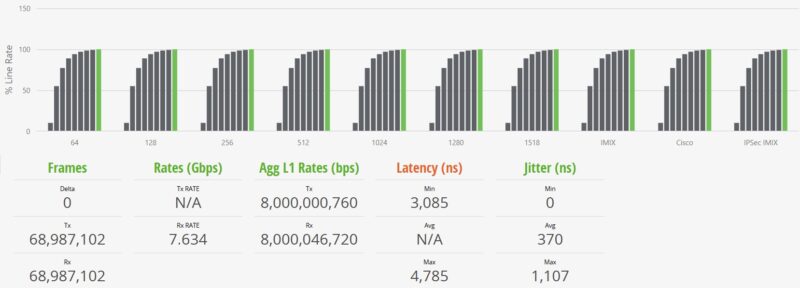
The above may seem strange to some, so let us start with some of the key numbers. First, we observed no frame loss. We see almost 61Gbps of throughput, but at L1 it is almost 80Gbps. The delta is the overhead for the link, including headers and such. Still, we are showing line rate 8 ports of 10GbE even at 64B frame sizes.
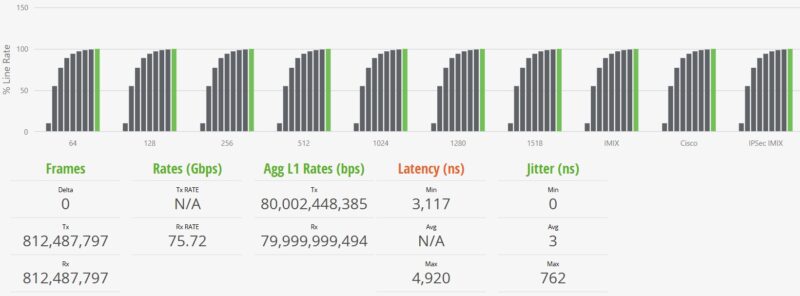
Moving up to the 1518B frame sizes, these are in many ways much easier on hardware, and we can see closer to 79Gbps while the L1 rate is at 80Gbps. Again, bigger packets mean less relative overhead traffic in the pipe.
We add various IMIX tests, including the standard IMIX and Cisco IMIX profiles from Keysight. This sends packets of different sizes through the switch.
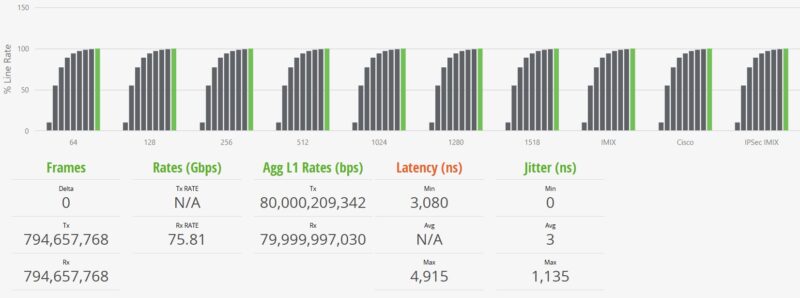
Those are maximum figures, but that is an insight that is very hard to generate unless you are using these high-end FPGA-based traffic generators.
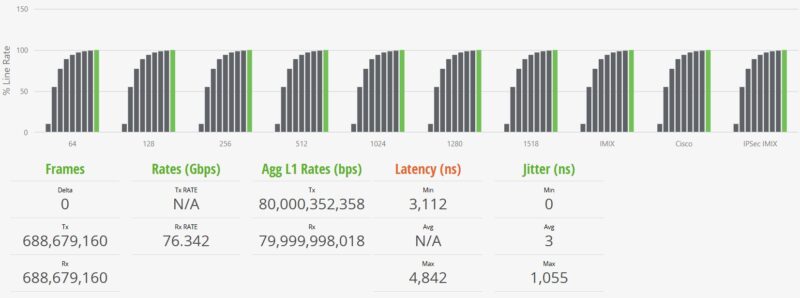
We also have the IPSec IMIX test, which uses slightly larger average frame sizes in the mix. One item to note is that the green bar is all the way to the right on these charts on the ninth test iteration. That means that all ten test profiles hit 100% line rate during testing. Our gear and test methodology look for any frame loss during the testing, and we did not see any here.
YuanLey YS100-0602T Power Consumption and Noise
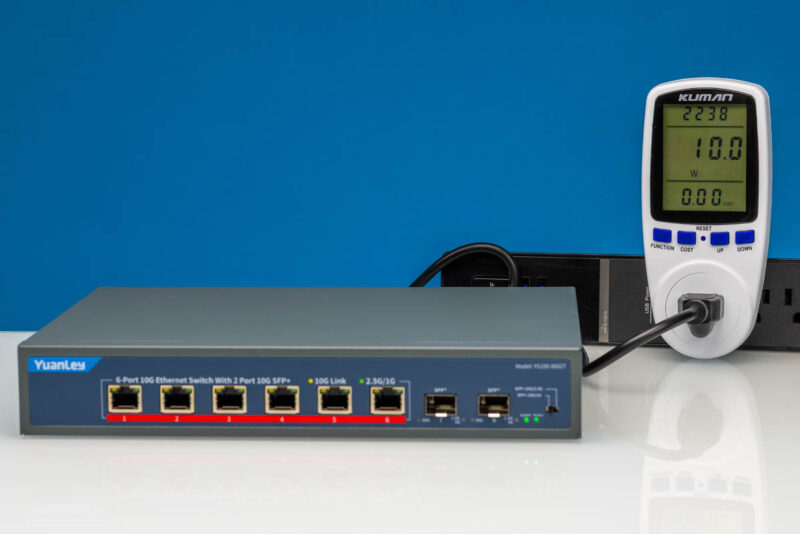
The YuanLey is able to idle at 10 Watts as measured from the wall.
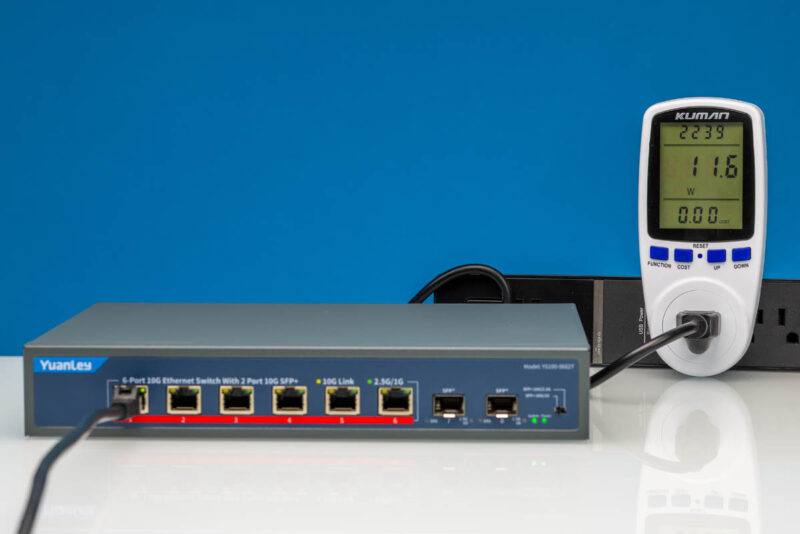
Powering up a single port adds just under 2W, bringing it to 11.6W.
Adding one 10Gbps SFP+ port adds 1.3W over idle, bringing the total to 11.3W.
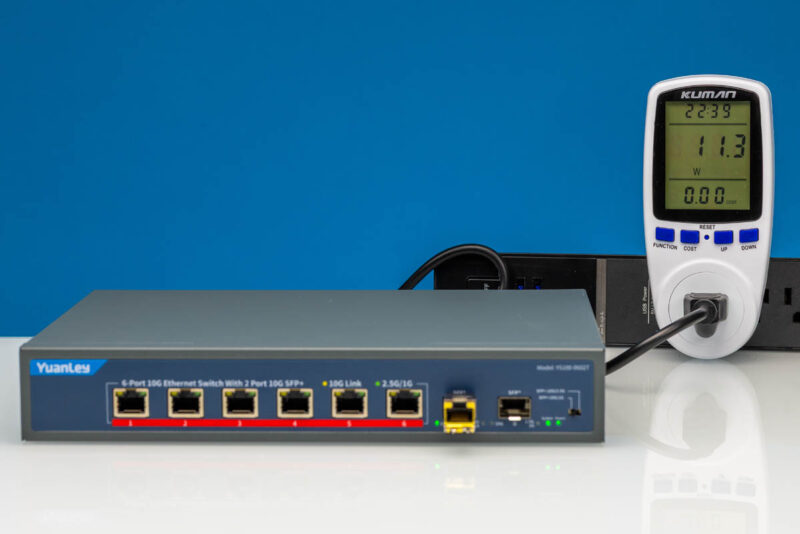
Often, when we test switches, using a SFP+ to RJ45 transceiver adds more to a switch’s power consumption than lighting up a native 10Gbase-T RJ45 port. In this case, it was reversed. As a quick note, these power consumption figures were identical to those of the SICSOLINK.
As noted earlier, this has a fan that generates some noise. It is in the 39-41dBA range in our 34dBA noise floor studio. Also, this was the same as the SICSOLINK.
Final Words
Between this and the SICSOLINK, we might slightly prefer this one just because of the newer switch PCB inside. Realistically, though, we do not know if there is newer inventory in stock weeks after we made the purchase, so that difference may be moot now. Then it comes down to the price of these two units and how you find the coloring. The YuanLey does not have the green and orange coloring that might turn some off from the SICSOLINK. In either case, the “miss” in these feels like they would be more attractive if they were either fanless and silent, or if the fan were 5-6dba quieter.
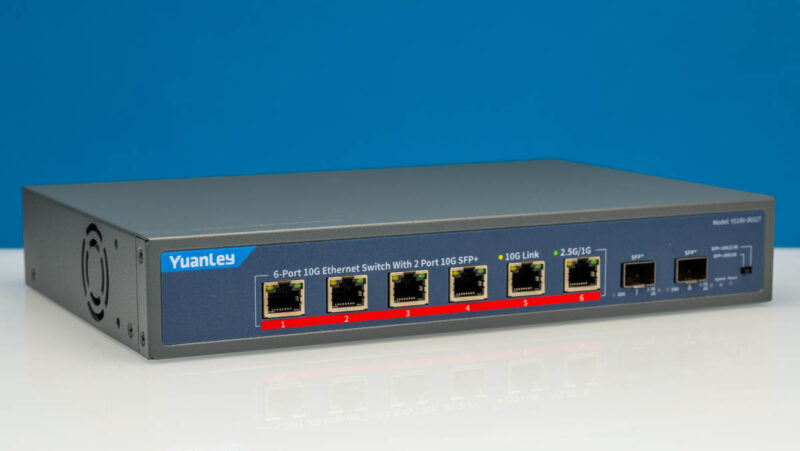
At under $190 at the time of this writing, the bigger question is: why would you get a $169 YuanLey YS50-0800, an 8-port 5GbE switch, over this one? Perhaps the answer is that you do not want SFP+. Another answer might be that you want to save $20. Perhaps you just want a 5GbE switch. To us, getting a 10GbE switch instead seems like a wise $20 upgrade.
Where To Buy
Here is an Amazon Affiliate link to what we purchased.