

Vimin VM-S251602P Management
This is an unmanaged switch. On the non-PoE versions, this is not as big of a deal. On PoE+ switches, especially in this class, it is nice to have a management interface where power to ports can be cycled. For example, if you have a PoE camera or WiFi AP mounted high and out of reach, and you need to power cycle the device, then being able to do that remotely is always a plus.
Vimin VM-S251602P Performance
In terms of performance, this is again where things get interesting. Patrick’s section is more useful, but the performance is similar to the GigaPlus GP-S25-1602 we reviewed.
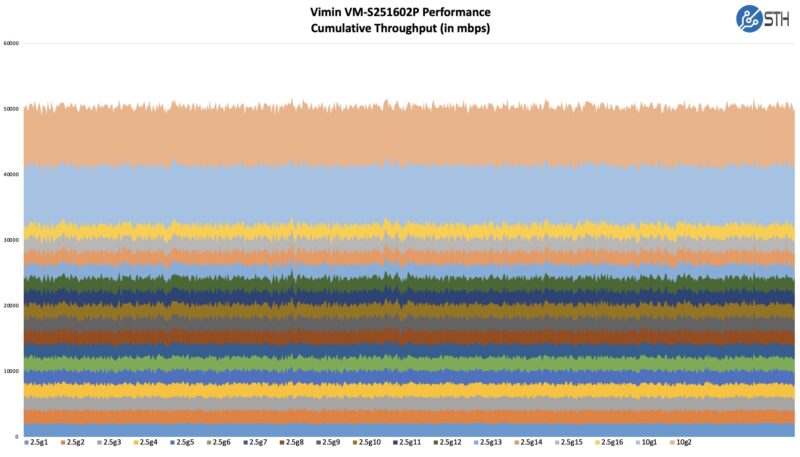
Based on that review, we also knew that the locality of the traffic matters in this switch, even using simple iperf3 traffic.
So we did the same test where we passed traffic from 10G to 10G while also loading 2.5GbE ports, and this is what we saw looking at the uni-directional bandwidth to make it clearer:
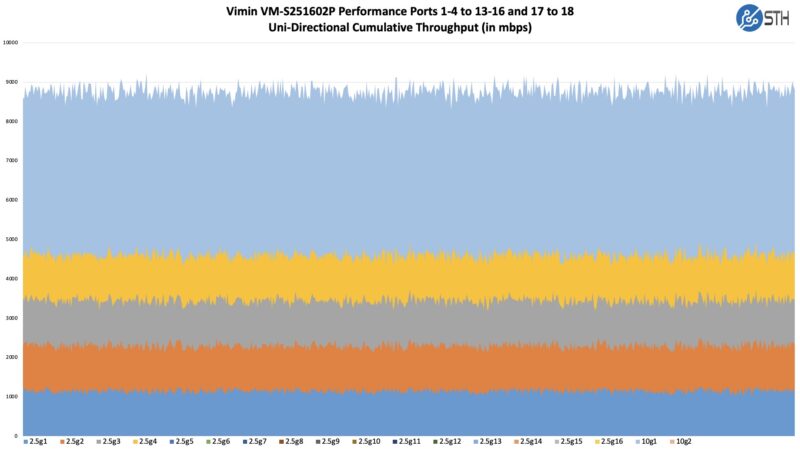
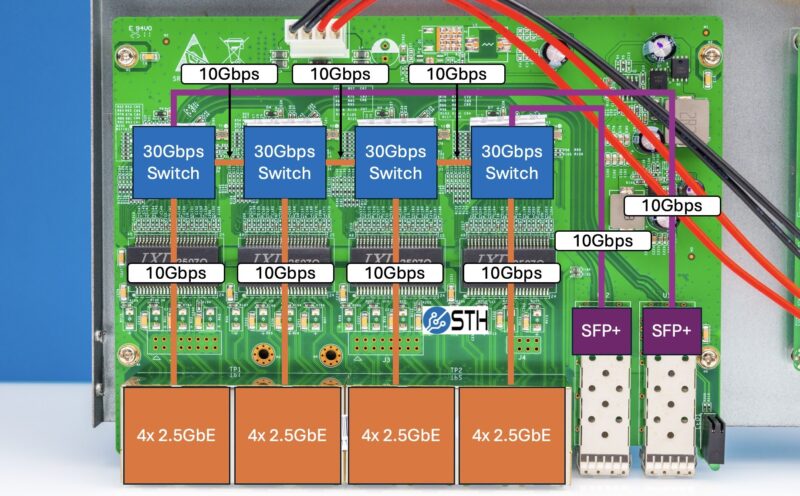
Effectively what we are showing is that, due to the switch’s 4-chip architecture, traffic placement matters a lot, and we are limited to 10Gbps, or just under that, going across the links between switches. That performance is OK for some use cases when you have many low performance or low utilization links, but it is worth noting. It is also something the average consumer would not be able to figure out from just looking at online listings.
Still, for this review, let us get a little bit wild and show you a preview of our new big-dollar network load generation tool.
STH Next-Gen Performance Testing Preview
Patrick’s Editor’s Note: In our last switch review, Rohit mentioned that we are going to be adding a significantly higher-end tool for our testing than iperf3. By this, I do not mean the Dell workstation-powered FPGA-powered 100Gbps Cisco Trex setups like we did in the Ubiquiti EdgeRouter 6P Review back in the day. Instead, we have a kitted-out Keysight CyPerf setup that we have already tested to well over 1.6Tbps of traffic, and with our next upgrade, we are hoping to get in the 3.2Tbps to 4Tbps range. To give you some sense, this is a project that just the hardware is well into the 6-figure range (400G/ 800G optics and even DACs are very expensive.) The setup can not only do simple traffic generation, but it can simulate many thousands of users and hundreds of thousands of connections. It can also do complex traffic flows with hundreds of different application types, zero-day attacks, DDoS attacks, VPN tunneling, SD-WAN, Zero Trust networking, and more.
We have been getting the box set up for ~3 months now. It finally got installed in the lab and licenses activated for our use yesterday. So in true STH fashion, I realized this morning that we had this switch, and we have enough 2.5GbE/ 10GbE (actually 10GbE/50GbE ports) on our setup to easily show the impact of the switch’s architecture.
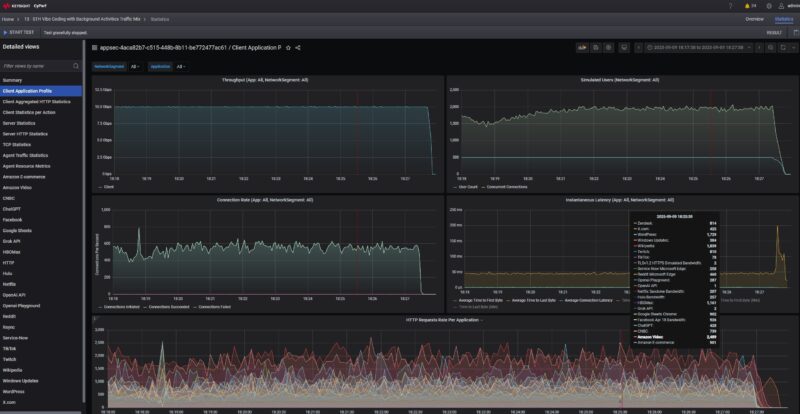
Just to give you a small sample of what we are going to be able to do, here is a look at the switch using a simple application profile that is passing TLS v1.2 web traffic, then streaming and interacting with Hulu, Netflix, and Facebook. Just to be clear, this is not iperf3 standard packet sizes vanilla, this is using real-world traffic.
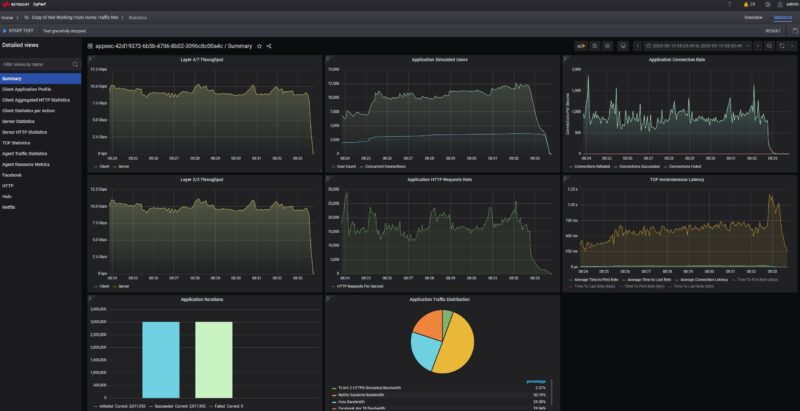
Here is what happens when we go across the switch from the SFP+ port on one side to the other side of the switch.
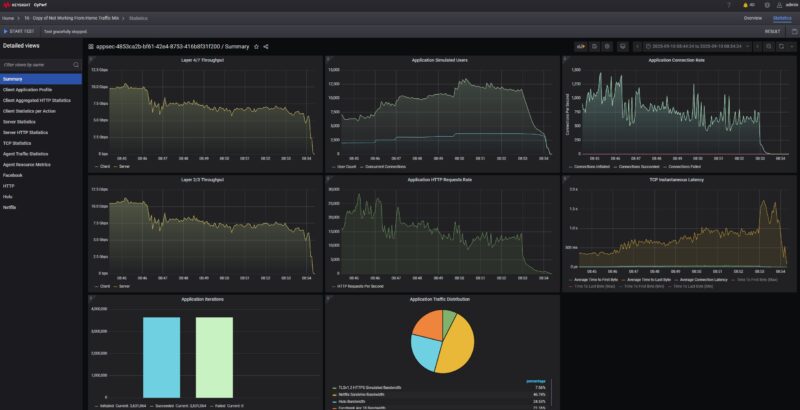
You can see even without adding that second SFP+ pressure, we lost around 30% of our throughput, and the latency increased significantly as well.
As you also might see, that is just the high-level summary. There is a ton of data being generated, so now that the box is working, the next step is to get our testing methodology standardized (we are unlikely to use that mix so consider that a one-off) and run a bunch of boxes through it. Also, to be frank, I think we need to get our data presentation standardized before we introduce this into formal reviews.
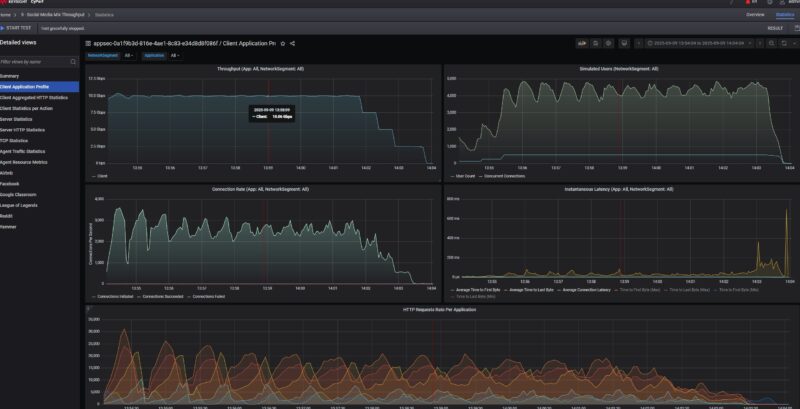
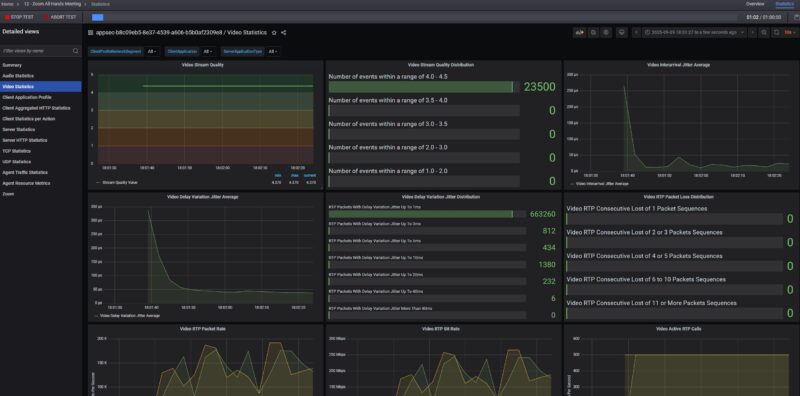
Still, I could not resist, just showing off some of the neat things we can now do. For example, here is a 500-user Zoom all-hands call with 5 presenters and 495 attendees, with the video quality of service metrics.
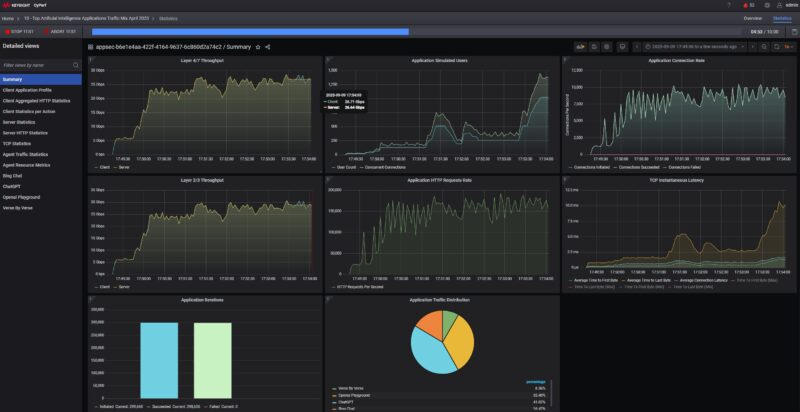
Here was a ChatGPT, OpenAI playground, and more trace stack with over 1000 users and over a 150,000 HTTP request rate on a 25Gbps link:
To be fair, I probably underestimated the effort to get this going, but STH readers asked for something better than iperf3 network testing, and that is coming. CyPerf is not just a small step up from iperf3, it is like going from a basic free CLI tool to a type that a large hyperscaler might use to test its infrastructure for huge numbers of users as it tweaks its hardware and software stacks.
This is coming, and it is a huge investment area for STH, but I wanted STH to have leadership testing in networking, and now we have a tool that can get us there. We are also getting some crazy hardware to test, ranging from low-cost items to high-end AI cluster and hyperscale infrastructure components. We will go into this more over the coming weeks on STH, but I figured we might as well show it.
Vimin VM-S251602P Power Consumption and Noise
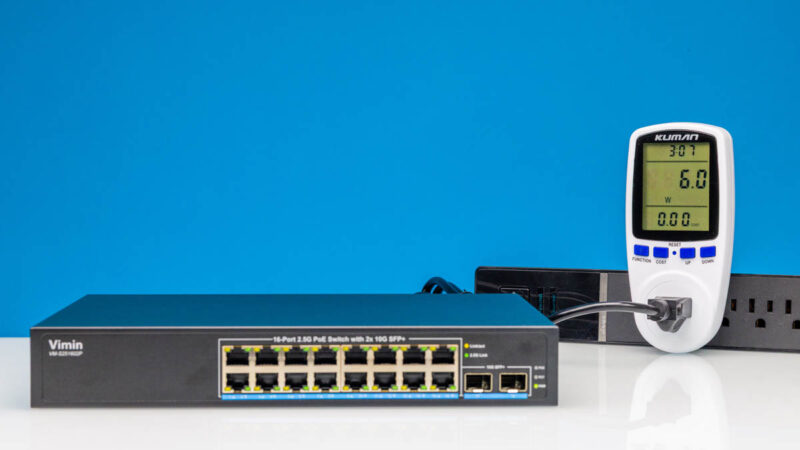
As a fanless switch, this is silent, but we also wanted to look at the power consumption. Adding the PoE components and larger power supply actually increased our idle power consumption by a lot on a percentage basis, as we saw 6W.
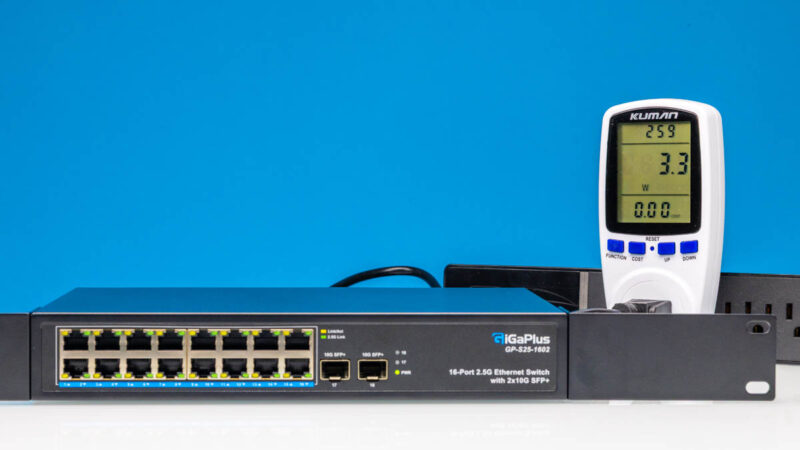
Just as a point of comparison, here is the GigaPlus GP-S25-1602 non-PoE version pulling 3.3W at idle.
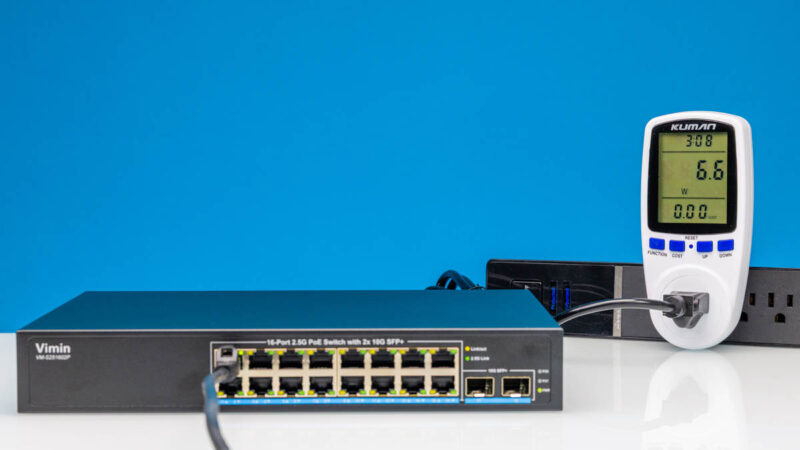
Adding a 2.5GbE link increased that figure to 6.6W for 0.6W incremental.
Using our 10Gbase-T to SFP+ adapter had an incremental 2W impact, bringing us to 8W.
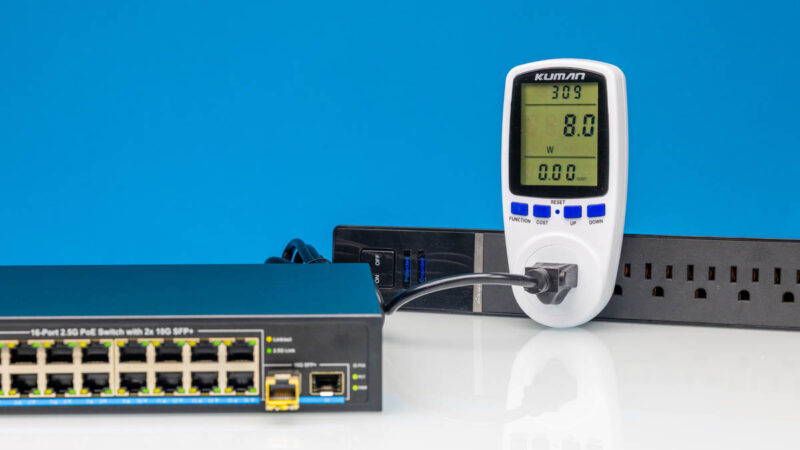
If you did not plan to use the PoE feature, then between the incremental $70 or so for this and the higher power consumption, it would be worth skipping. Still, we also wanted to test the PoE+ ports.
Vimin VM-S251602P PoE+
We are bringing back the Fluke tester for PoE+ since there is a valid question of whether this is putting out a more standard PoE or something different. Usually, very low-quality units the Fluke will immediately flag.
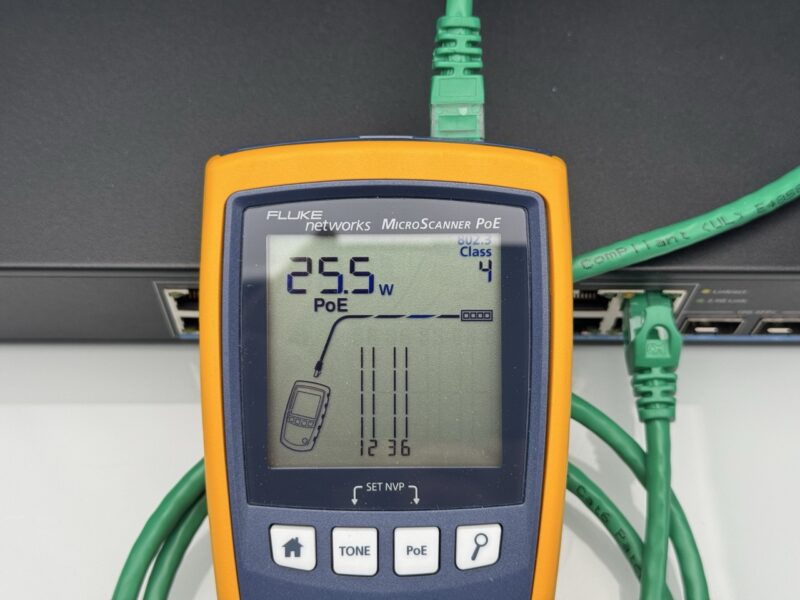
Here we see our 25.5W PoE+ without any drama. That is a good sign. Probably worth noting, however, is that the power supply has a small 250W label.
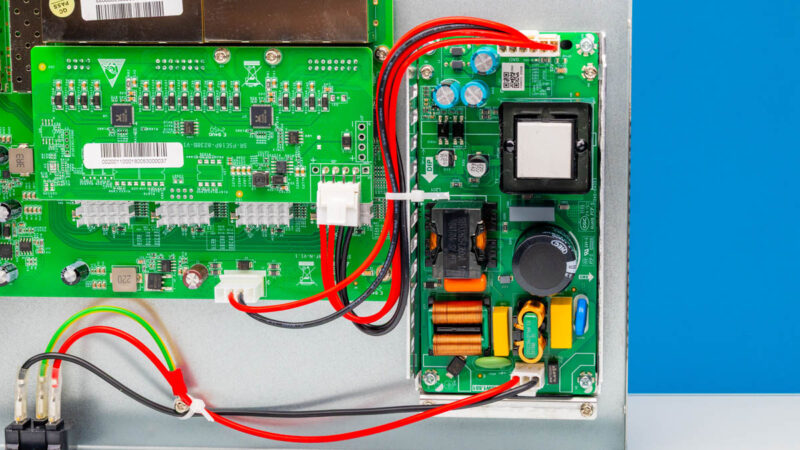
Even though this is advertised as a 250W PoE+ switch, some of that power from the 250W power supply is also going to the switch (perhaps 20W), so the budget should be less than 250W. Still, this is quite a bit of power on an inexpensive switch.
Final Words
Perhaps there are two ways to look at this switch. At under $239, you get 16 PoE+ ports and two SFP+ ports. If you have a lot of PoE cameras, but then also perhaps some WiFi APs and so forth, then a solution like this probably works and is cheap. If you are looking for performance, and we go into this in the video, then certainly the 24-port models we featured there, like the Mokerlink 2G24210GS 24-Port 2.5GbE and 2-Port 10G Network Switch are a big upgrade.
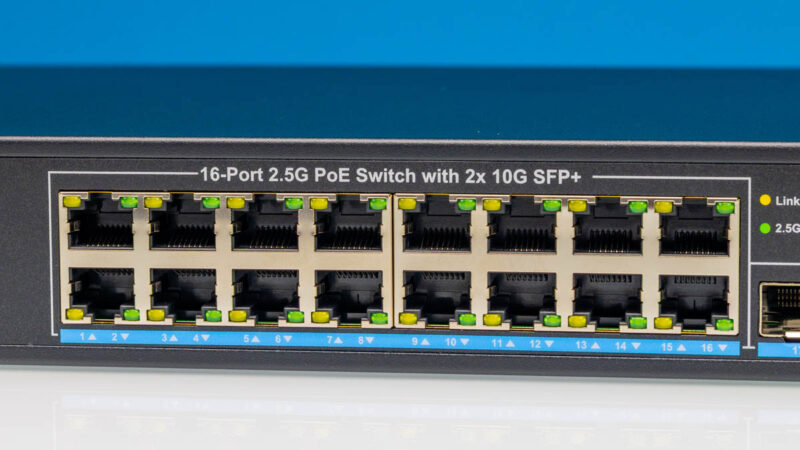
Hopefully, folks find this neat. If you were browsing online listings, you might have no idea how these are made, or what the impact of the construction is on performance. Also, if you are an STH reader, get excited about the new Keysight CyPerf testing tool that we now have online.
Where to Buy
If you want to buy one, or just check current pricing, here is an Amazon Affiliate link. That revenue is how we support buying these switches.



OMFG. You’ve gotta use clickbait titles. Review is OK, but it’s like “We hooked up a $1M network tester to a $240 switch and this happened.”
Being serious, that’s so neat. If you’re not in the industry you probably don’t know what cyperf even is, but what they’re showing is a huge money license. They sell it based on like 10g increments and it aint cheap. I can’t wait to see more reviews with it
Those CyPerf charts be crazy
You’re now needing to have a comparison chart of all that
Interesting, never heard of CyPerf, we always use IXIA for our testing. Will need to check it out as it sounds dirt cheap compared.
The use of this test equipment was recently announced in the QNAP QSW-M3216R-8S8T article. Since the QNAP uses a modern advanced switch chip, I look forward to an update highlighting the significant differences the Prestera chip is expected to reveal.