

The title of this one is intentional. The Minisforum MS-R1 is a 12-core Arm mini workstation that is probably the closest we have seen to that magical low-cost developer box. At just over $500 for the 32GB no-SSD version and $599 for the 64GB no-SSD version, the cost is reasonable. It also has two 10Gbase-T ports for 10GbE and a PCIe slot. With all of that said, we have been testing this for some time, and we are not yet ready to do a video on it. Instead, we are going to do a web review. Show you the good, the challenges, and some of the head-scratchers. Buckle in for a lot, especially on the key lessons learned side.
Minisforum MS-R1 External Hardware Overview
The front of the workstation is exactly as we would expect if you have seen the various MS series systems from Minisforum.
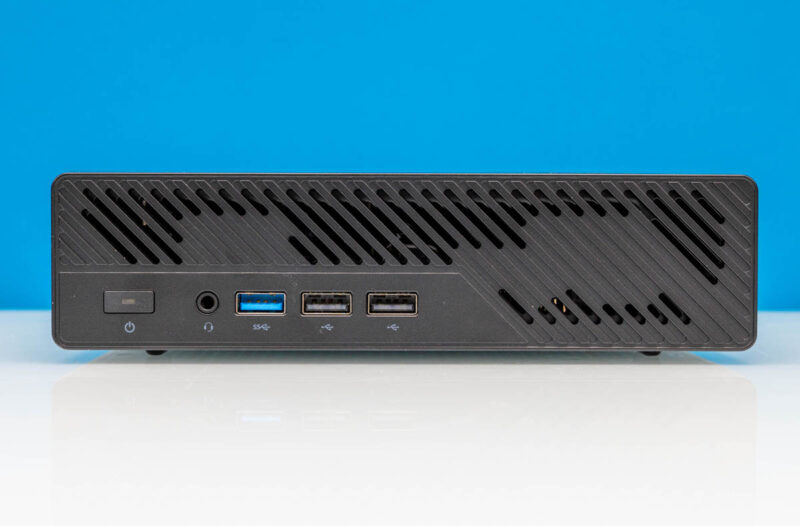
On the front, we get a power button, combo audio jack, and three USB Type-A ports in both USB 3.2 Gen2 and two USB 2.0 ports. As a quick tip, use the USB 2.0 ports for your keyboard and mouse. There are a lot of USB ports in this system, but the USB implementation is not the most bug-free as we will get to in our Key Lessons Learned.
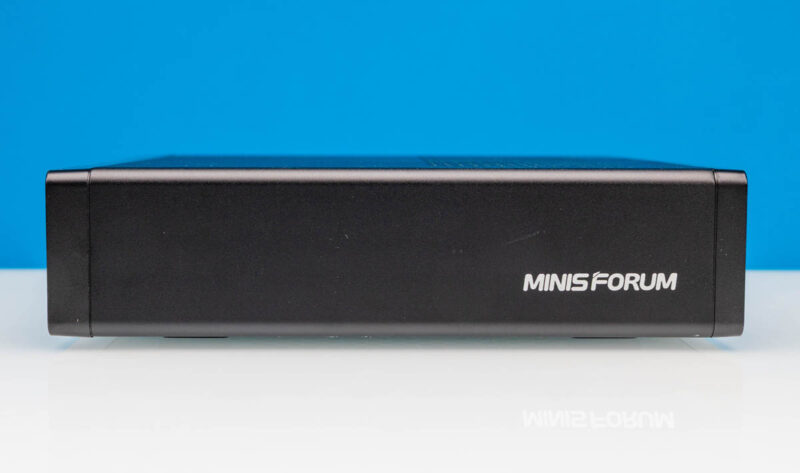
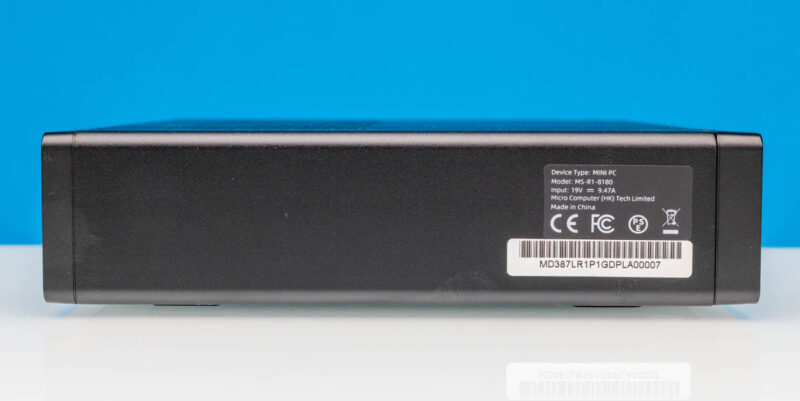
On the sides, we get labels, but not much else.
On top, we get a vent for the CPU and PCIe card.
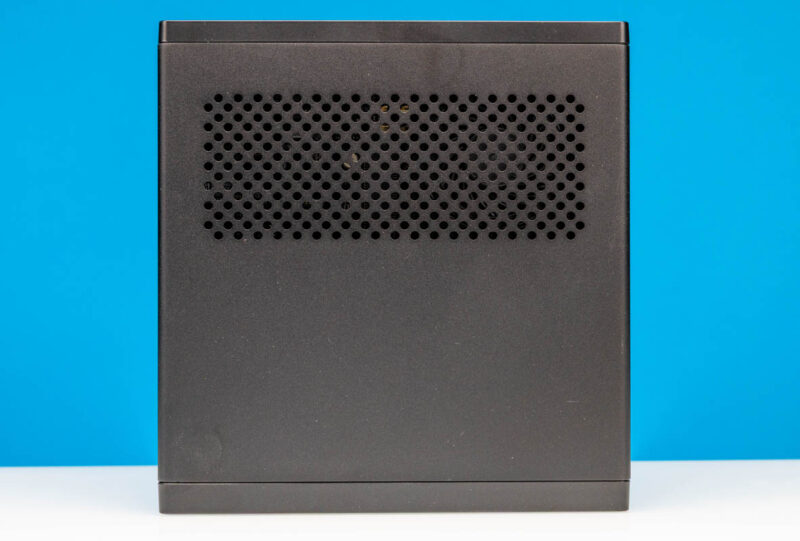
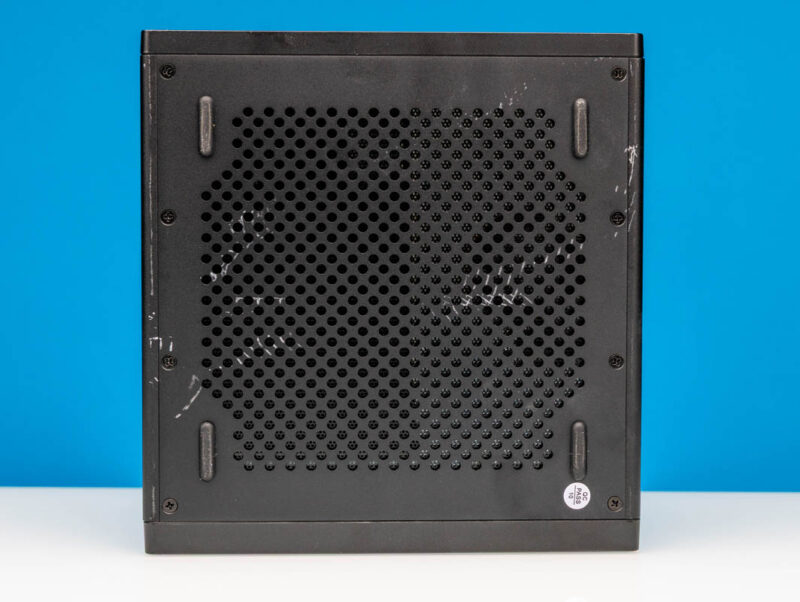
On the bottom, we get four feet. We will get into this more in our key lessons learned, but we ran into a few boot-stopping issues with this system, and we also made the rookie mistake of photographing after testing. So the bottom went to battle with an LG monitor and lost.
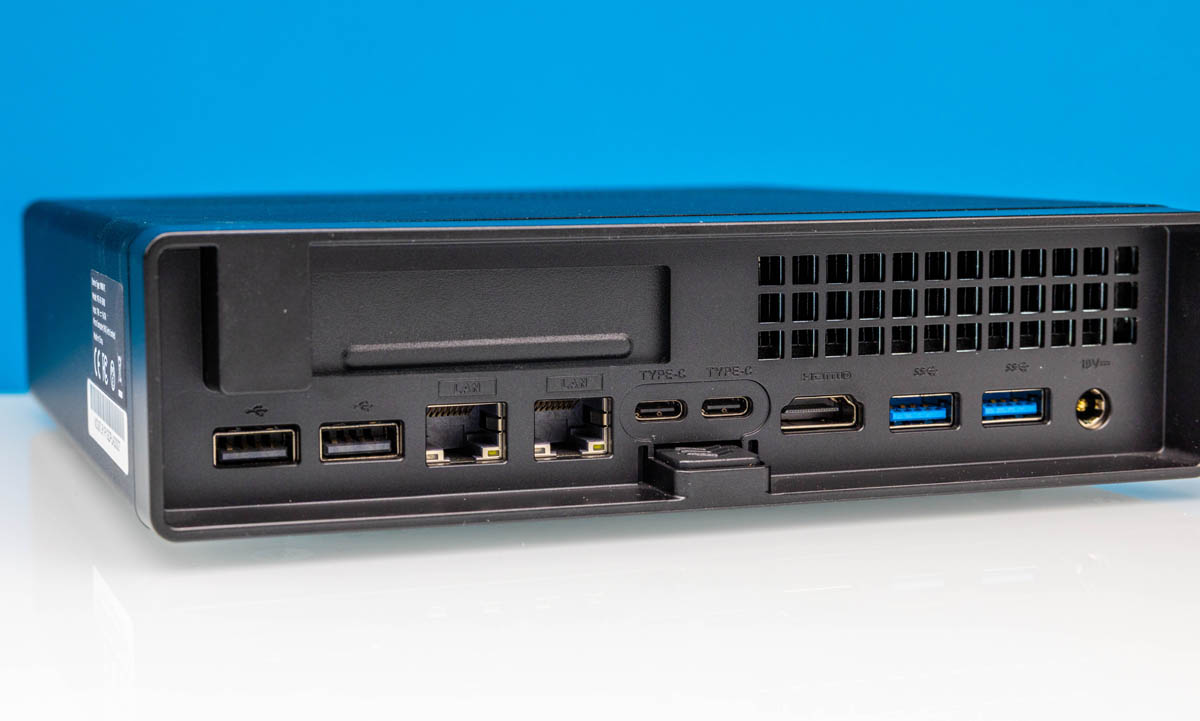
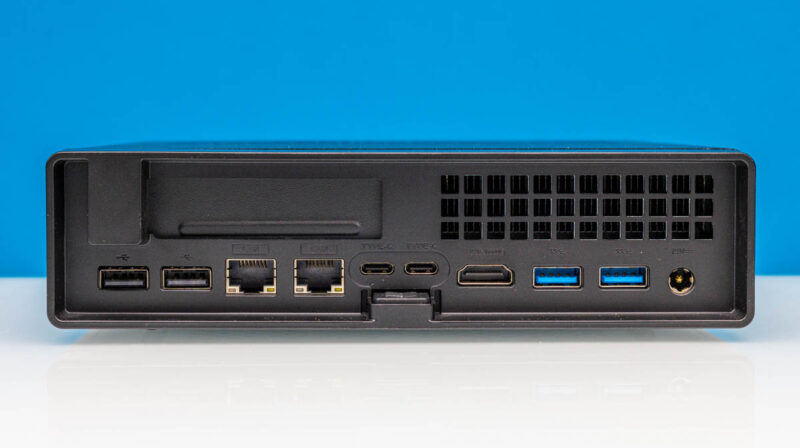
On the rear, we get four more USB Type-A ports, two 2.0 and two USB 3.2 Gen2 ports. There is a HDMI 2.0 port, and two USB Type-C ports that can also do DisplayPort output. The NIC ports are Realtek RTL8127 10Gbase-T ports, so this has dual 10GbE.
Something we really like about this is that the system has the pull-out design like the Minisfourm MS-01 and MS-A2, but unlike the MS-A1.
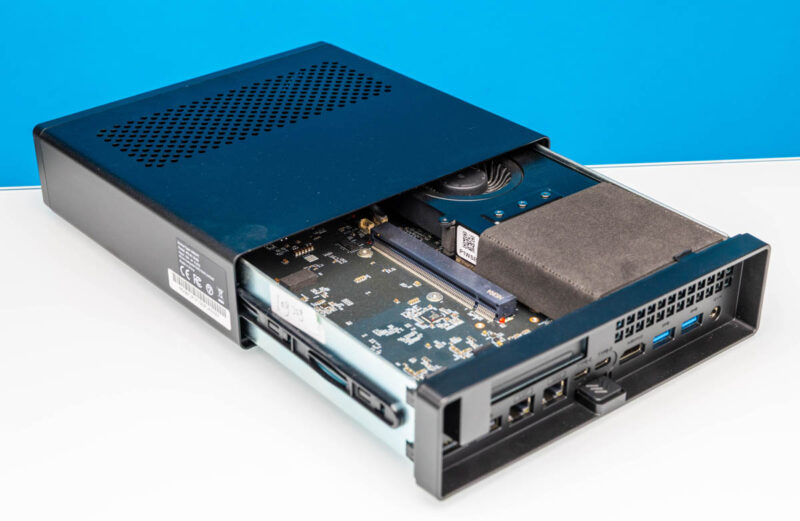
Let us get inside next.
Minisforum MS-R1 Internal Hardware Overview
Inside, we have the familiar low-profile PCIe card slot, and then the CPU and memory below.
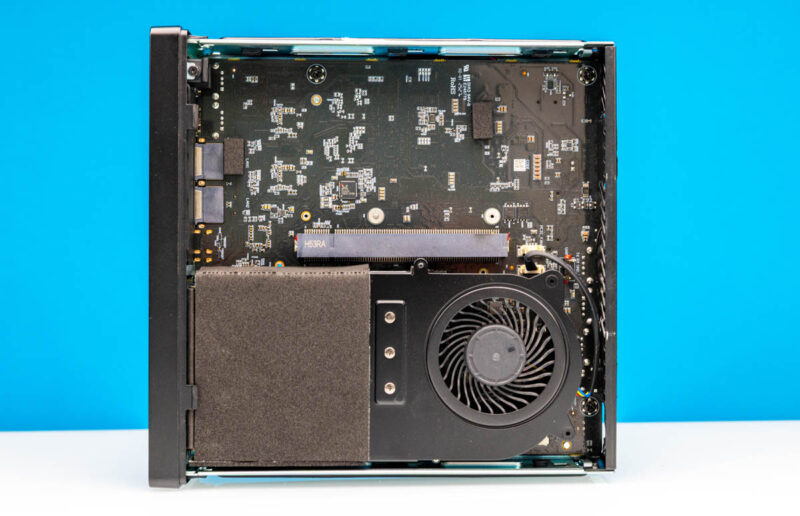
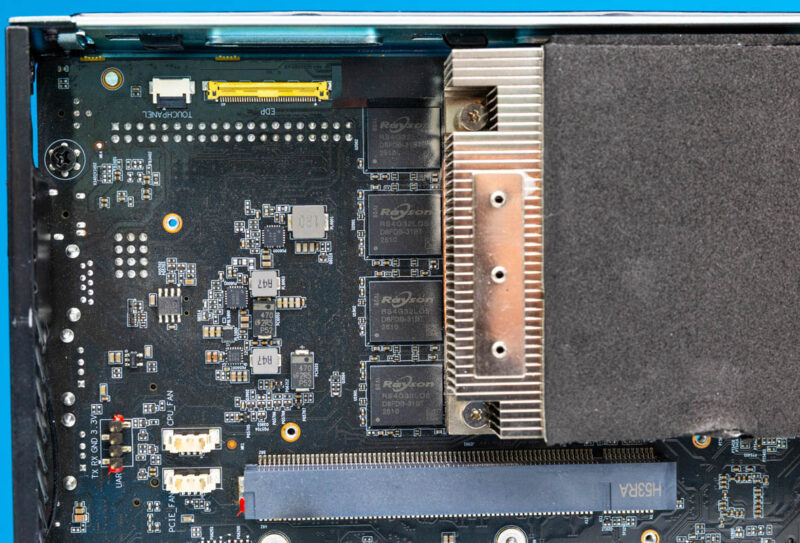
Under the fan, we usually find SODIMM slots, but here we found a touchpanel and EDP connector, along with the memory. The LPDDR5 5500 memory is Rayson-branded. It is also soldered so you cannot add more memory (easily) later.
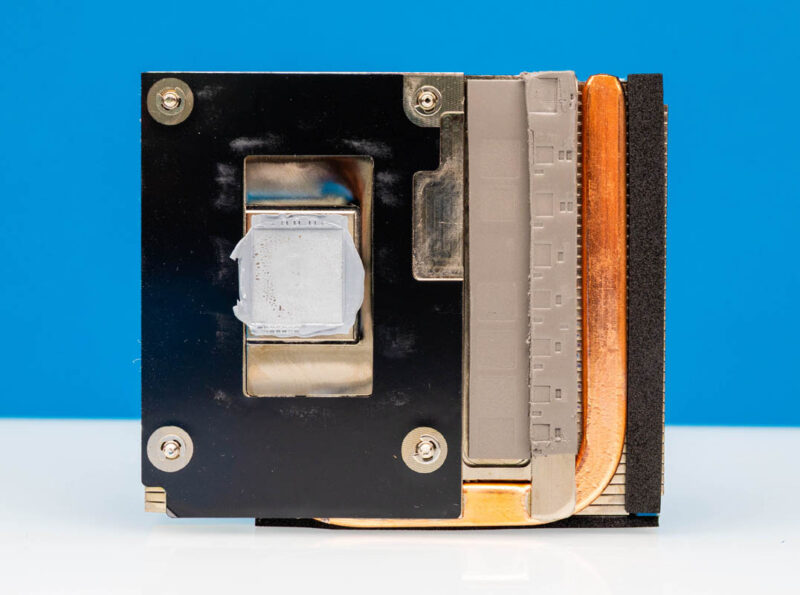
Here is the heatsink bottom. We lost some of the foam on the PCIe side getting this out.
Underneath there, we have the CIX P1 or CP8180 processor. This has big, medium, and small core complexes, with the first two being Arm Cortex A720 and the latter being Arm Cortex A520. The onboard GPU is the Arm Immortalis-G720 MC10.
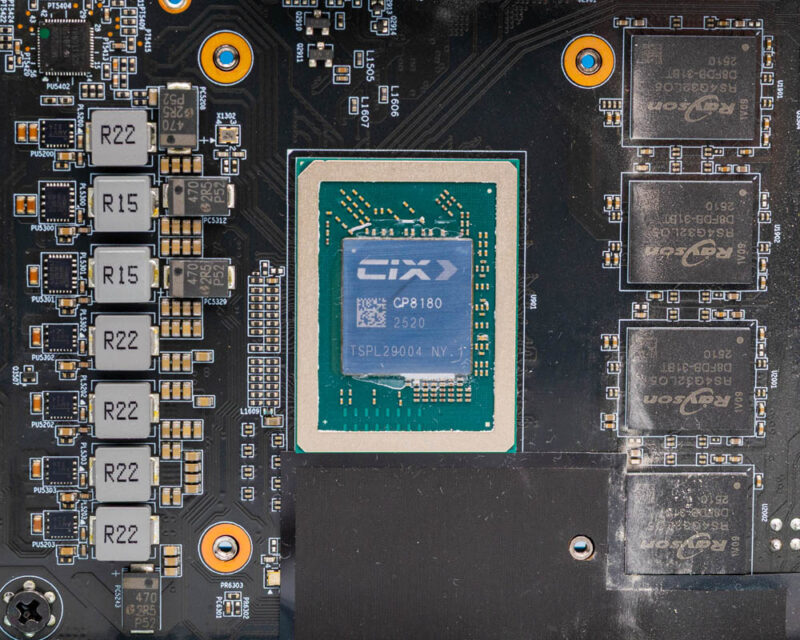
Here is that side with the CPU heatsink and fan off.
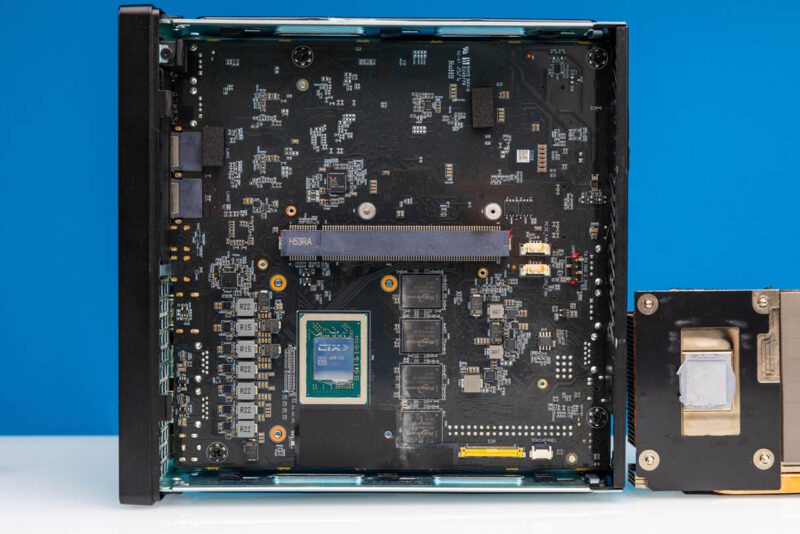
On top, we get a PCIe Gen4 x16 low-profile slot that is x8 physical. A quick word here is that there is no cooling on this top side, so you will want either a very low power card or one that has its own active cooling here.
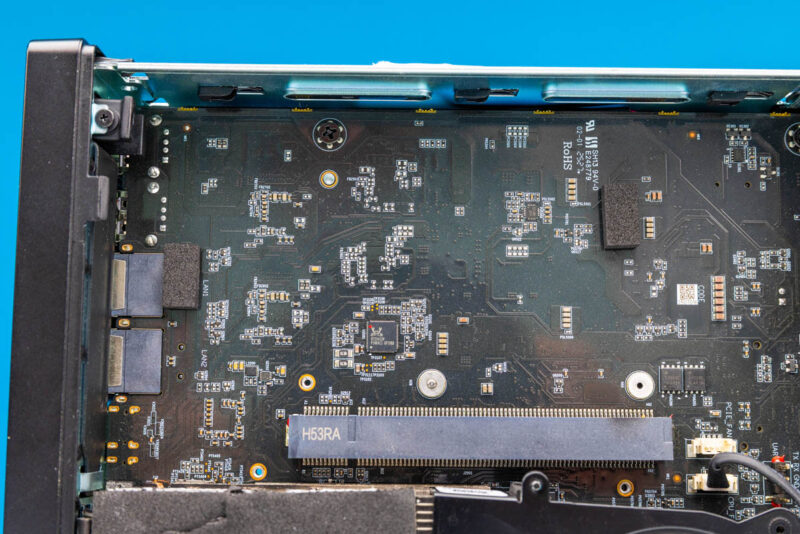
Here is another look with some of the foam we lost getting you the SoC picture.
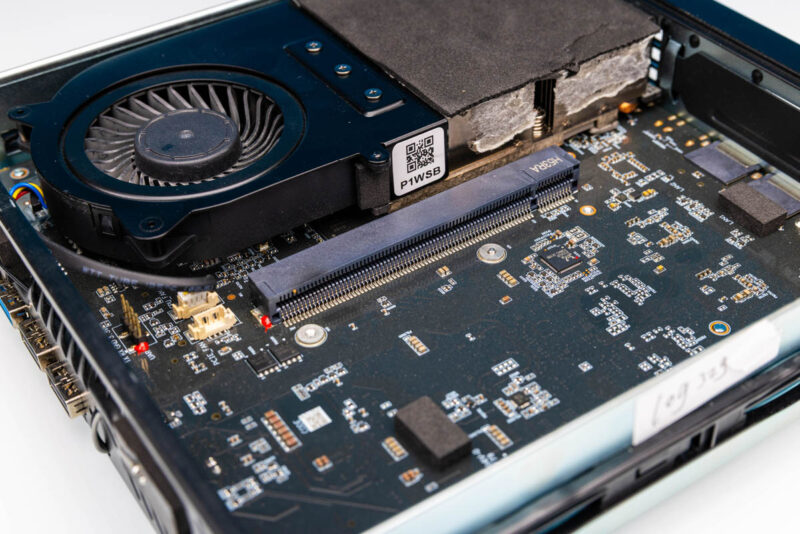
Next, let us get to the back side, where the storage and networking are.
Minisforum MS-R1 Internal Hardware Overview Continued
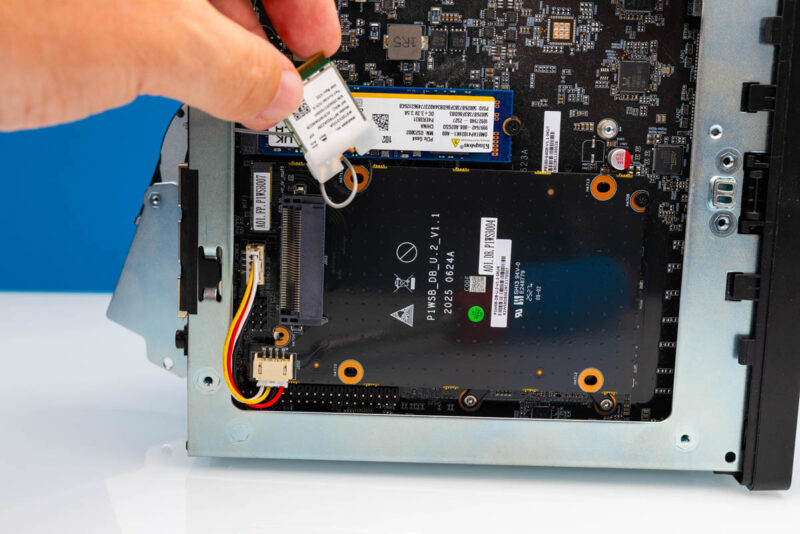
Here is the bottom or back side of the internal tray.
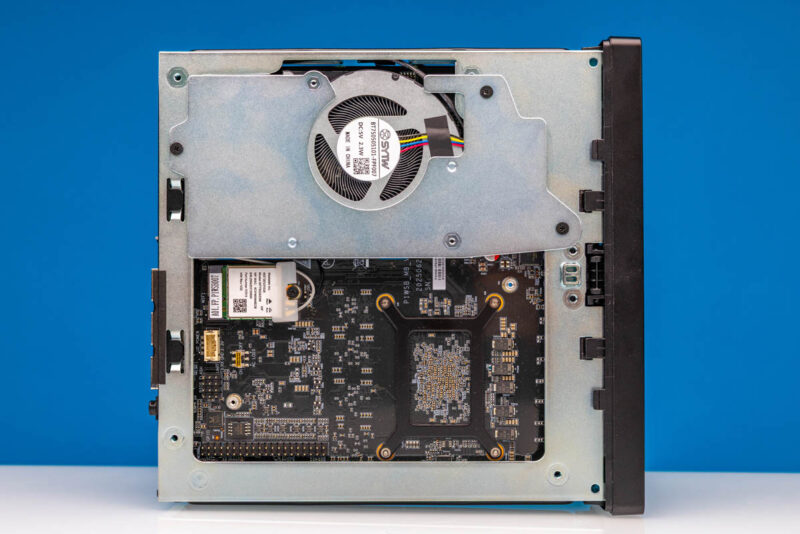
The fan is interesting since there is a little fan extension cable. This is a small batch prototype unit, so it may not make it to retail, but we thought it was something we do not commonly see.
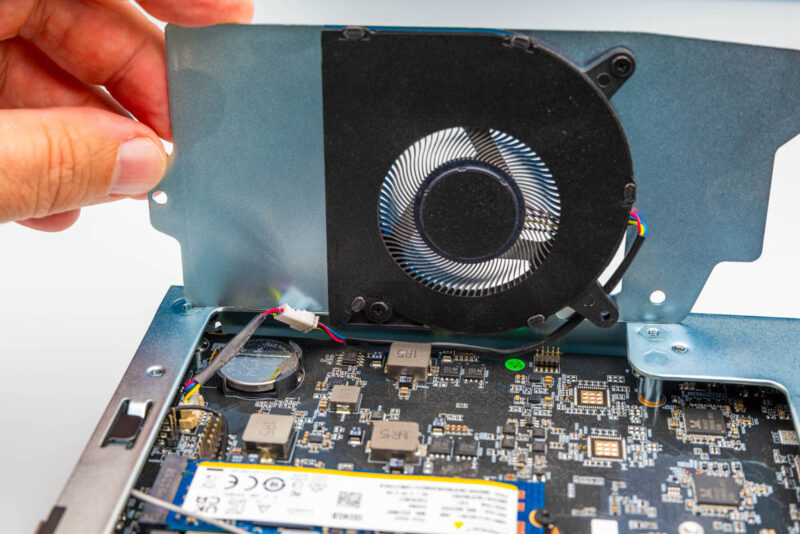
Then we get two M.2 slots, a Kingston PCIe Gen4 1TB drive and a WiFi slot with a MediaTek WiFi 6E solution.
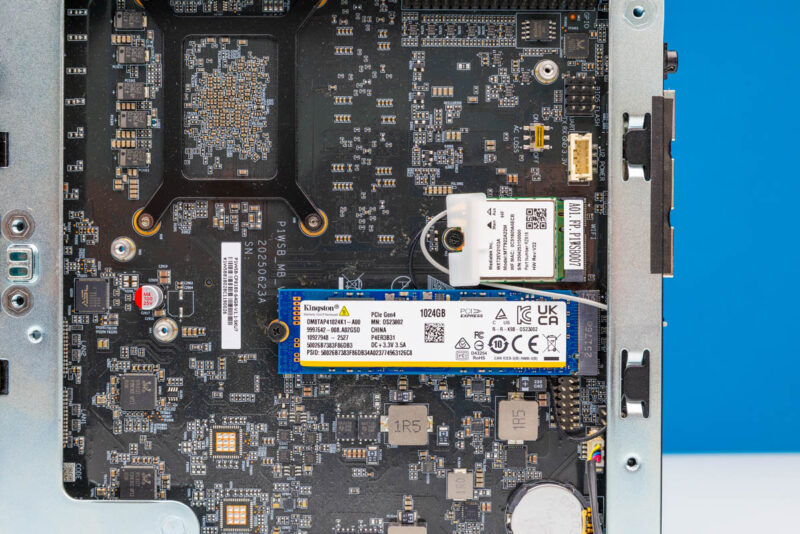
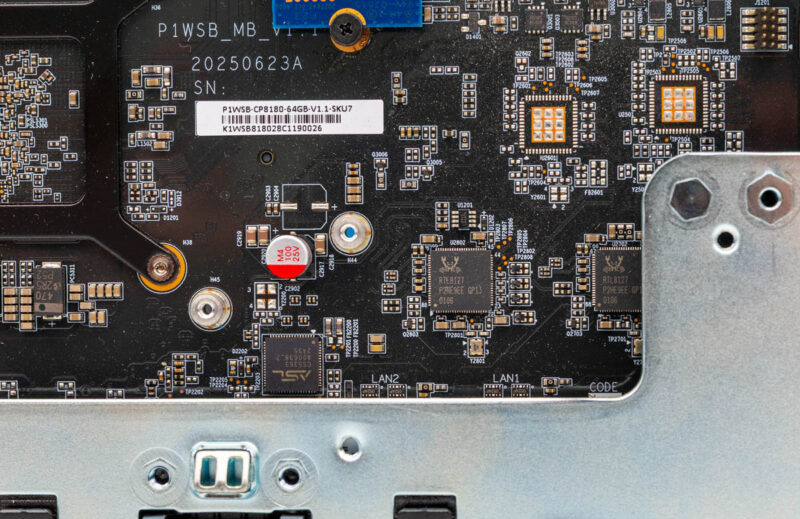
Here are the RTL8127 10GbE NICs, and what look like pads for unpopulated NICs on the PCB.
This system also features GPIO pins and a small switch that instructs the system to either power on or remain off after an AC power loss and power restoration.
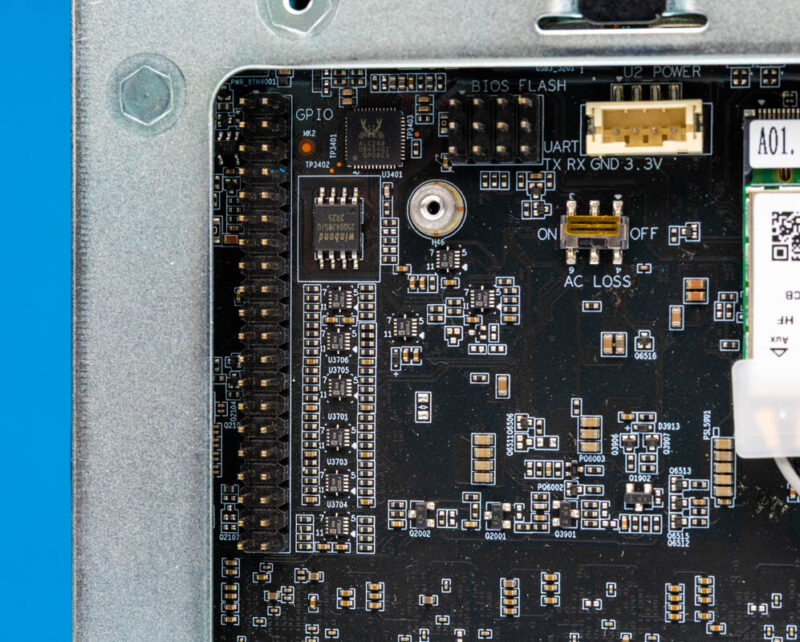
There was a U.2 adapter in the box, but it only works if you take out the WiFi card and also the power cable will likely block some of the GPIO as well as the AC Power On/Off switch. Since the WiFi card slot, as we will see in the block diagram, is only a x2, you would be going through this to add a U.2 drive linked only at PCIe Gen4 x2 speeds.
Next, let us get to the block diagram and topology.


“CPU wise, folks just want Arm cores.”
Well, I used to think that way, but I am just not so sure anymore.
It seems to still be a rather cumbersome experience, and while what you’ve just described here is miles better than the installation process with a dev board that was released earlier this year, using the same SoC, it is still very far off from any x86 platform.
That, coupled with mediocre performance and mediocre power efficiency, while still costing as much as a modern x86 system, I am left questioning the viability of these. Yes, they are ARM-based and I’m sure that there are some use cases where that is a must. But unless someone specifically needs that instruction set, they are probably better off with a similarly priced x86 chip.
This is not to say that I don’t want ARM to succeed, but if I wanted to buy something for day to day use, this would be far from being my first choice, as it doesn’t excel at anything. Now, if I wanted an ARM-based development box, then I think it would be quite high up on my list, but that isn’t something I’m in the need of right now.
I can’t figure out why anyone would want this.
Get a Mac Mini, and boot linux inside VMs. It’ll be SO much faster. Plus, you’ll have a Mac if you ever want it.
…ok, I can see one answer, now that I think about it more – it’s a LOT cheaper to go with lots of RAM. Still seems like a rare situation, where you’d want lots of RAM but not need/want more CPU. And a used M2 Mini with extra RAM would probably be just the thing for that, if you can get it.
Here’s hoping Minisforums supports this better than any of their Mini PCs I’ve tried in the past. They have yet to release a stable UEFI/BIOS for either of the boxes of theirs I own years later.
Their hardware is awesome. Their software/firmware support is atrocious.
It seems to have UARTs.
Can one use it for serial console, to sidestep GPU driver issues and install mainstream Debian?
@James At least with this we can compile & patch the bios on our own as minisforum published the EDK2 sources provided by Cix on GitHub.
I’ve been working with the “forbidden” development system Orion O6 since the beginning of the year and a lot has improved and still is steadily. If you use the vendor images (with downstream 6.6 ACPI) you have full hw acceleration and if you use any upstream distro combined with a GPU (Intel/AMD/Nvidia) you have a great ARMv9 dev station. But I also have to be honest here this is no where near as easy to do right for the average person that doesn’t have embedded linux experience.
@justsomeguy “Plus, you’ll have a Mac if you ever want it.” and you’ll have resale value if you don’t want it
This is apparently a machine that only an android developer would love: an ARM processor and tons of RAM to run development tools, _if_ all the Google tools are available on Debian/ARM.
As far as I am concerned, I stick to Raspberry Pi when I need GPIO, and mini PC for general computing use. Nothing beats good software support. A used thin client from eBay can be better and cheaper than this (and silent too).
@pascal martin:
” _if_ all the Google tools are available on Debian/ARM.”
They are.
But don’t use it for this. The reviewers made it sound actually better than it was. The CPU cores in this chip are something that you would see in a 3 year old midrange Android smartphone. They don’t even have the Cortex X superchip. Even with fewer cores and much worse thermals, a 2 year old Samsung Galaxy Fold would give better single core and multicore performance. Yes, this “workstation” can take a discrete graphics card, but even a cheap one with 6 GB VRAM like the MSI GeForce RTX 3050 would have the CPU as a bottleneck.
People have been waiting for years for an ARM development device that is actually good – and Apple hardware isn’t an option for a lot of people for a bunch of reasons – but this isn’t it. This thing actually makes the $599 Mac Mini almost look line an incredible deal. I stated “almost” because you can’t upgrade the 16 GB RAM, meaning you can’t use it for much.
Of course you can’t use this for much either except maybe tasks that can use a ton of RAM and fast high bandwidth networking but don’t need much compute resources. That would be … switching/routing maybe? An nginx or Apache load balancer? A file server? (NOT a media or content management server even if you did get the discrete GPU.) A NAS? Who knows.
@rano
“Apple hardware isn’t an option for a lot of people for a bunch of reasons” Why? I can see the graphics being an issue if you want to develop specifically for certain hardware, but that’s pretty niche. For everyone else, where’s the problem in booting an ARM Linux in a VM?
“you can’t upgrade the 16 GB RAM” Of course you can. +8 or +16GB for $200/400. A terrible price, of course… though at the rate things are going it will be a bargain soon. :-(
And of course if you want more CPU, GPU, and RAM, that’s possible too, with the M4 Pro chip option. Not as good a deal, to be sure, but not bad for what you’re getting.
@justsomeguy:
I have plenty of experience with Ubuntu Server VMs on Apple Silicon Macs as well as Debian VMs on MediaTek ARM Chromebooks. Neither is suitable for serious dev or ops work. For infrastructure stuff even less so.
The funny thing: Apple would get tons more hardware sales if they would support Linux on Apple Silicon. Not much effort either … just enough to let the open source types do their thing. But oh well. I guess they don’t need the money.
@rano
Well, I don’t have much experience with that, which is why I asked. But you’re just asserting, not explaining. What is the issue?
@justsomeguy:
If you an infrastructure guy building a web server or a devops guy deploying the app that runs on said server, you either need the OS to run on the hardware itself or on a type 1 “bare metal” hypervisor. Otherwise your enterprise OS, say Ubuntu ARM Server, and your enterprise application will be running inside a consumer application (i.e. VMWare Fusion) on a consumer OS (macOS) which means even if the performance is good enough to meet your needs, the reliability of the consumer OS and the consumer application won’t be.
If you are a developer – or pretty much anything else – desktop virtualization reduces the compute, graphics, memory, storage and networking resources available and limits you to one screen. Granted a lot of this can be worked around or mitigated but it requires you to be a Fusion or VirtualBox expert in addition to your actual job AND it holds you hostage to whatever changes the virtualization software and host OS pushes on you. In addition, if what you are developing relies on the kernel or drivers to any degree, those are going to be running on virtualized hardware instead of real hardware.
Again, you “could” make it work but there are better options available. Most ARM Linux devs just use their x86 boxes to cross-compile for both x86 and ARM. Requires more expensive hardware, but that isn’t an issue considering $1000 is the cost of entry for a macOS device that has more than 16 GB RAM. Also, a lot of the Linux ARM stuff has no “in between” it is either enterprise apps for servers or small apps for edge/IoT stuff. Where cross-compile is mostly done for the former, single board computers (think Raspberry Pi) is used for the latter. And for those who absolutely need ARM desktop class hardware, System76 and a few other specialty manufacturers sell them.
Long story short: while a Linux VM on Apple Silicon is a solution, it is a worse one than what most Linux ARM devs were using before Apple Silicon came along. That won’t change until true pro and workstation class ARM devices become widely available. This device, despite its discrete graphics, networkign and storage options, isn’t it and neither was the latest batch of Qualcomm Windows on ARM laptops.
@rano
I think you moved the goalposts here. Nobody was talking about large-scale production deployment. Obviously you’re not likely to use Macs for that if you just need linux/arm.
What we were discussing was individual devs working with single desktops, like the Mini in the review. For that purpose, a Linux inside a VM on a Mac will be drastically more performant and will likely be more reliable as well. You certainly won’t be facing the issues of janky drivers and uncertain vendor support.
Personally I don’t need to develop for ARM so I haven’t had to make this choice, but if I did I’d be a lot more interested in compile speed and a lot less in religious arguments over type1/2 hypervisors.
Hey, what is the software that was used to measure the inter-core latencies? It’s the first time I see it.
Well. I am running the Orion O6 as my main driver since spring this year. And while this started with a fairly experimental Fedora rawhide it is now running a mainline out of the box Fedora 43 (Ubuntu 25:10 mainline works as well).
When you say the R is a big improvement I do not believe you. These two are practically identical. 2x5Gb is fast enough, even though I I’d love to get my hands on the 2x10Gb.
What you fail to mention is, that these two products are the only open Arm computers one can buy that support a full PCIe slot and with it GPUs I arm (not even apple supports that).
With that said, my O6 runs with a RTX5060 and right now there is no other Arm PC that can do that
@justsomeguy:
Go download VMWare Fusion: it is free for personal use. Install Debian or Ubuntu ARM server. Clone a full stack web application from Github in it and deploy it to Docker Compose. There are tutorials on how to do all this, plus ChatGPT. Try to look view the web browser, Docker logs and application logs at the same time. In the VMWare Fusion app that by default restricts you to working on a single monitor. See how fun that is and it is the simplest possible example that doesn’t even require you to write or debug code.
I know that Tim Cook told Linux devs furious over Macs no longer having bootcamp that they would be fine with VMs. That is no reason for you to treat things that CEOs who want you to buy their products say as actually being true.
@rano So what this all comes down to is a lack of multi-monitor support?
OK, that’s fair. It’s a significant feature and one that’s important to you and many others. But it’s also NOT important to many. So your blanket categorization of the Mac+VM solution as “worse” is true for you, but you’re failing to appreciate that the world is bigger and more complex than just your needs and desires.
@Patrick: I was a bit struck by this sentence regarding the Radxa O6 : “The Radxa O6 uses the same CIX P1 SoC, and we had such a bad experience with it that we never did a review.”
Actually, I’d like to also read and see your reviews about systems that didn’t work out so well. Those can be good as “potential buyer beware” and also give manufacturers important feedback.
For those reasons alone, I found this present review here to be very helpful. Thanks!