

Sodola SL510S-4T2XS Performance
For this, we are using a Keysight XGS2 chassis with the NOVUS10/1GE16DP card, and we are using twelve of the sixteen ports of the card for this. We are using an RFC2544 Quick Test for throughput with a few changes. For example, we extended the run times per iteration to 30 seconds and started at 10% of the full line rate, searching for frame loss up to 100% of the line rate. We also test the RFC2544 64, 128, 256, 512, 1024, 1280, and 1518 byte frame sizes, and then add the standard IMIX, the Cisco IMIX, and an IPSec IMIX, which introduces mixed frame sizes into the testing.
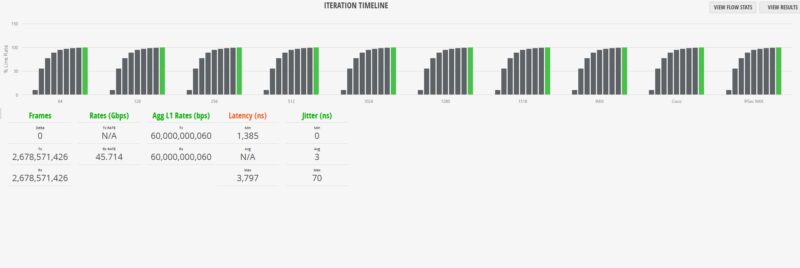
Moving up to 1518B, we saw a similar result with no frame drops.
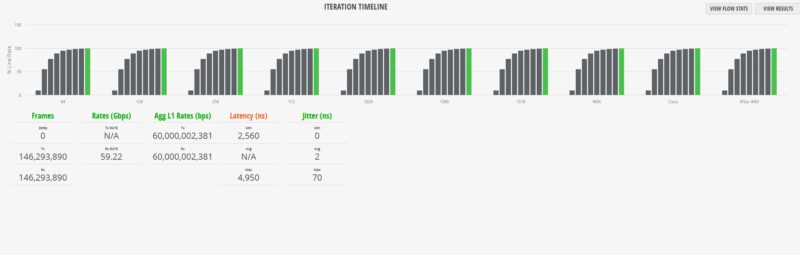
This was a common theme in our testing, even when we started using non-uniform frame sizes and went into the IMIX, Cisco IMIX, and IPSec IMIX settings. We were getting line rate performance. Here is the standard IMIX.
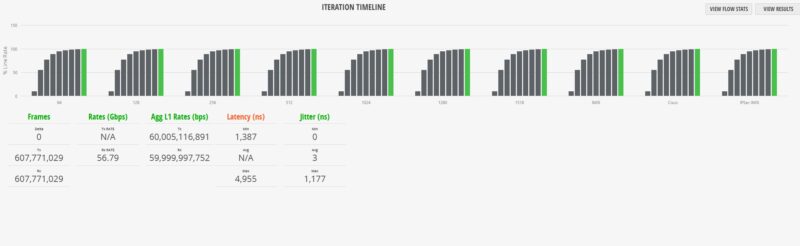
Here is the Cisco IMIX.
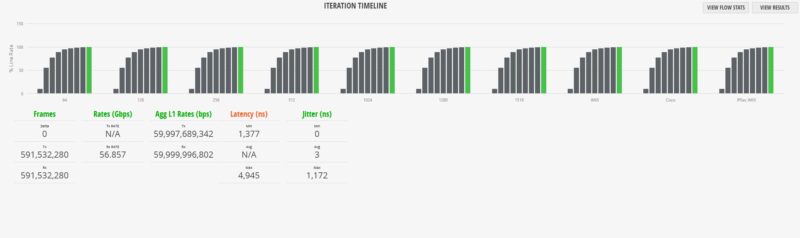
Here is the IPSec IMIX:
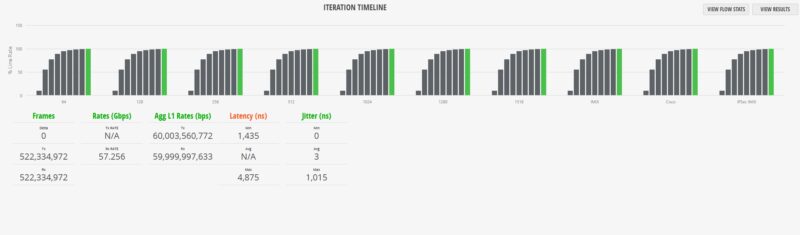
Overall, at $169, the performance of this switch was relatively good and in line with other Realtek RTL9303-based switches we have reviewed.
Sodola SL510S-4T2XS Power Consumption and Noise
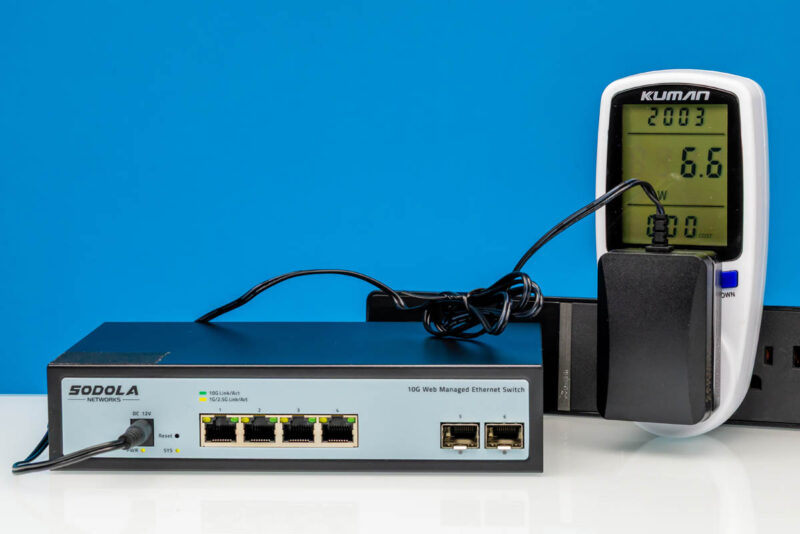
When it comes to the power consumption, we hit 6.6W at idle, which is more than some of the SFP+ only switches we have seen.
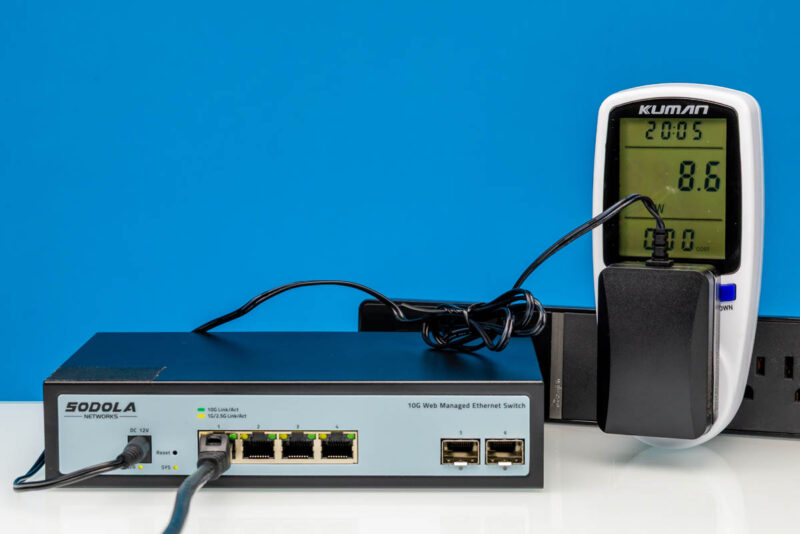
With a single port plugged in, we saw the power consumption pop. Even with a 10GbE test port plugged in, the power was up by 2W, which is quite a bit.
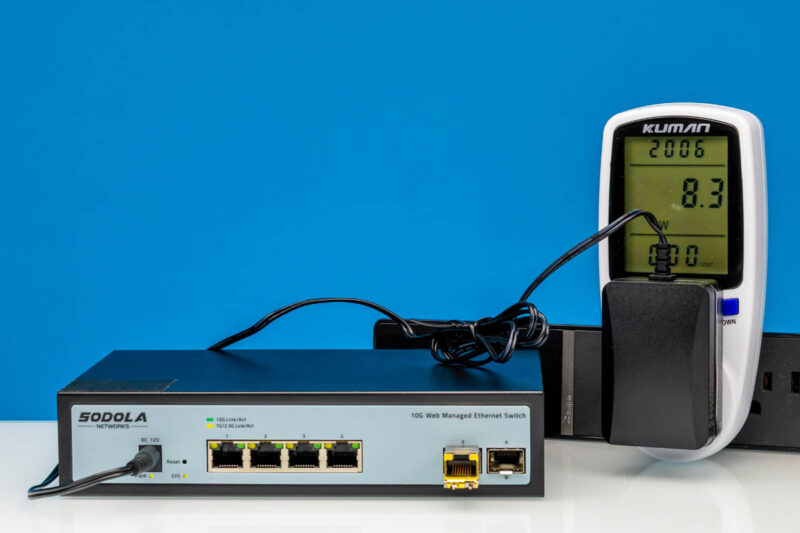
This is one of the most interesting findings. When we plugged in the SFP+ to 10Gbase-T adapter, we saw lower power consumption than when the 10Gbase-T port was linked, adding only 1.7W over our idle baseline. Usually, the adapter generates much higher power consumption.
Noise-wise, we were at 39dba, which was not silent, but it was also quiet enough that it could be added to an equipment closet without much fanfare.
Final Words
If you have a half-width rack and need 10GbE, perhaps because you are mounting a cluster of ASUS Ascent GX10 or other NVIDIA GB10 solutions, then a switch like this makes a lot of sense. It is compact and provides a good number of 10Gbase-T ports with SFP+ connectivity as well.
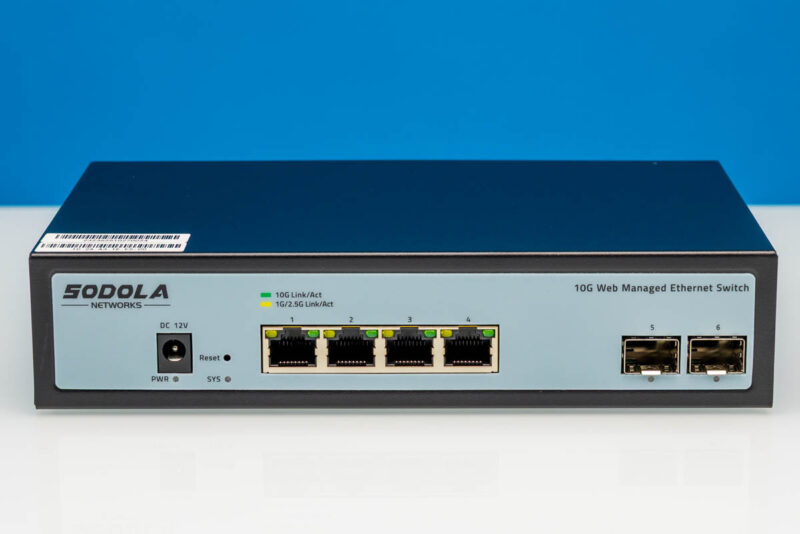
Although the switch worked and is really interesting, it is also one that we feel that going up the pricing stack slightly can yield better value. The Sodola SL-SWTGW2C48NS is a 12-port switch at $229 that effectively doubles the ports (adding 6x SFP+ ports) for 36% higher cost. That one is such a good value that it sold out in under an hour after posting our article/ video, and batches keep selling out on Amazon. It is $60 more, which is not in everyone’s budget. On the other hand, it is a considerably larger switch at that price.
We are going to be adding this, along with many other switches, to our Ultimate Cheap 10GbE Switch Buyers Guide, so that you can compare across different options we have tested.
Where to Buy
Here is an Amazon Affiliate link to what we purchased.


Does it have IPv6 support for the admin interface?
Interesting that it is labeled “1G/2.5G Act” on the ports. Does that mean that 5G is not supported? Would be strange to see a switch that supports 2.5G and 10G but not 5G.
After having seen my board crash due to bad LLDP data sent by another device, I decided to see if I could fix its firmware. It turns out the platform was already relatively well supported by OpenWRT, so with a lot of help from Claude, the board plugged into the serial port using a UART adapter on my laptop, a dump of the stock firmware using a CH341A programmer; and using AI to cross-reference the official Realtek SDK and other resources; plus some disassembly of the dumped firmware, lots of RAM-only boots and whatnot, I have produced a working, 100% stable OpenWRT image for it: https://github.com/andrebrait/lg510s-firmware-lab/releases/tag/v2026.10.31-rc1
I also added some extras to make sure its feature set is on par with the stock firmware.
Note: I only ever tested it in my specific boards, all of which are marked PCB-510S-4T2XS-V1_0_1-19676. If yours is not, like the models that have PWM fans and/or the 5-port all RJ45 variant, I highly advise you to at the very least give yourself SSH access to the stock firmware (my repo has instructions for it for an AI agent to read and execute), but preferably use an UART, to get an AI agent to adapt the build for your hardware.
[Posting again because the other text is now outdated]
After seeing my switch crash because of bad LLDP data from another device, I decided to see if I could fix its firmware. It turns out the platform (RTL9303 + RTL8264B) was already fairly well supported by OpenWrt. With a lot of help from Claude, a UART adapter on the board’s serial header, a dump of the stock firmware made with a CH341A programmer, the official Realtek SDK and some disassembly of the stock firmware for cross-reference, and lots of RAM-only boots, I now have a working, stable OpenWrt image for it:
https://github.com/andrebrait/lg510s-firmware-lab/releases
It is sold under several names: Lianguo LG510S-4T2XS, GoodTop LG510S-4T2XS, Horaco ZX510S-4T2XS, HRUI HR510S-4T2XS, Sodola SL510S-4T2XS and MokerLink 10G04210GSM. I tested it on the Lianguo/GoodTop units only.
On top of plain OpenWrt it has:
– EEE, flow control and STP protocol settings per port in LuCI, plus a Ports status page
– the switch’s MAC address table with static entries, port mirroring and per-port rate limits, all offloaded to the switch chip
– CPU and per-port temperatures, with graphs
– LLDP and SNMP (both off until you enable them), RSTP, link aggregation and HTTPS for the web UI
Installing: back up the stock image and config from the stock web UI, then upload the factory.bix file on the stock firmware upgrade page. That worked on two of my units; on one of them the stock firmware hung while rebooting and needed a power cycle, but the image was already written. After that it gets its address by DHCP (falls back to 192.168.1.1 if there is no DHCP server). Updates after that keep your settings.
I’m also upstreaming the work: the board support (https://github.com/openwrt/openwrt/pull/26346), a package for the switch features and the LuCI changes are all open as pull requests.
Note: I only tested it on my own boards, all marked PCB-510S-4T2XS-V1_0_1-19676. If yours is different, like the models with a PWM fan or the 5-port all-RJ45 variant, don’t flash it. At the very least, give yourself SSH access to the stock firmware (the repo has instructions an AI agent can follow), but preferably use a UART, and have an AI agent adapt the build to your hardware. Most of the work should carry over.