

Sodola SL-SWTGW2C48NS Performance
For this, we are using a Keysight XGS2 chassis with the NOVUS10/1GE16DP card, and we are using twelve of the sixteen ports of the card for this. We are using an RFC2544 Quick Test for throughput with a few changes, for example, we extended the run times per iteration to 30 seconds and started at 10% of the full line rate, searching for frame loss up to 100% of the line rate. We also test the RFC2544 64, 128, 256, 512, 1024, 1280, and 1518 byte frame sizes, and then add the standard IMIX, the Cisco IMIX, and an IPSec IMIX, which introduces mixed frame sizes into the testing.
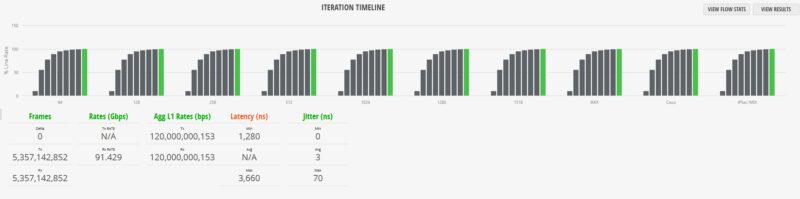
As you can see, the 64B test hit almost 91.5Gbps with no dropped frames. That may sound like a low figure across twelve 10G ports. That is actually the line rate at the small frame size. Moving up to 1518B, we saw a similar result with no frame drops.
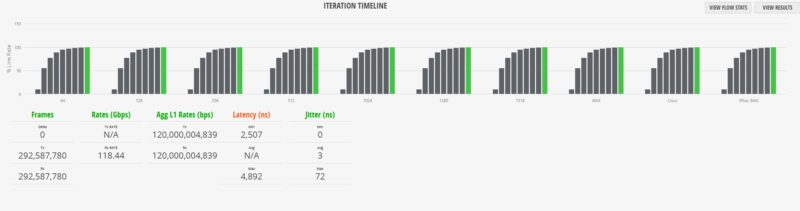
This was a common theme in our testing, even when we started using non-uniform frame sizes and went into the IMIX, Cisco IMIX, and IPSec IMIX settings. We were getting line rate performance. Here is the standard IMIX.
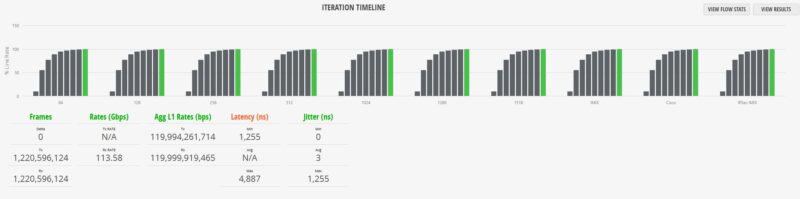
Here is the Cisco IMIX.
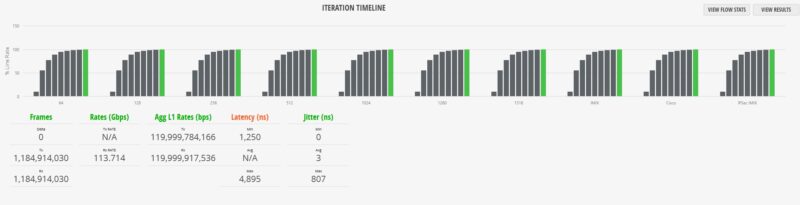
Here is the IPSec IMIX:
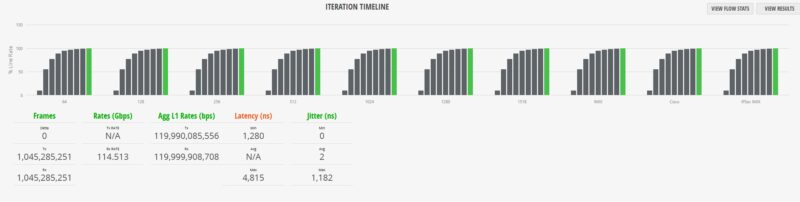
Overall, the results were very good indeed. The “with Jitter” is there because we were testing another switch with the same switch chip, just as we started getting our XGS2 to calculate jitter as well, so we re-tested this switch. That jitter figure ended up being a big differentiator for this Sodola which was surprising.
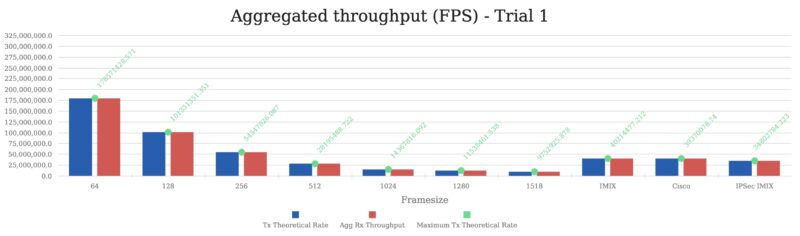
We often see folks online posting that these low-cost switches constantly drop frames. With our new setup, we can actually saturate the switch at different frame sizes and ensure none are dropped. This one was a bit different because instead of only taking a few hours to run, we clicked a few incorrect settings, and this ran for 26 hours over the weekend instead. We did not see dropped frames during this process. While it is quite possible that something happens a year or two down the road, we could not find any glaring issues in the basic performance profile.
Sodola SL-SWTGW2C48NS Power Consumption
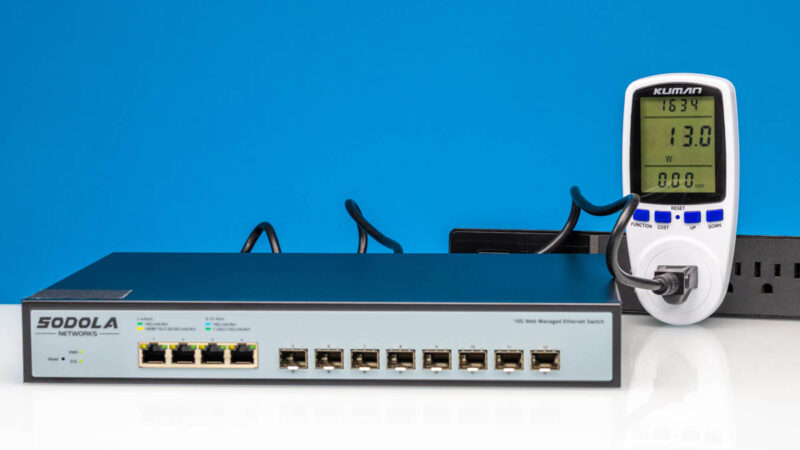
When it comes to the power consumption, we hit 13W at idle, which is more than some of the SFP+ only switches we have seen.
With a single port plugged in, we saw the power consumption pop. Even with a 2.5GbE test port plugged in, the power was up by 1.6W which is quite a bit.
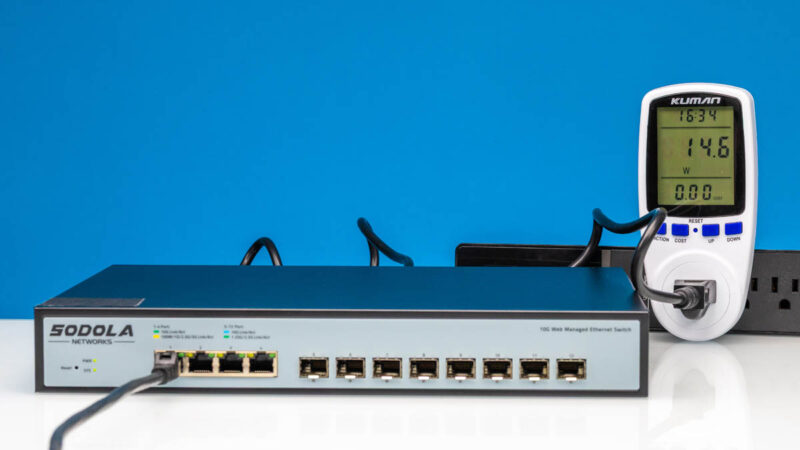
This is one of the most interesting findings. When we plugged in the SFP+ to 10Gbase-T adapter, we saw the same power consumption as when the 2.5GbE port was linked. Usually, the adapter generates much higher power consumption.
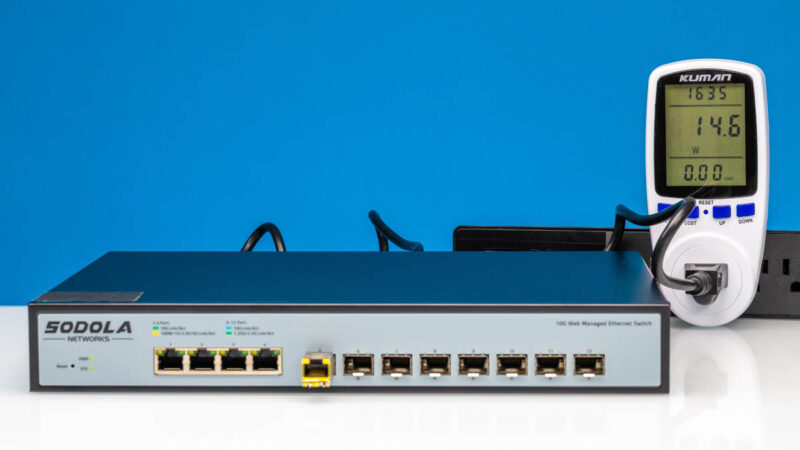
In terms of noise, this was not a silent switch with the fan.
Final Words
Here is a crazy thought for you: The MikroTik CRS304-4XG-IN is $199 MSRP or $165 list with four ports of 10Gbase-T. Since we paid under $210 for this switch, if you are just looking for dead-simple connectivity, this is a better value. You could argue that MikroTik is the better switch since it has more management features, is built in the EU, and so forth. On the other hand, this is probably better for just low-cost connectivity.
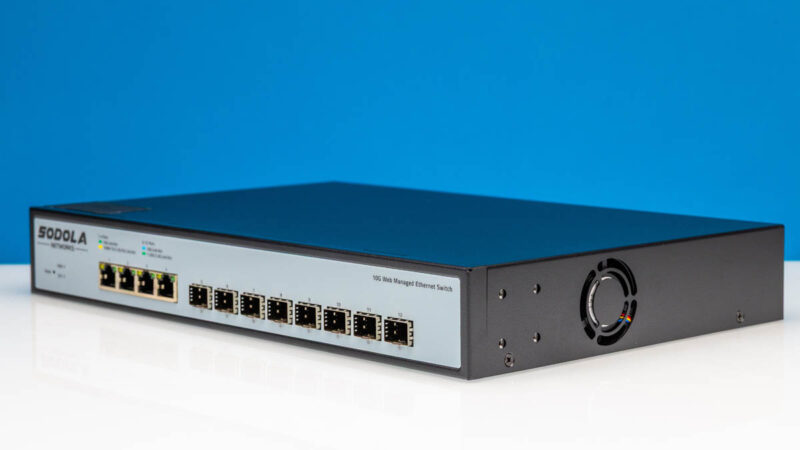
Overall, this is far from fancy, but for the price, it is hard to argue with the value of this Sodola.
Where to Buy
Here is an Amazon affiliate link to what we purchased. Note that this article/ video sold out Amazon in the first 30-45 minutes. Sodola said there is an inbound freight shipment that will take roughly two weeks to re-stock but then it should be the same price. In the meantime, here is an Amazon affiliate link to the MokerLink branded version and another Amazon affiliate link to the YuLinca version. We did not test those, but they appear to be re-brands of the same hardware.




Is it possible to put the management interface into a vlan or is it only reachable from pvid 1?
Is this model being distributed for sale yet? The amazon link goes to a Sodola 6 port switch, 4x10GT + 2xSFT+.
Sadly, when searching for this model, I can not find it anywhere,
Seems to be taking ages for cheap 10G ethernet only 10+ ports switches to appear, how hard can it be to revise a current switch model with the new RTL chips?
Jay, the Amazon listing was live when this article went up. So it was being distributed – though how much inventory, we couldn’t say.
I happened to see this switch before the review went up and the video dropped. When I search for the model directly it says “Currently Unavailable” so maybe it’s just low inventory
I reached out to Sodola via the support e-mail on their website. They said we sold Amazon US stock out. There is another shipment of these in transit, but the freight is something like two weeks. They also said they plan to have the same price when it goes back in stock.
We did not test them, but I added links to the Mokerlink and YuLinca versions of this switch at the end of this article.
Do not be tempted to buy direct from Sodola, their website often lists vaporware and they send you something different then refuse to refund you or even let you return it to China.
That’s actually how I ended up with one of these switches – I ordered a 16 port 10gbe switch and they sent me a 2.5gbe one, then I had to pay the difference to get this 4+8 and a few SFP+ modules.
Is there any chance there could be a change made to the site so that when an image is clicked it pops out a higher resolution version, instead of going to the gallery?
Any chance you can link to previous articles about SFP+ adapters that are compatible with this switch? (And or actually test some of them with this switch/future switches?)
This switch is intriguing to me, but not all my systems can do 10GbE. I’d like the capability to connect them at 5/2.5GbE rather than dropping all the way down to 1GbE.
I remember several of the SFP+ modules you previously reviewed support multi-GbE.
I just checked and the unit is now listed again for purchase with a back order date of week 1-2 in March. Bought one @ $229
this is not a new product, it has been around since at least october 2023 but sold under different brands, including MokerLink (PN 10G04810GSM) and goodtop (no idea what the PN on this is). during various aliexpress amazon promos, they went as low as $180, before the tariffs kicked in. i have the mokerlink and everything looks exactly the same, the PCB is identical to this.
The switch seems to be solid have one installed up and running. Yes the rampping fan needs improvement. But so far so good.