

QNAP QuTS Hero Software
Besides providing solid hardware platforms, the other half of the value proposition for QNAP is its software ecosystem. The company provides its own Linux-based OS distributions, as well as additional software packages to run on those systems.
Officially, the TS-h1290FX supports both the more basic QuTS operating system, as well as QNAP’s more advanced QuTS Hero OS, which relies on ZFS drive pooling. But given the price tag and hardware capabilities of the TS-h1290FX, there is little reason to run anything besides QuTS Hero: ZFS has better RAID and drive pooling options, and the system can easily handle the additional resources required by ZFS.
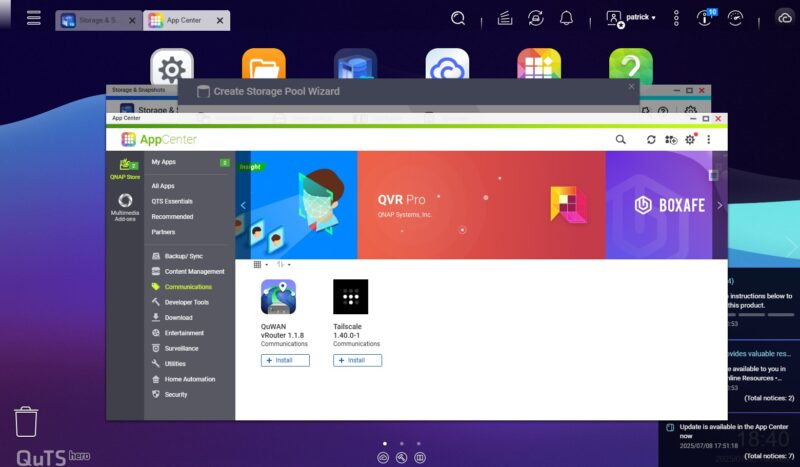
As the TS-h1290FX is a headless server, the NAS is designed to be administered over the local network, and it can even be exclusively administered that way if desired. QNAP also offers a cloud setup option, if need be.
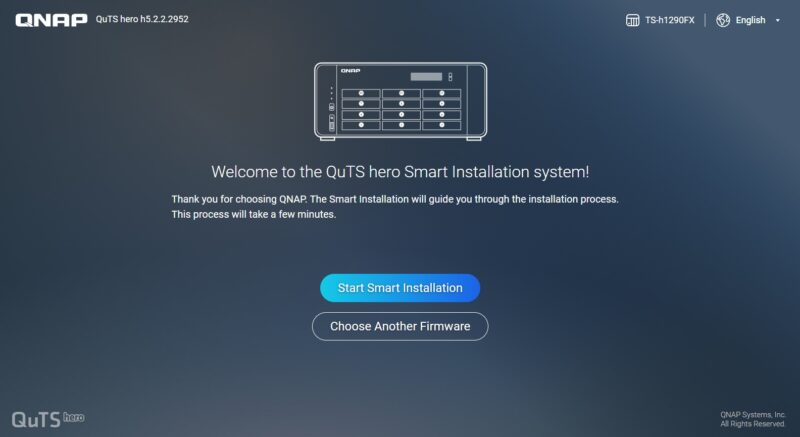
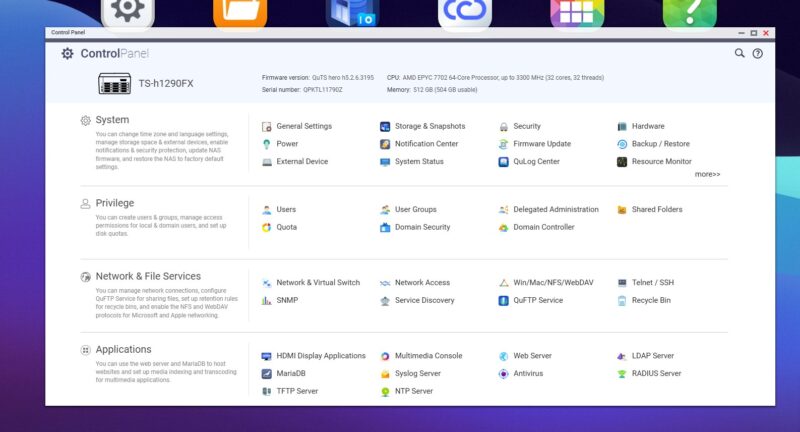
Once up and running QuTS Hero provides control panels and wizards for virtually everything you can think of, with an obvious emphasis on storage.
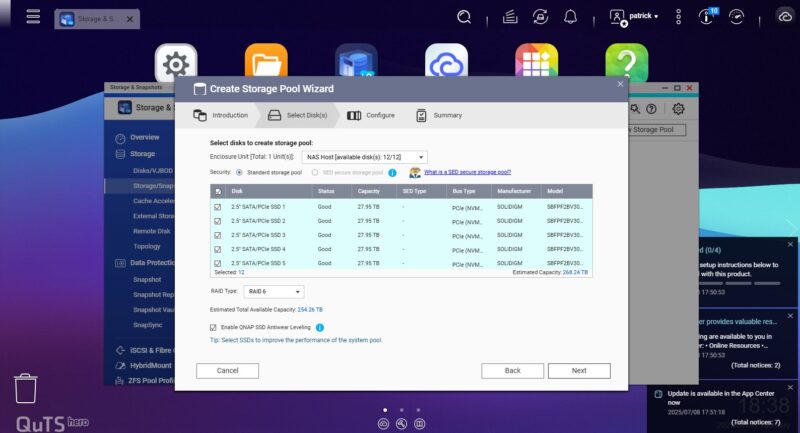
The storage pool wizard allows for forming drive pools of up to all 12 drive bays, with further functionality available if an external drive enclosure is connected to the NAS. With regards to RAID support, QuTS Hero offers all the common RAID types – 0, 1, 5, 6, 10, 50, and 60 – as well as a triple mirror version of RAID 1 (aptly named “Triple Mirror”) and a triple parity RAID option (RAID-TP) for users who are worried about losing more than 2 drives out of an 8+ drive pool.
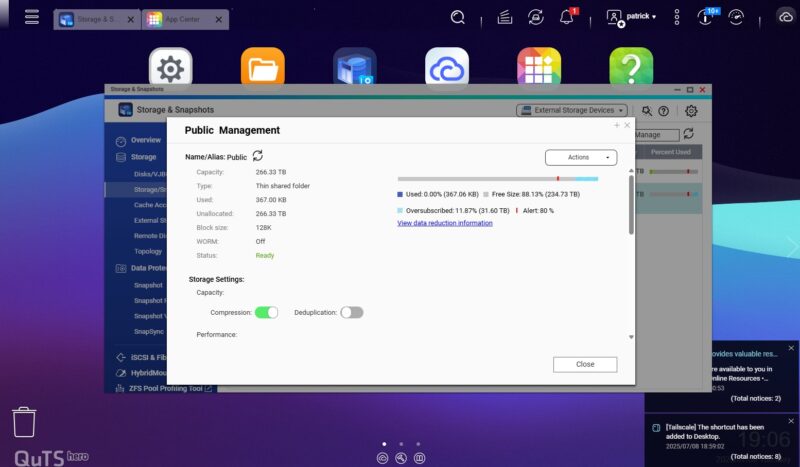
Thin and fixed provisioning is available. And making full use of ZFS’s native capabilities, QNAP also offers controls for data compression and data deduplication.
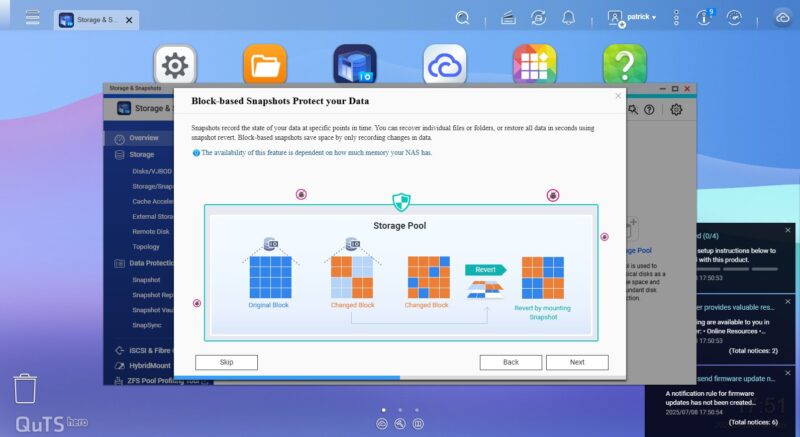
Data versioning is supported as well with block-based snapshots, which QNAP’s setup wizard encourages you to use.
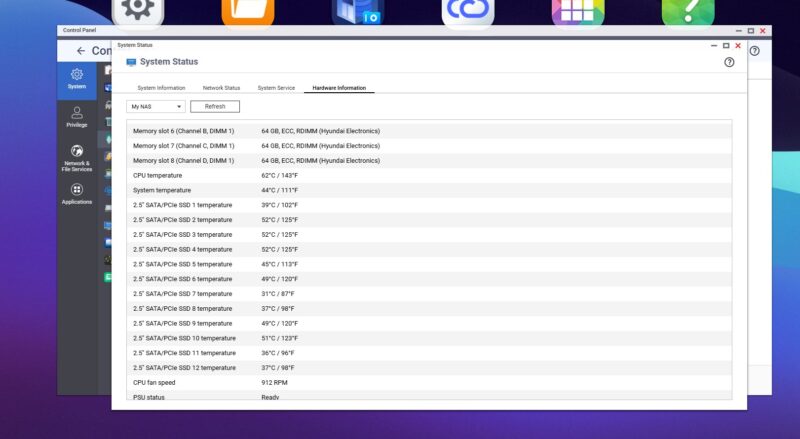
System monitoring is also available, with the NAS reporting on the CPU and system temperatures, as well as the temperatures of each SSD, and the speed of all three fans.
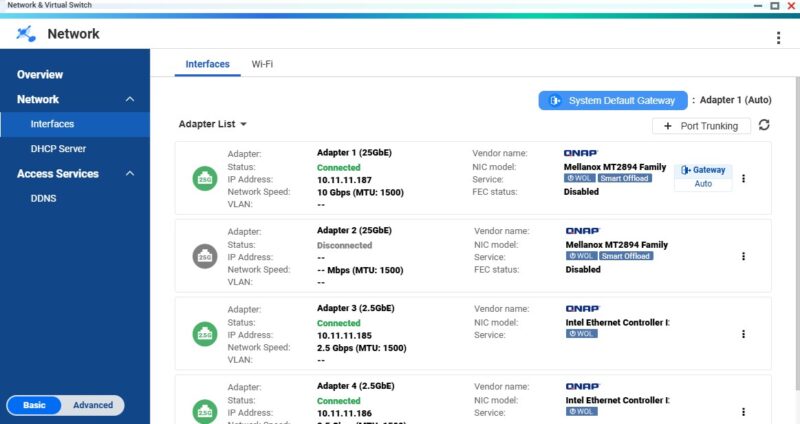
And finally, there are detailed networking controls for all four Ethernet ports.
QNAP TS-h1290FX Performance
In terms of performance, we tested the unit under a few key scenarios. We wanted to test the CPU, network, and storage performance. Starting with the CPU, we wanted to see how this compared with our previous testing of the AMD EPYC part.
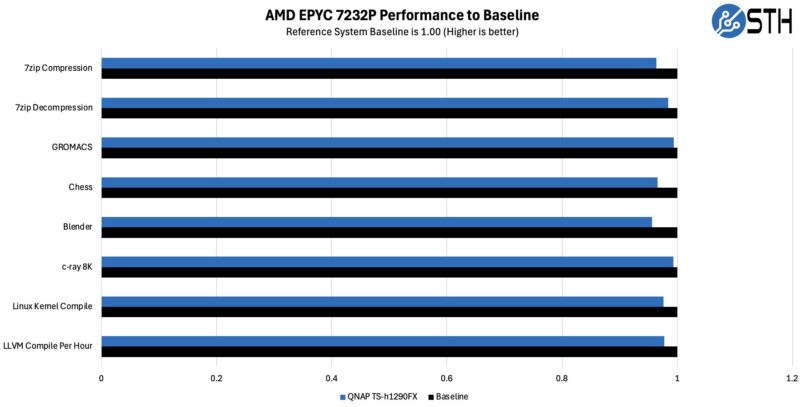
Performance is a bit lower here, but to be fair, this is shoehorned on here not our standard blank Ubuntu install. Perhaps the better way to read this is that it is close to in a normal server plus overheads.
Next, we wanted to test the network throughput, both on the 2.5GbE and the 25GbE ports.
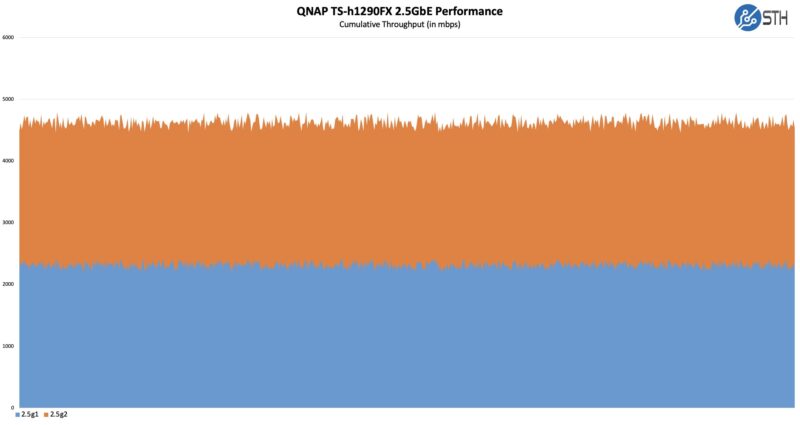
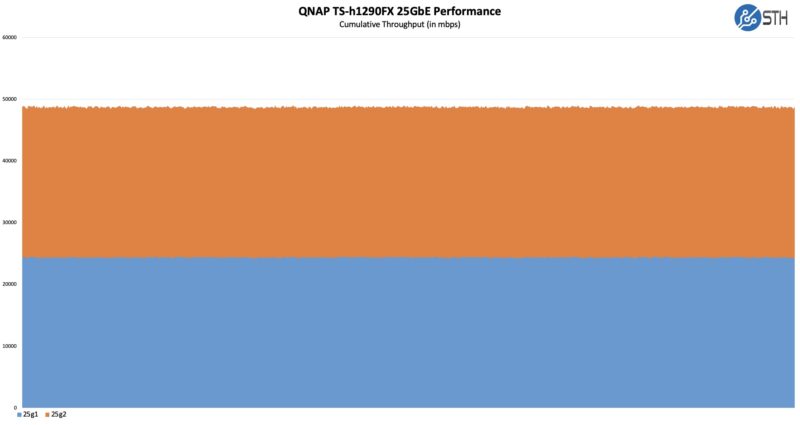
We got exactly the results that we would expect here. The NVIDIA ConnectX-6 networking is a high-end solution and performed as we would expect from an add-in card. This may seem inconsequential at first, but another capability, especially with a 16 core/ 32 thread CPU is the ability to run virtual machines on this host so having faster networking is always nice.
Finally, we wanted to test the storage performance as a file server just testing a traffic capture from our AI model loading and file server access pattern. This is a highly sequential workload, but we are using it because we wanted to capture the throughput to the network since there is nowhere near enough network bandwidth to handle 12x PCIe Gen4 SSDs.
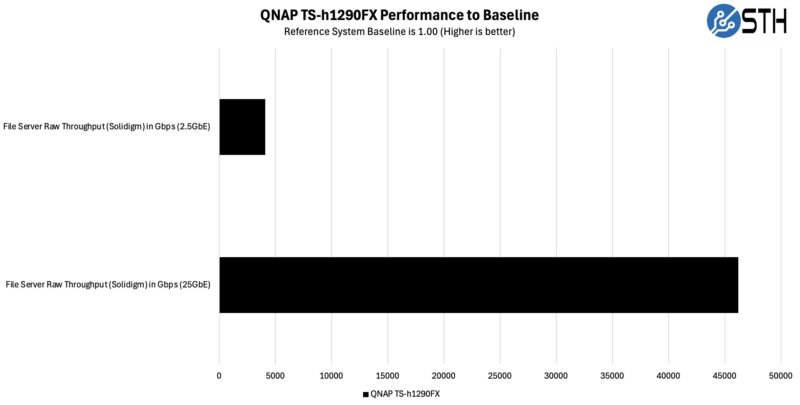
With large QLC drives, we really set up this system for sequential transfers. Random performance is also good, but almost everything we do on it is transferring a 20MB RAW image file at the low end to 50GB+ AI models and video clips at the higher end. When we picked the high-capacity SSDs, this is what we were after.
Next, let us get to the power consumption and noise.

Was the ~46Gbps throughput in the file server test achieved with RDMA?
What storage protocol was used in that test – SMB, ISCSI or NFS?
My experience is that performance characteristics of iSCSI, SMB and NSF are different and further depend on protocol version and encryption settings. I would find it useful if someone published results with enough details to be reproducible.
While the hardware seems nice, in lesser models I didn’t see how the QNAP software would support Kerberized NFS or SMB with an existing Active Directory service. Before claiming something is “high-end NAS in the truest sense of the word” it would be nice to verify important enterprise-use test cases.
I’m confident that you mean SFX rather than ATX, and given that you repeatedly mention the P/S standard, it’s probably worh fixing, if it’s incorrect.
I have the 32-core version w/256GB RAM. I installed TrueNAS Scale on it and it works great. I fly it with me to setup fast shared storage for a few editors / DIT on film shoots. Small and hardy enough to put through checked luggage if you get a good thick hard case for it. Hasn’t failed me yet on many, many flights and shoots.
THIRTEEN FU**ING THOUSAND USD – FOR THIS ?!?
Why would one go for this instead assembling it by himself ?
Any chance that you test Real-time SnapSync performance one day ?
(looking for easy realtime replications solutions, there is no test of these anywhere, Synology has another replication setup but no test of this one nowhere either)
Back at the TS-h1290FX, it really lacks some features for the price, especially redundant psu..
@Goose
I have it specifically in my notes that the PSU here is an ATX power supply. But double-checking the QNAP manual, I’m not seeing it mentioned. I recall this info being hard to track down to begin with, so I’m going to have to double-check some other things and get back to you.
More on the QNAP TS-h1290FX Power Supply
Part No. PWR-PSU-750W-CW01
No info on Qnap.com about the PSU Form factor. The only web site listing the PSU as ATX Form factor is Amazon.com
However as usual with Amazon the specs are not always accurate.
As an example, the PSU is listed as QNAP 7500W, Redundant Power Supply…
Amazon.Com: https://www.amazon.com/QNAP-Systems-PWR-PSU-750W-CW01-Hot-pluggable-Plug/dp/B0FC7SQ72Q
Qnap Online Store: https://store.qnap.com/pwr-psu-750w-cw01.html
We’ve finally been able to confirm that it is indeed a SFX power supply, not an ATX power supply. Thank you for pointing that out, Goose. The article has been updated accordingly.