

QNAP TS-h1290FX Internal Hardware Overview
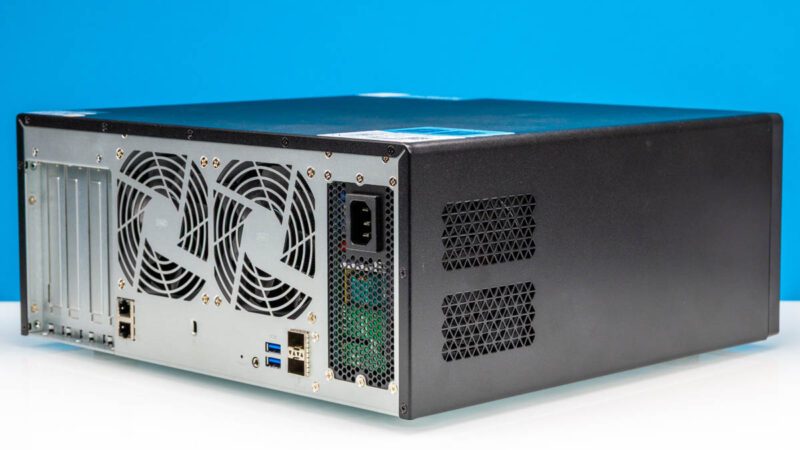
One thing to be said for the TS-h1290FX is that while on paper it looks easy to open, in practice, that is not quite the case. The chassis employs a pretty typical single-piece panel that covers the top and sides, allowing users to access the internals by removing the panel, which is held in place with several screws. And while this is true, in practice, we found that there is more than enough friction between the panel and the rest of the chassis to hold it in place anyhow. Some good leverage and force are needed to properly open the TS-h1290FX.
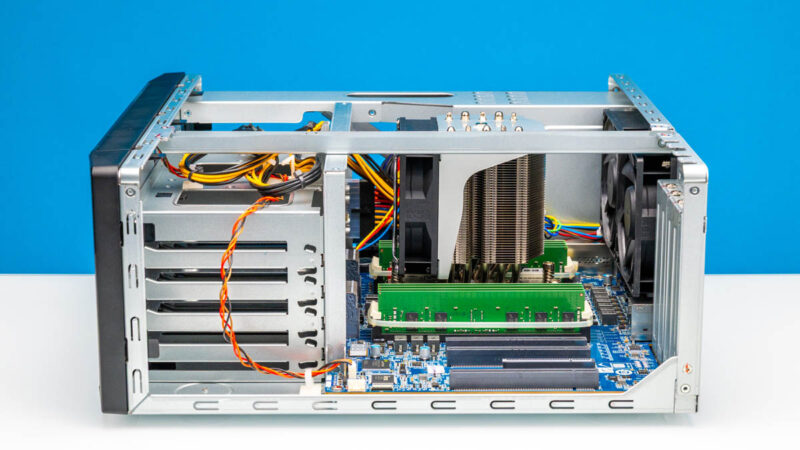
Once inside, we find a pretty clean setup. Looking in from the left side of the case, we have the drive trays and backplane in their own segment, followed by an open space housing the CPU, cooler, DIMMs, and PCIe expansion slots.
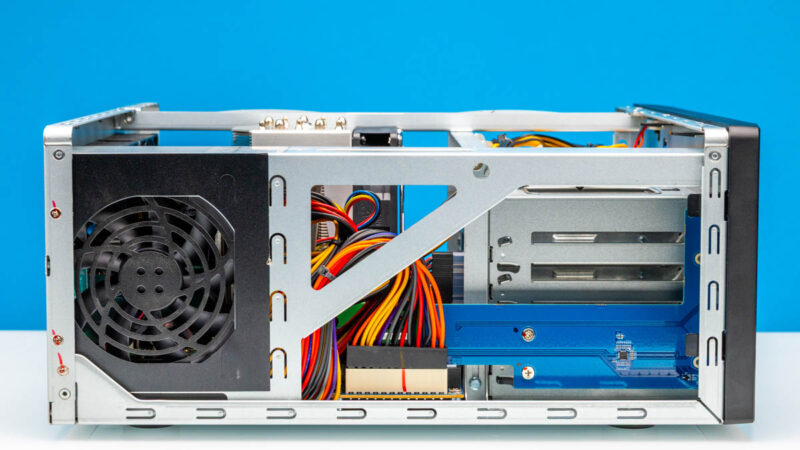
On the right side, we have the power supply in its own bay, as well as all the wiring coming from it. Because QNAP used a standard SFX power supply here, it makes it quite easy to swap out the PSU if need be. But the downside is that it does require dealing with the ATX power connector, as well as other power connectors running to the drive bay backplane.
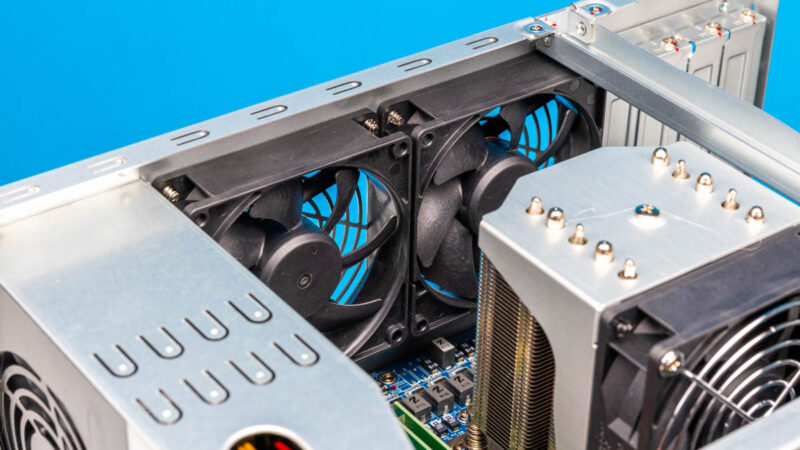
And a shot from the top shows a bit more about how everything is wired up. Of particular note here, while it is not used in the stock configuration, QNAP has included a pair of 6+2 pin PCIe power connectors with the system, allowing the system to host higher-powered PCIe cards that need more power than the 75 Watts supplied by a PCIe slot alone.
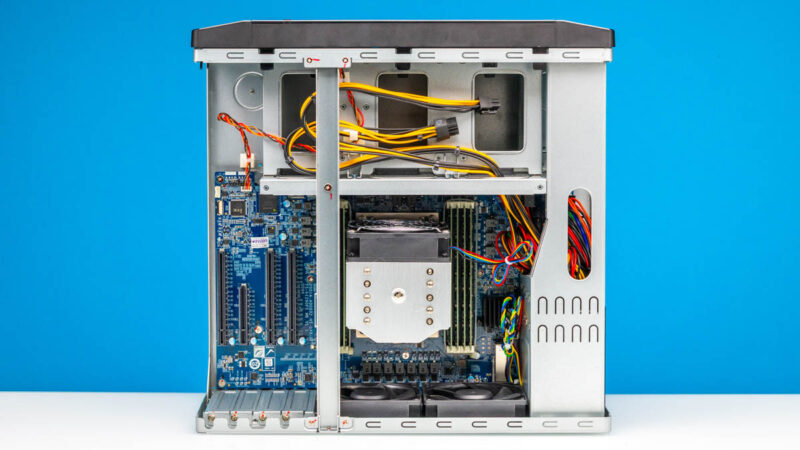
Buried underneath the tower cooler is an AMD EPYC 7232P processor. This is a full-fledged Rome (Zen 2) chip, with all of the PCIe lanes and memory channels. This is how QNAP is able to handle 12 U.2 drives at full speed and still provide 25Gbps Ethernet and multiple x16 PCIe slots.
Compared to its I/O capabilities, the EPYC 7232P features a relatively modest core count of just 8 CPU cores/16 threads. QNAP does offer higher-end configurations with the EPYC 7302P, a 16-core/3-thread processor. And it is also possible (albeit warranty voiding) for the user to swap out the CPU for another EPYC of their choice; though in that case we have found that the system is restricted to no more than 32 CPU cores and 32 threads, regardless of the chip installed. So a 64-core upgrade is not in the cards for the TS-h1290FX. Call that something we wish that QNAP unlocked.
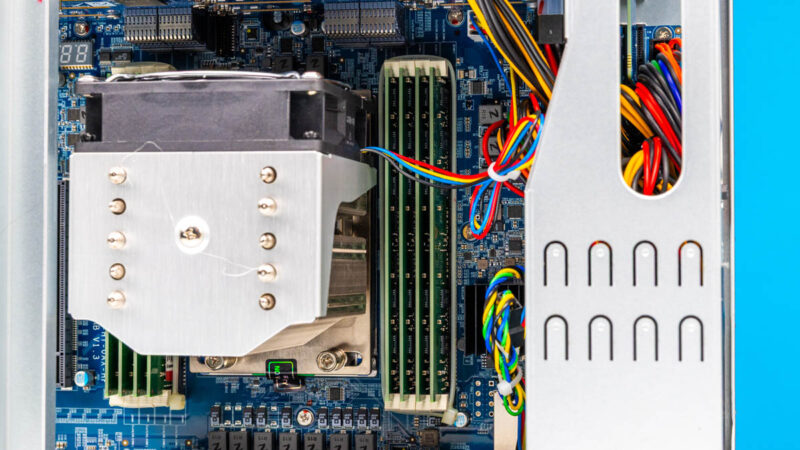
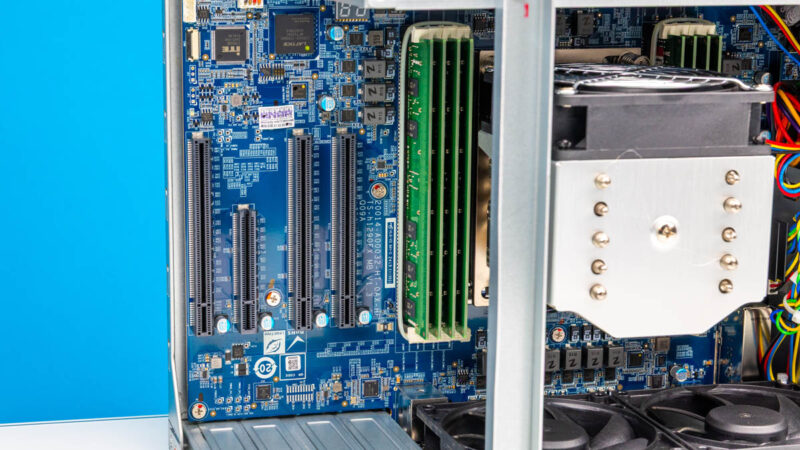
The EPYC Rome platform supports 8 memory channels, and QNAP has thankfully fill them all in order to provide the platform with all of the memory bandwidth it can take. In the case of our entry-level 64GB configuration, this means using 8 8GB DDR4-3200 RDIMMs, which have handily been zip-tied shut to keep any DIMMs from breaking free. This is also user-upgradable, and in our testing, we were able to get 512GB of memory to boot without an issue, while QNAP says that the NAS can ultimately handle a full 1TB.
With the high price of DDR5, the use of an older platform here is a distinct advantage since DDR4 prices are cheaper. Even those are creeping up, so putting a full 1TB into the TS-h1290FX is not a cheap endeavor.
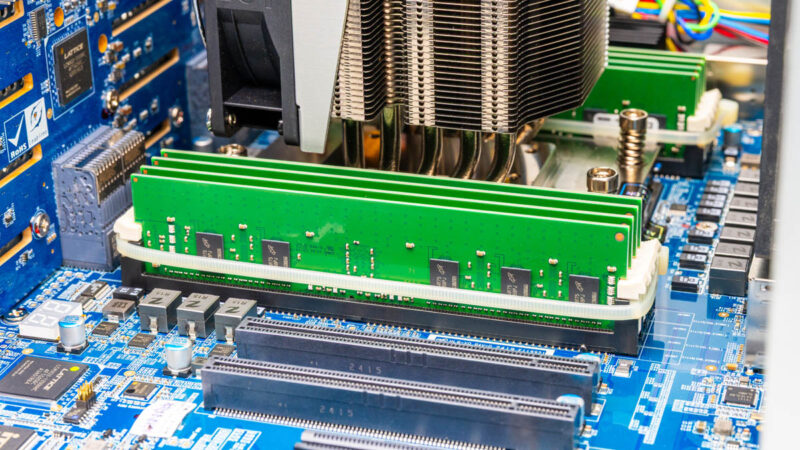
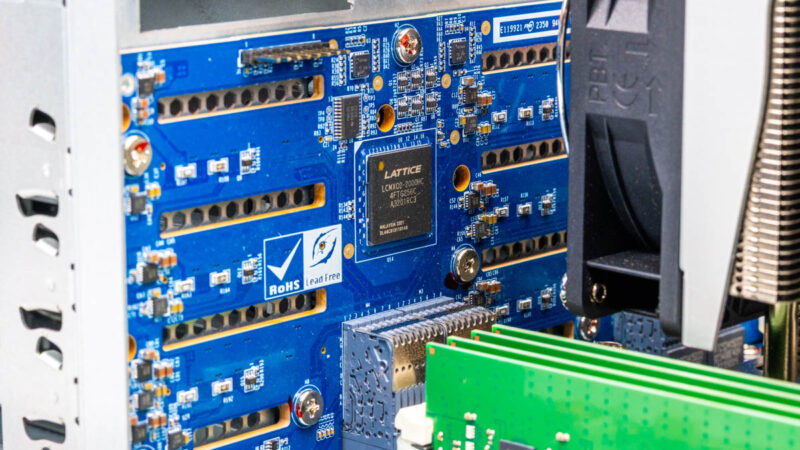
Behind the RDIMMs is the backplane for the 12 drive bays. Besides the cut-outs for ventilation, there is a Lattice FPGA soldered in here: one of the company’s MacXO2-2000 chips.
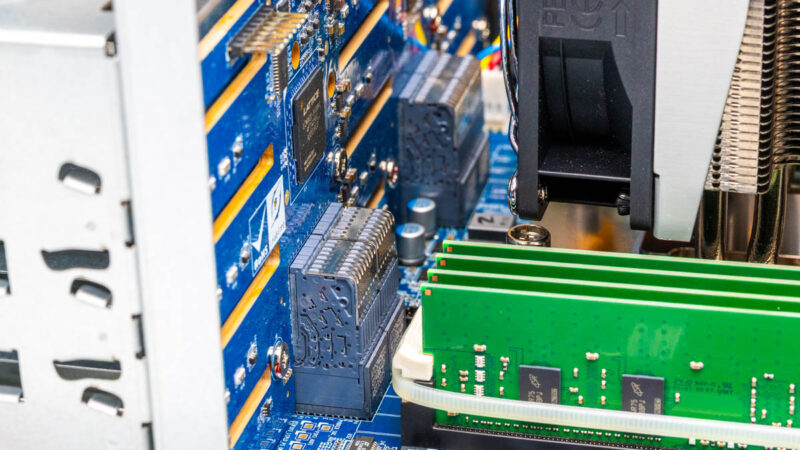
As well as lots and lots of pins in a high-density connector to provide PCIe connectivity between the backplane and the EPYC CPU.
Cooling for the drives, RAM, and exhausting the hot air from the CPU tower cooler is provided by a pair of 92mm fans. While the adjoining PCIe chamber is not isolated, this is a pretty straightforward front-to-back design, so it does not provide much cooling to anything that is inline with the exhaust fans.
But for the CPU and drive bays, at least, this cooling setup proved to be quite effective. The biggest challenge would normally be the densely packed SSDs, and in our testing, we saw our Solidigm SSDs top out at around 52C.
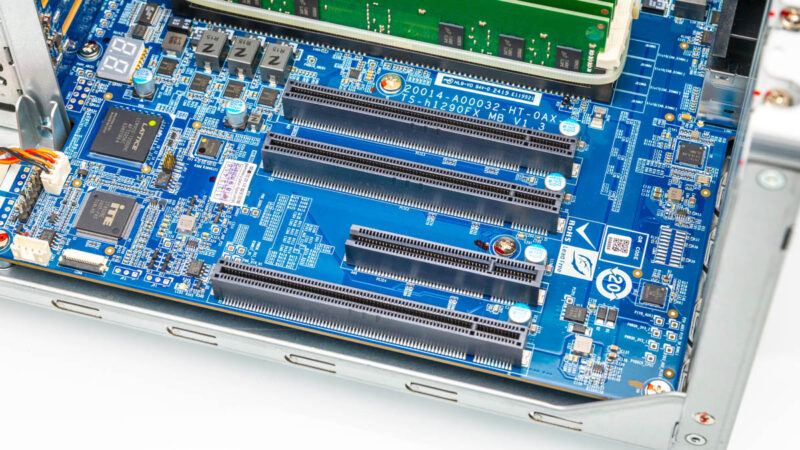
As for the PCIe slots, there are a total of 4 of those, with QNAP taking advantage of the ample number of PCIe Gen4 lanes provided by the EPYC CPU. Three of the PCIe slots are full PCIe Gen4 x16 slots, while the final slot is an x8 slot – and even then, it has an open back to accommodate a x16 card. The electrical configurations for these slots all match their physical configuration, so that is an aggregate total of 56 lanes of PCIe Gen4 available for add-in cards.
QNAP has its own line-up of add-in cards, but numerous other cards work in here as well. QNAP’s support for NVIDIA video cards is particularly good, and we had no issue installing a low-profile RTX A1000 – and thanks to the PCIe power connectors, the system can accommodate more powerful card. Just be mindful of the fact that at the end of the day that this is still a NAS, not a high-performance desktop PC.
Otherwise, as noted earlier, the cooling setup for the TS-h1290FX does not really provide much airflow for the PCIe chamber. As a result, we would suggest using cards with active cooling. Especially with something like 100Gbps NICs, the optical transceivers can generate quite a bit of heat, which something will need to help dissipate.
Wrapping up our tour of the TS-h1290FX hardware, let us look at the other side of the coin with QNAP’s software ecosystem.

Was the ~46Gbps throughput in the file server test achieved with RDMA?
What storage protocol was used in that test – SMB, ISCSI or NFS?
My experience is that performance characteristics of iSCSI, SMB and NSF are different and further depend on protocol version and encryption settings. I would find it useful if someone published results with enough details to be reproducible.
While the hardware seems nice, in lesser models I didn’t see how the QNAP software would support Kerberized NFS or SMB with an existing Active Directory service. Before claiming something is “high-end NAS in the truest sense of the word” it would be nice to verify important enterprise-use test cases.
I’m confident that you mean SFX rather than ATX, and given that you repeatedly mention the P/S standard, it’s probably worh fixing, if it’s incorrect.
I have the 32-core version w/256GB RAM. I installed TrueNAS Scale on it and it works great. I fly it with me to setup fast shared storage for a few editors / DIT on film shoots. Small and hardy enough to put through checked luggage if you get a good thick hard case for it. Hasn’t failed me yet on many, many flights and shoots.
THIRTEEN FU**ING THOUSAND USD – FOR THIS ?!?
Why would one go for this instead assembling it by himself ?
Any chance that you test Real-time SnapSync performance one day ?
(looking for easy realtime replications solutions, there is no test of these anywhere, Synology has another replication setup but no test of this one nowhere either)
Back at the TS-h1290FX, it really lacks some features for the price, especially redundant psu..
@Goose
I have it specifically in my notes that the PSU here is an ATX power supply. But double-checking the QNAP manual, I’m not seeing it mentioned. I recall this info being hard to track down to begin with, so I’m going to have to double-check some other things and get back to you.
More on the QNAP TS-h1290FX Power Supply
Part No. PWR-PSU-750W-CW01
No info on Qnap.com about the PSU Form factor. The only web site listing the PSU as ATX Form factor is Amazon.com
However as usual with Amazon the specs are not always accurate.
As an example, the PSU is listed as QNAP 7500W, Redundant Power Supply…
Amazon.Com: https://www.amazon.com/QNAP-Systems-PWR-PSU-750W-CW01-Hot-pluggable-Plug/dp/B0FC7SQ72Q
Qnap Online Store: https://store.qnap.com/pwr-psu-750w-cw01.html
We’ve finally been able to confirm that it is indeed a SFX power supply, not an ATX power supply. Thank you for pointing that out, Goose. The article has been updated accordingly.