

MikroTik CRS418-8P-8G-2S-RM Performance
We found something really interesting. To test this, we are using a single Keysight XGS2 with a NOVUS 1/10G dual PHY card. We also upgraded our IxNetwork 11 revision to IxNetwork 26 this year (26 for 2026.) One of the advantages of using a high-end FPGA-based tester is that we can generate not just 64B packets at line rate and over 1.6Tbps on our setup, but we can also get solid metrics on latency and jitter. We are using the RFC2544 Quick Test template and adding extra time per step, along with some additional IMIX variants, to provide more data. Starting with the 64B line rate test, here is what we saw:
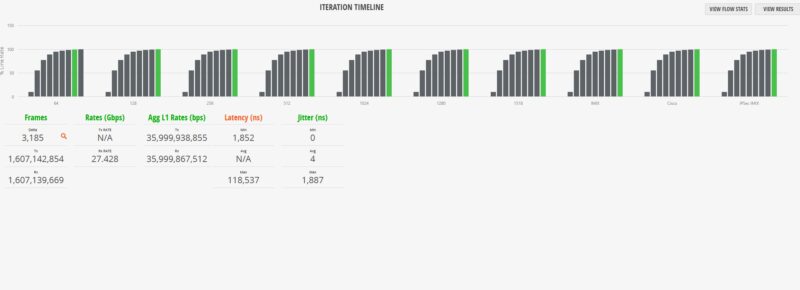
Did you catch it? At 64B running at full 100% line rate, we saw 3,185 of 1,607,142,854 frames get lost. Sure, this is still five nines of completion rate, but there was some loss.
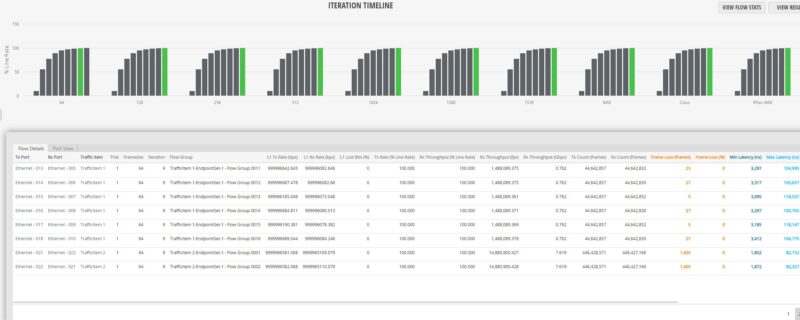
Since the testing is scaling from 10% load, the last full step was 99.297% of line rate. We tried a few different firmware versions, and generally we were OK up to at least 99.94% line rate, but then sometimes we would see loss after that point.
To understand what is going on here, MikroTik tests these with a Teledyne LeCroy XenaBay solution that has a lot of the same functionality as our Keysight (Ixia) XGS2 NOVUS platforms. MikroTik uses a 0.1% tolerance in its testing, which is totally valid as a test methodology. We have access to do the same using IxNetwork, where there is a box even in the Quick Tests to add a tolerance. Also, 0.1% is common in the industry. A key difference is that we do not test with that tolerance. We require the exact number of frames sent to match the number received.
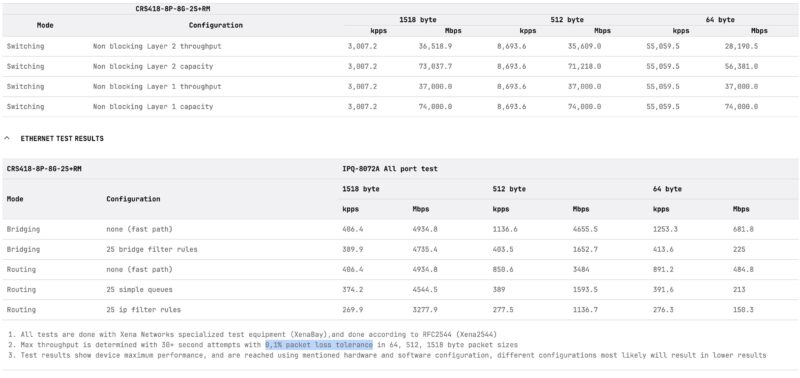
We sent our findings to MikroTik, and they were able to reproduce on their XenaBay setup. This was a super neat finding, and not one you will see in the average web review, since it takes six figures in hardware/ software to reproduce accurately.
It is probably worth noting that you are unlikely to experience this in any real-world scenario. Most traffic, especially on PoE+ switches, is not 64B at 100% line rate. Most network admins observing a 16-port 1GbE and 2-port 10GbE switch running all eighteen ports at 64B and 100% line rate, or even 95% line rate, would think that is crazy. Perhaps better to say, what we found was a very unique edge case that most will never run into. Still, we found something that is exciting.
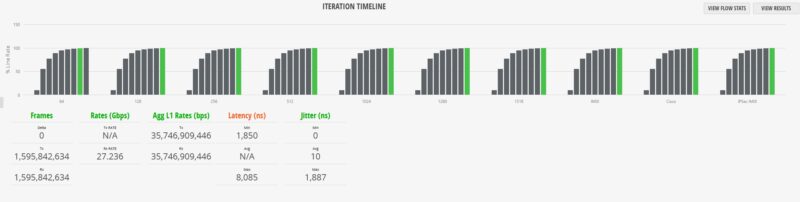
Moving on to our 1518B tests, or really anything over 64B, was less exciting, but we did get quite a bit of jitter at 100% line rate.
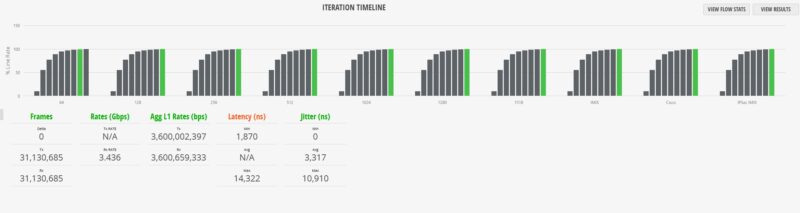
We also tried mixed packets using a standard IMIX profile and again, you can see 100% line rate is straining the switch.
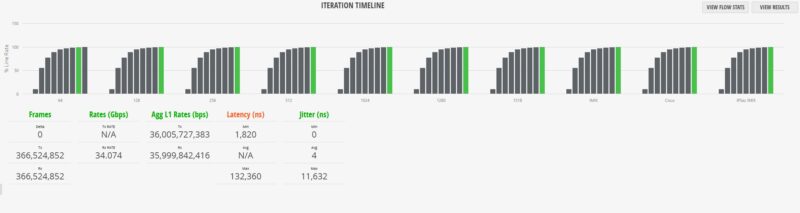
Here is the Cisco IMIX profile:
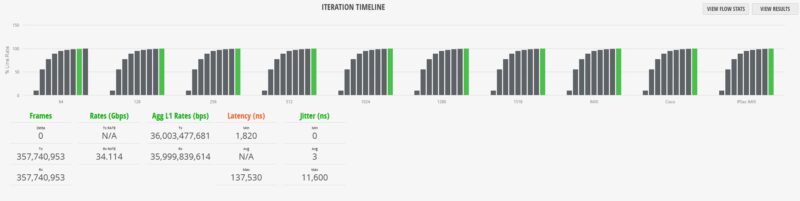
Here is the IPSec IMIX profile.
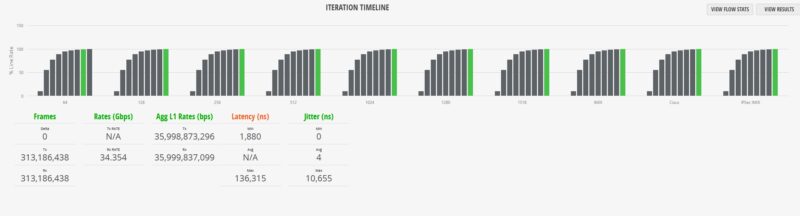
Next, we decided to do a simple test. We used our Keysight CyPerf test setup (a different physical machine and software from our IxNetwork setup.) This setup is what we use for our gateway device reviews and is also capable of well over 2Tbps of network throughput. We set the MikroTik into a simple router configuration using one SFP+ port as the WAN and the other SFP+ port as the LAN. Another default option is to use Port 1 as the WAN, but we expected to exceed 1Gbps, so we selected an SFP+ port. Also, from the block diagram we saw there are 10Gbps links to the Qualcomm chip, so it seemed like we needed to be on interfaces with more than 1Gbps of capacity. First up, we tested simple HTTP traffic:
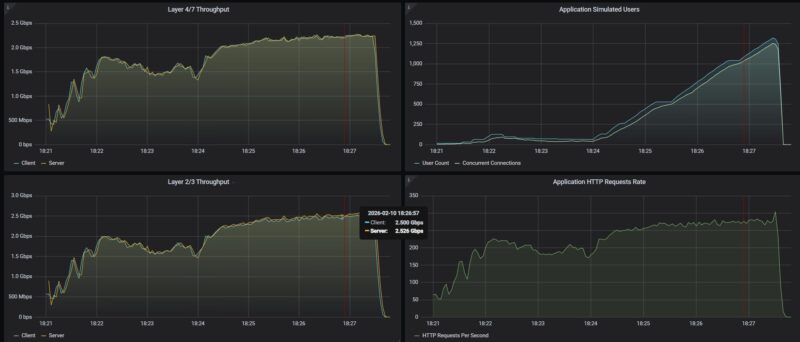
In terms of raw throughput, we were just over 2.5Gbps. Remember, this is not the L1 traffic counter that we would use for IxNetwork.
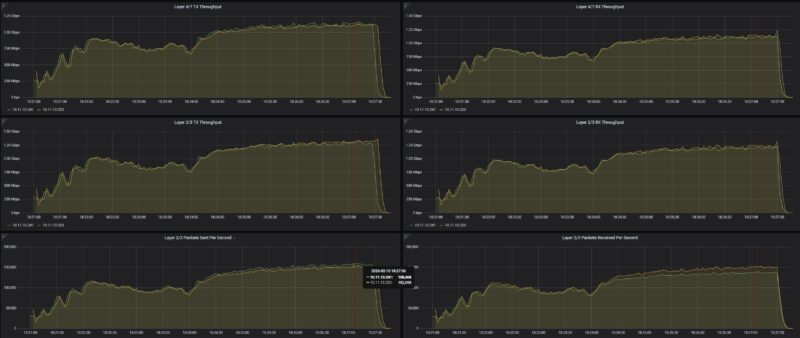
We then tried scaling our security profile traffic mix through this, and saw relatively similar levels of performance.
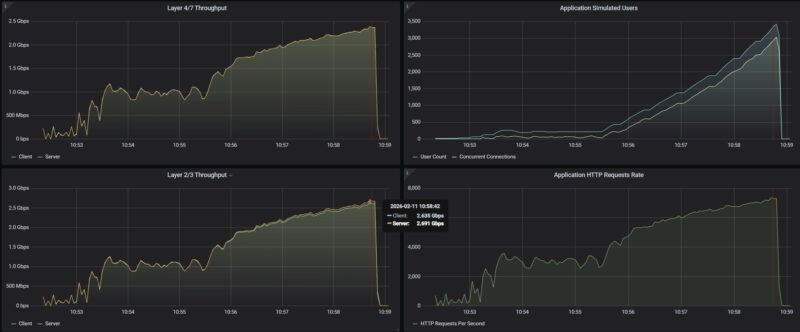
Just as a quick aside, on the CyPerf testing we saw the same results on the WiFi and non-WiFi CRS418 models.
MikroTik CRS418-8P-8G-2S-RM Power Consumption and Noise
In terms of power, we get two internal power supplies for redundancy.
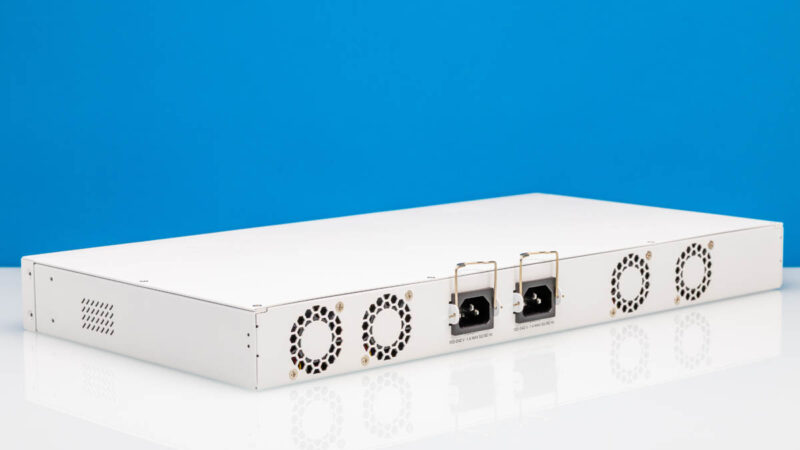
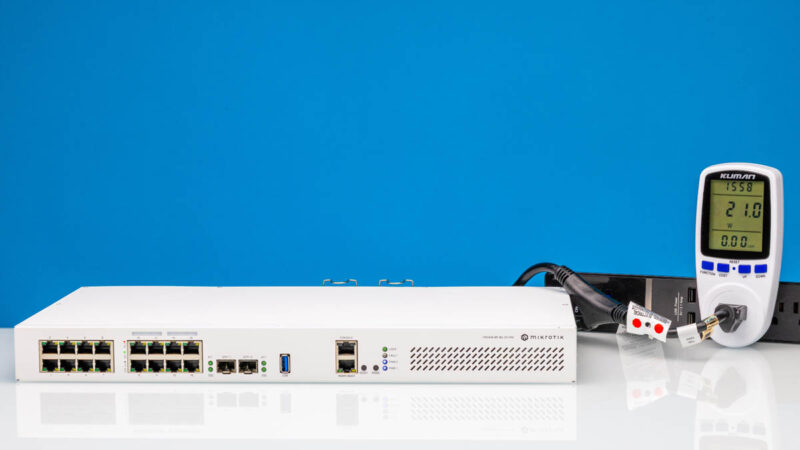
At idle, we saw 21W.
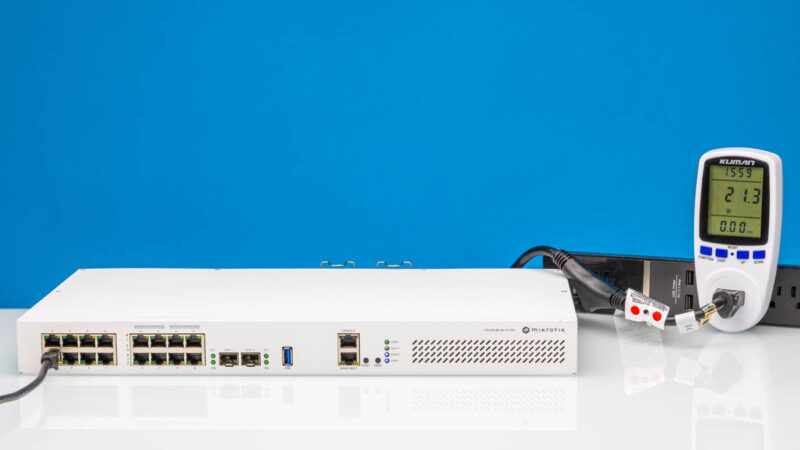
Hooking a single 1GbE port up, we got 21.3W for 0.3W as the incremental power.
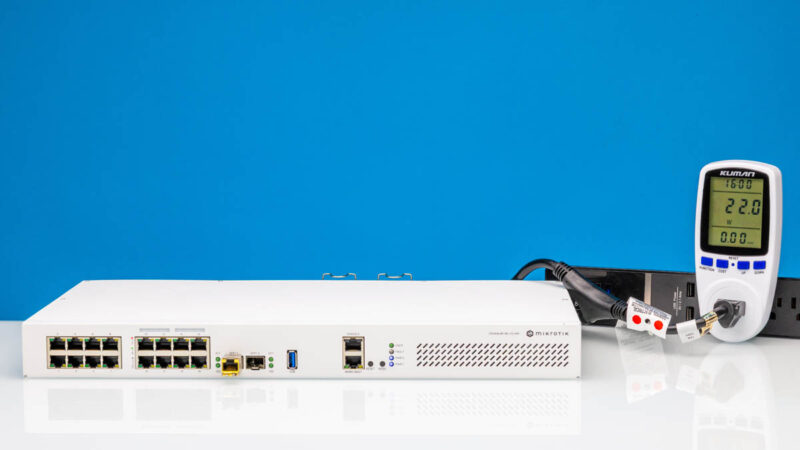
Using a SFP+ to 10Gbase-T adapter we only saw 1W incremental for 22W total which was great. MikroTik rates the switch at 28W maximum without attachments, then 215W maximum. That 215W includes the 150W PoE budget.
The noise was very reasonable. With four fans, they did not seem to be spinning fast, so we were getting 36-38dba in our 34dba noise floor studio.
Final Words
We will let you read the performance section if you missed that, since that was really neat. At the same time, as we went through this switch, we found ourselves wondering questions like “Why not 2.5GbE? Why not PoE++? Why not 16x PoE+ ports?” Since we were doing the WiFi model in parallel, we were wondering about WiFi 7 as well. At some point, if you keep asking for more features then it becomes a different device with a different target market and different cost. I understand this device. If you have, perhaps, a 500Mbps WAN connection, and a bunch of PoE+ cameras, and a few PCs, printers, or other devices that you want to manage, then you can install this, and be ready to go in a smaller installation as an all-in-one. Of course, you could also use it as just a switch.
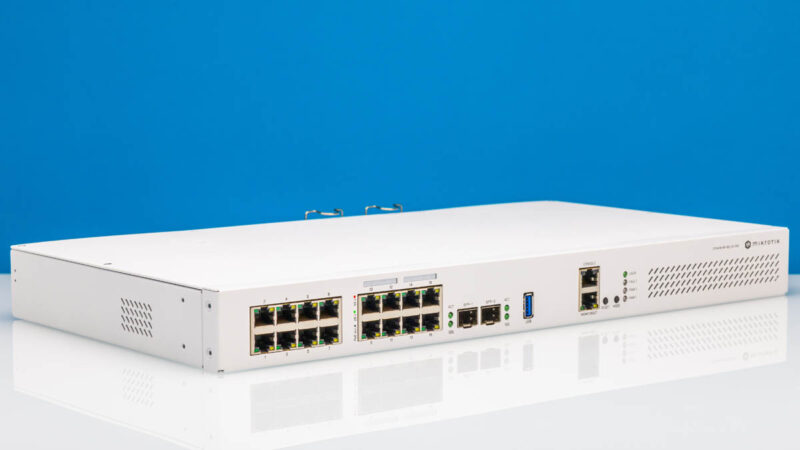
For a PoE+ capable switch with dual 10G SFP+ links, redundant power, and a decent processor, the MikroTik CRS418 family checks a lot of boxes.
Also, as a shameless plug, if you want to learn more about MikroTik and how it builds products like these, see Touring MikroTik in Latvia to See How They Make Awesome Networking Gear.
Where to Buy
Here is an Amazon affiliate link to where you can buy the switch.

A few comments about the packet loss:
When testing with an IXIA you need to make sure that you have turned off any features that could cause the switch to generate its own traffic. This means disabling protocols like LLDP, spanning tree, router announcements, etc.
Management packets like LLDP and route announcements are typically sent with highest priority. If traffic is traversing the switch at line rate, then there’s no “idle” time on the egress port. If the switch sends an LLDP packet, then it has to drop (or queue) one of the IXIA-generated packets. This isn’t a failure, it’s the nature of a switched network.
Second, packet loss can also be caused by clock skew (also called “clock offset”). In an asynchronous network like Ethernet, one of the oscillators will always be a few “Parts per Million” (PPM) faster then the other.
The Ethernet standards allow +/- 100ppm of clock offset. This means each piece of equipment has a different view of “line rate”. One again, dropping packets due to PPM differences is not a “failure”, it’s an inherent behavior of an Asynchronous network.
Queuing can mitigate some of these effects, but too much queueing is undesirable.
I’ve made some complaints recently about various reviews, so, it’s only fair to speak up with praise where deserved.
This is “mostly” a switch. You reviewed it as a switch. And it’s also a bit of a router. You did enough of a review of that to tell us what we could expect there (NOT line rate, but not pathetic either, + everything Mikrotik). I think you hit a very good balance given your constraints.
Nice job.
Hi, is the testing being done with L3 HW Offloading enabled?
Thanks
.
“Franta February 19, 2026 At 8:52 am
Hi, is the testing being done with L3 HW Offloading enabled?
Thanks”
This is a very good question! was it conducted with Hardware Offloading enabled?