

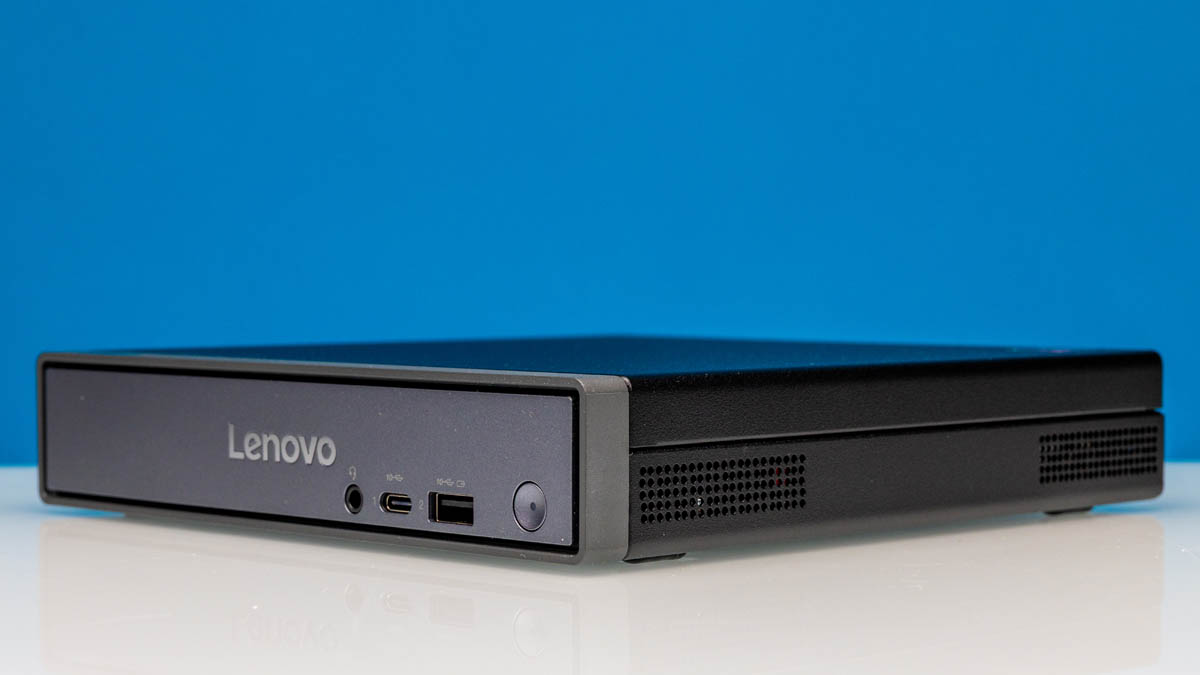
Over the years we have looked at a lot of mini-PCs here at ServeTheHome. And while they have come in a variety of sizes – with some that are quite big while others truly live up to the title mini – it is rare that a mini-PC comes across our labs that breaks new ground. But that is exactly what we have today with the Lenovo ThinkCentre Neo 50q QC, a mini-PC based around Qualcomm’s Snapdragon X platform.
We have covered the release of the Snapdragon X platform in some detail over the past year and a half. But with the bulk of those systems aimed at the consumer laptop market, this marks the first proper Snapdragon X system to land in our labs. As a result, this gives us a chance to see what Qualcomm’s first-generation X-series platform can do – strengths and weaknesses alike – as well as evaluating how well it works as a commercial-grade mini-PC.
Partner Lenovo, for its part, is no small player in this space, and their backing carries a lot of weight here as well. Suffice it to say, our expectations are fairly high for a Lenovo-branded mini-PC.
| ThinkCentre neo 50q QC Key Specs | |
| Processors | Snapdragon X X1-26-100 Processor (3.00 GHz) |
| Operating System | Windows 11 Pro 64 ARM, Windows 11 Home 64 ARM |
| Memory | 16GB or 32GB LPDDR5X-8448, Soldered |
| Storage | Up to 2TB SSD (2x 1TB PCIe 4.0 M.2 2280) |
| Graphics | Snapdragon Qualcomm Adreno GPU |
| PSU | 65W External Adapter |
| Form Factor | 1L Tiny |
| Dimensions | 182.9mm x 179mm x 36.5mm (7.20 x 7.05 x 1.44 in) |
| Weight | 1.113kg (2.45 lbs) |
| Wireless | Optional: Wi-Fi 6E (2×2) + Bluetooth 5.3 |
| Color | Eclipse Black |
| Ports | Front: 1x USB-A 10Gbps, 1x USB-C 10Gbps, 1x Combo Audio Rear: 1x 1GbE LAN (RJ45), 2x USB-A 10Gbps, 2x USB-A 480Mbps, 1x HDMI 2.1 18Gbps, 1x DP1.4b (HBR2), 1x BTB punch-out port |
This also marks the latest Project TinyMicroMicro PC to come in to our labs – with the Neo 50q measuring just 1 liter in volume. So a big thank you to our members for subscribing to ServeTheHome and making it possible for us purchase this mini-PC. You can find the unit at Lenovo’s web store: Affiliate Link.
Lenovo ThinkCentre Neo 50q QC External Hardware Overview
Starting as always from the outside and working our way in, the ThinkCentre Neo 50q QC looks a lot like Lenovo’s other ThinkCentre Neo mini-PCs. And it is not just a mere resemblance: Lenovo is outright reusing their chassis design between multiple PCs here. In this case, this is the same chassis that can be found on the Intel-based ThinkCentre Neo 50q Gen5, black paint job and all.
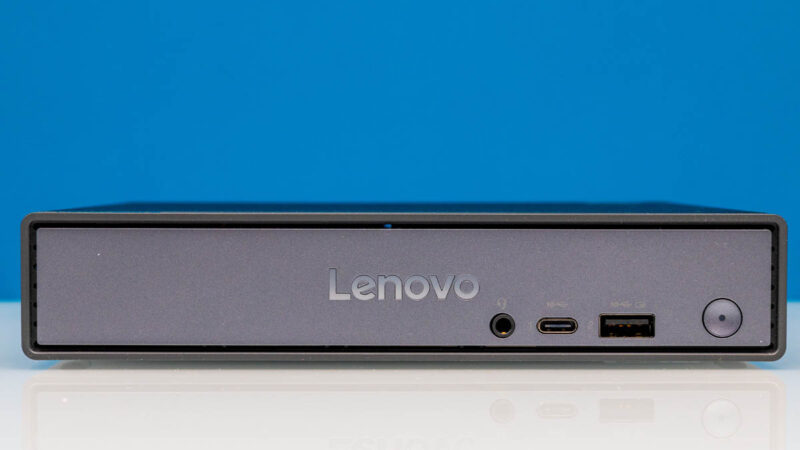
So you cannot accuse the 50q QC of not fitting in with the rest of Lenovo’s commercial PCs.
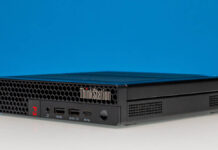
The front set of ports is a pretty bare set of options. Here you will find a 10Gbps USB Type-A port, a 10Gbps USB Type-C port – and the device’s only USB-C port altogether – as well as a 3.5mm audio combo jack, and the power button.
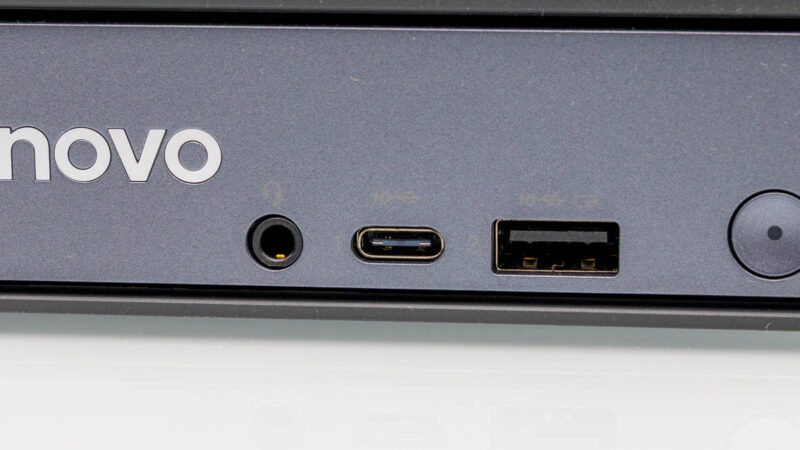
Interestingly, the older-style USB-A port features a higher charging capability. While the USB-C port is rated for 4.5W (5V@0.9A) of power delivery, the front USB-A port is rated for 10.5W (5V@2.1A). So all other things held equal, the USB-A port is a bit more powerful – in a literal sense.
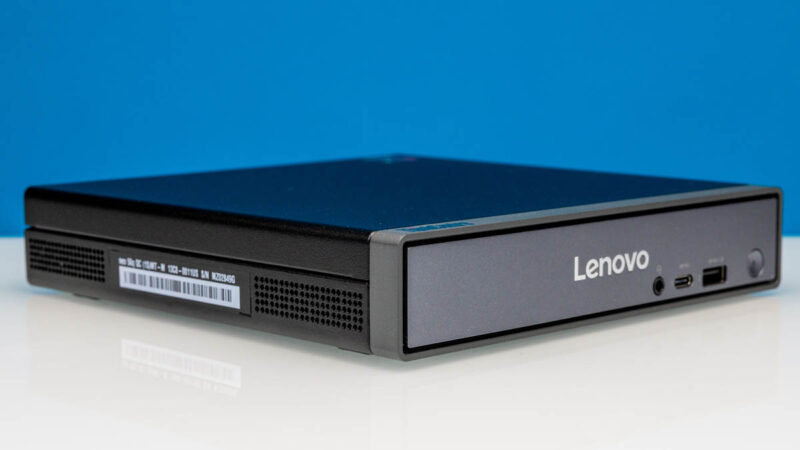
With its included rubber feet, the 50q QC measures just 36.5mm tall. And if you remove the feet, you can shave off another 2mm to the bare-minimum 34.5mm.
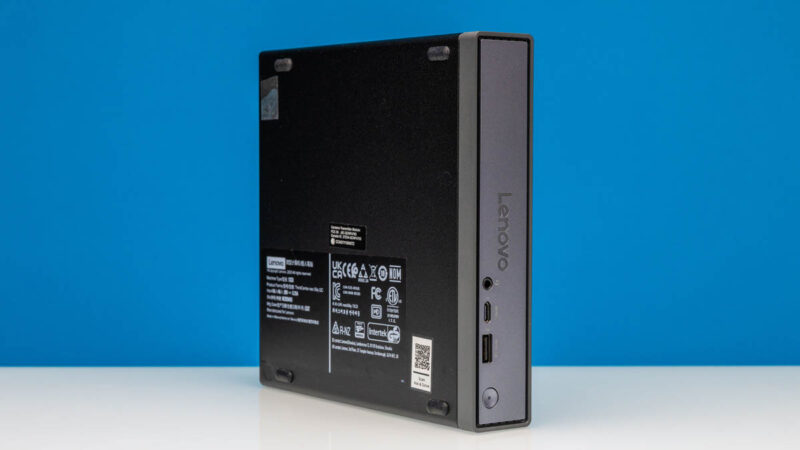
There are no ventilation intakes on the top or bottom of the 50q QC – everything is done at the sides and the rear. The mini-PC does not need to sit up for any clearance. The feet are primarily there to keep it from slipping away.
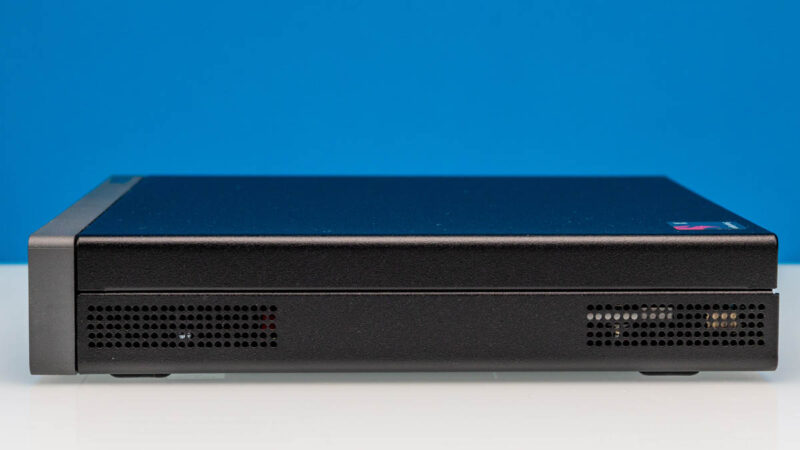
The sides, meanwhile, are relatively unremarkable, but this is where more venting takes place as far as cooling goes.
Flipping the 50q QC over to its rear, we have the rest of the unit’s I/O ports. And like the chassis itself, this is a very standard Lenovo layout.
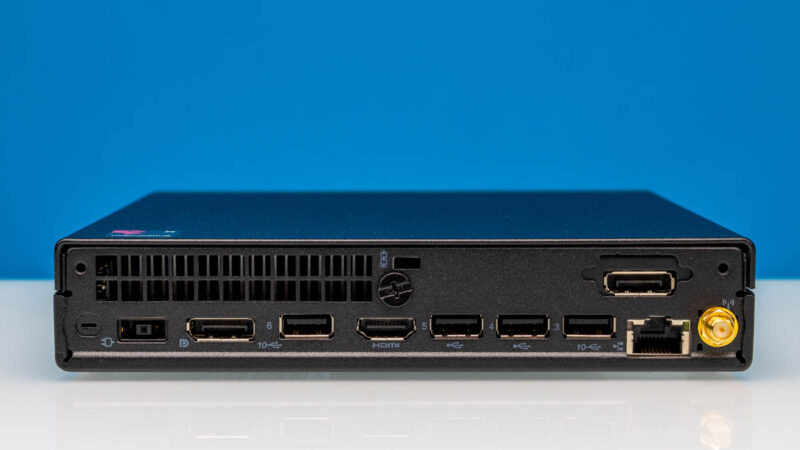
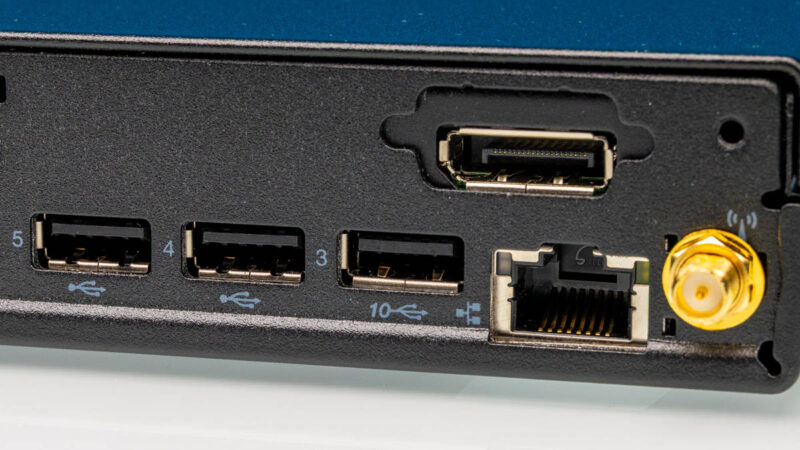
For peripherals, there are 4 USB Type-A ports here, which are helpfully numbered from 3 to 6 (ports 1 and 2 are on the front and are technically numbered as well, but they show up poorly on the silver face plate). The farthest two parts, 3 and 6, are 10Gbps USB ports. Meanwhile, the middle two ports are more mundane 480Mbps (USB 2.0) ports, better suited for peripherals like keyboards and mice.
Otherwise, for display outputs, there are a total of 3 options. Built into the mini-PC’s motherboard is both a full-sized HDMI 2.1 (18Gbps) port, as well as a DisplayPort (1.4/HBR2). Despite supporting newer tech standards, both ports are limited to 4K@60Hz outputs, as this is the best that the integrated Adreno GPU can drive.

The final display output is up towards the right, occupying a generic punch out port in Lenovo’s mini-PC design. This one is more limited however, and only supports a maximum output resolution of 1200p.
As for wired networking, Lenovo has added a basic 1Gbps RJ45 Ethernet port. It serves its purpose, but on paper it is slower than the optional 2×2 stream Wi-Fi 6E adapter that is included with Wi-Fi equipped models. On which note, to the right of the Ethernet port you will find an external antenna terminal for hooking up one of the mini-PC’s antennas.
Last, but not least, is one of Lenovo’s proprietary DC input jacks. As this is a rather minute 1L mini-PC, there is no space to put an internal power supply inside of the PC. And as it is a mini-PC as opposed to laptop (despite the laptop-grade hardware), the 50q QC does not rely on USB-C power delivery for charging. Instead, Lenovo ships it with a 65-Watt AC adapter – another shared component across their mini-PC ecosystem.

Officially, the 50q QC can also be used with a 90W adapter that Lenovo also sells. But with even the 65W adapter being overkill for the low power usage of the mini-PC, there are few reasons to use anything more than the included 65W adapter.

Finally, above it all resides the 50q QC’s exhaust vent. As noted earlier, cool air is drawn in from the sides and then eventually exhausted out of the PC out the rear. And if you take a quick look here, you will also see the sole thumbscrew needed to get inside the mini-PC, making it very easy to get inside Lenovo’s little box.
Speaking of which, let us get inside the system.

These will deprecate in value quickly.
1L is too big for this pc. Specially with the soldered ram.
Same lack of linux support as any random unknown ARM SBC.
It was my, admittedly layman’s, understanding that the UEFI ARM stuff was supposed to be generically discoverable and not require hardcoded device tree data. Is that only kind of/sort of true; and ARM vendors only care on server hardware?
Am I the only one looking at the first picture thinking it is a CD-ROM?
Qualcomm is synonym of not able to run Linux
I also understand the Neo 50q Tiny QC is unable to run Linux.
For a home server that makes this hardware a nonstarter. Unsuitability for use in a home lab or other server environment is something I would expect emphasized in an article from a site called Serve the Home.
If, in fact, there were a way to load a mainstream distribution such as Ubuntu, Debian, Redhat or Suse, then it would be greatly appreciated to test that claim and explain how.
Qualcomm says it wants to be a player in the PC space, but their behavior still resembles something of a locked in cell phone. The Nuvia tech they acquired and bragged about for so long as surpassing Apple’s M chip is exactly why everyone scoffed at Nuvia pre-buyout. It never could and it still can’t.
I have tried working with Qualcomm on the 7C and it was a massive waste of time. Just too many proprietary bits and stupid design decisions to keep out the educated. Even working with their “Developer Community” portal, was a massive joke (on me).
You wont see them anywhere in my world. Good riddance.
You wrote “it can run our Windows applications, something the more widely popular ARM-based Mac Mini family could not do.”
But that’s not really true, is it?
This review would have been much more interesting if you had compared it head-to-head with a Mac Mini. Put Windows on the Mini, both with UTM (free) and Parallels or VMWare, and bench them that way. Also telling us about compatibility issues with Windows for both ARM PCs would be great.
After all, you seem to be OK with Linux through WSL, which is at least as much a stretch as UTM or another virtualization tool. Oh, and speaking of which, how about comparing and benching WSL with Linux in UTM?
This feels like a really not-useful review, because it doesn’t really answer the most important questions.
justsomeguy: Hey the Mac Mini advocate is back! Just as an aside, UTM Windows is only free for evaluation purposes!
This device has no reason to exist. It costs $629 (Amazon) yet gives worse performance than a 2018 Intel Core i5 Mac Mini that you can get refurbished for under $200. It is appalling that no good workstation or even prosumer ARM APU exists after all this time. They are simple to make.
1. Use 16-32 Cortex X cores i.e. Cortex X-3 or Cortex X-295.
2. Use 8-16 Neoverse N1, N2 or V1, V2 cores.
Nothing keeps the ARM client companies like MediaTek and Qualcomm from doing 1. Nothing keeps ARM server companies like Ampere and Marvell from doing 2. And nothing keeps Nvidia, who makes ARM client AND server chips, from doing so.
No, you can’t run Windows on them because of this ridiculous contract that Microsoft signed with Qualcomm for Windows on ARM exclusivity to cut Microsoft’s losses. But you can run Linux on them, and let’s face it, developers, systems architects and other Linux users are going to be the only ones with a real need for an ARM workstation that doesn’t run macOS in the first place.
@rano: I’m hardy a Mac Mini advocate. I believe in the proper tool for the proper job, which is why all my servers are EPYCs. But it’s an astonishingly compact and low-energy device for so much power. That makes it tempting to find novel uses for it.
Your claim that “UTM Windows is only free for evaluation purposes” is BS. UTM is free, period. (So is VMWare for Mac, last I checked, though that company seems utterly toxic now and I’m avoiding them.) Of course, *windows* isn’t free, but that’s true on every platform.
Also… “Nothing keeps the ARM {client, server} companies…” Clearly *something* is doing exactly that, because they haven’t done it. That something is, of course, economics. Which comes right back to the main question, which is, it the Mini a better (= “more economical”) solution to some problems? It clearly isn’t, for your problems. But your problems are just one category.
@justsomeguy:
” Of course, *windows* isn’t free, but that’s true on every platform.” Which is what I meant: the Windows license is only free for evaluation purposes.
Sorry, but any temptation to find novel uses for a device with 2100 single core performance, worse than a Core i3 14100F and not much better than a Ryzen 3 110, is removed by the $630 price. “But it’s an astonishingly compact and low-energy device for so much power” is only true for a Mac Mini. You can set one to low power mode and still get better single core performance at less than 25W.
Is the Mini a better solution for some problems? Clearly. But not all of them which is why we need better Linux ARM tech. System76 will sell you a 32-core Ampere Altra CPU, 4 GB VRAM Nvidia card and 64 GB RAM system for $3300, which is M4 Max 16″ MacBook Pro money. ($350 more will get you a 16GB Nvidia 5060 Ti.) The Nvidia DGX Spark is cheaper, but not much and isn’t practical for much more than LLM development.
I say that a good ARM SOC would sell and that MediaTek, Nvidia, Samsung etc. are leaving money on the table by not making them. Indeed, Samsung actually wanted to do something in this area for Chromebooks but Google wouldn’t let them. Google later tried to design one themselves, didn’t like the early results and just gave up. Right now it looks like Valve’s desire for an ARM APU to replace the AMD one in the Steam Deck is the best bet to finally get movement on this.
No Linux compatibility. Soldered RAM. Only 1GbE. I’ll pass.
What I believe is more interesting is that Lenovo thinks Windows on ARM has (or will have) a big enough part of the market to justify making this thing.
@rano: No argument about the Lenovo. My comment about novel uses was referring to the Mac Mini, not the Lenovo (or QC PCs in general, so far).
It’s not clear to me that the Ampere is a better buy than an M4 Studio or M3 Ultra, depending on configuration and what you’re trying to do. (Clearly, if you need a ton of fast SSD, the Mac’s going to be crazy expensive, and depending on how parallelizable your tasks, the Ampere might have a performance edge… though probably not in most cases.) It will probably again be a question of compatibility.
So, yeah, better Linux ARM tech sounds good. But you don’t have it right now, and that makes for interesting questions when you don’t want to (or can’t) use x86.
@justsomeguy:
Oh no, Mac Minis aren’t just good for novel stuff. They are great for anything that doesn’t absolutely require running Linux (or Windows) natively as opposed to virtually. Sadly, there are more than a few things that do.
But I think that you are missing my point. The Ampere with more than 4 GB VRAM is $3600. Your M3 Ultra Mac Studio is $4000. Both are WAY more powerful than most people need and you are very much paying for all that power. Meanwhile you can get a great x86 system, Ryzen 9 with Nvidia 5080, for $2500. You can get a very good one, Intel 7 with Nvidia 5070, for $1500. And you can get a mini PC with integrated graphics that are as good as an Nvidia 3050 on a lot of workloads for under $700. Those are what a lot of people need and ARM options simply aren’t available. And if you need discrete graphics or to run a different operating system natively, not even Macs are an option.
My take on this is that there’s zero benefit over an i5 or Ryzen U unless it’s fanless or cheaper (and it’s neither of those things). If that requires a differently shaped chassis (to accommodate eg a Macbook Air-style cooling system), so be it.
Incidentally, happy to see Ryan Smith’s byline – miss Anandtech a lot.
“Even then, the only user-serviceable parts are not covered by the fan or heatsink, so it is not necessary to disassemble the 50q QC any further to make any upgrades. But where is the fun in that?”
Love it!