Dell Pro Rugged 12 Tablet Internal Hardware Overview
Diving into the internals of Dell’s Pro Rugged 12 Tablet, there is not all that much to talk about here when it comes to user-replaceable components. Between Dell’s decision to use soldered-down components such as memory as well as the need to make a dust-proof and nearly water-proof chassis for the tablet, only a handful of components are user-accessible. Still, what can be swapped out here is going to be a big deal to Dell’s target market.
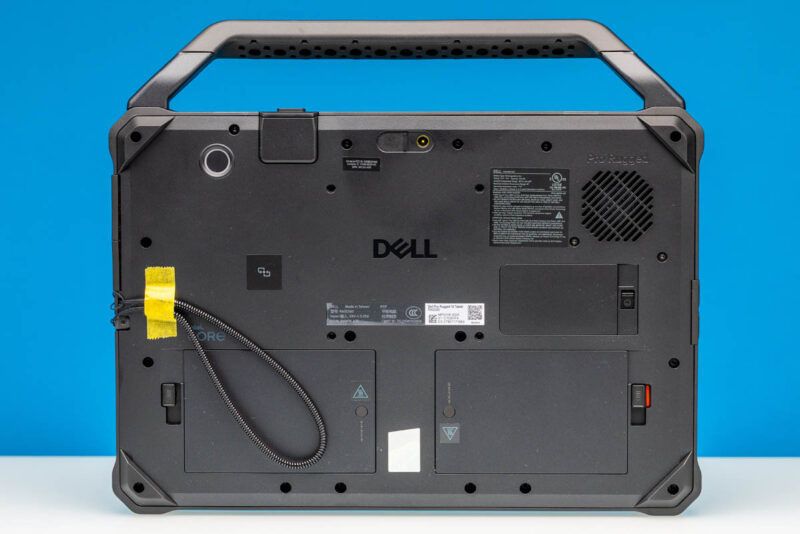
The big win here is removable batteries. Two of them, in fact. A rarity across both the laptop and tablet markets in this day and age, Dell’s bulky tablet affords plenty of room for removable batteries, and so Dell has done just that.
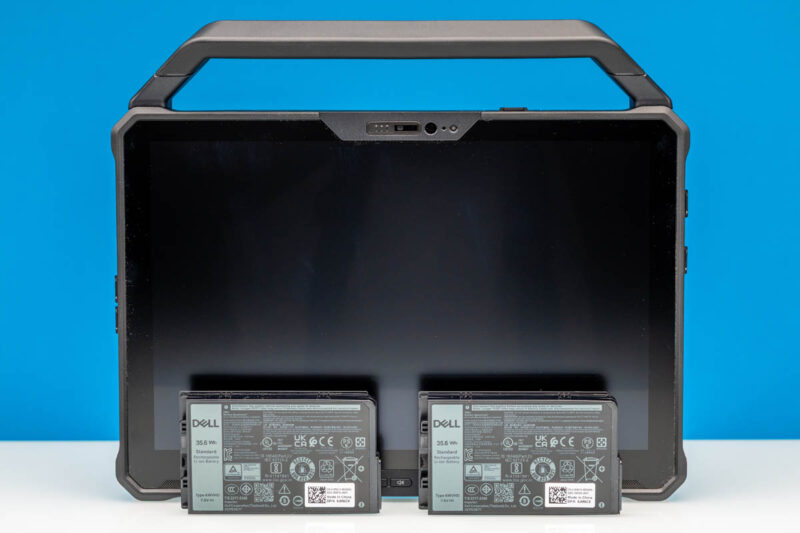
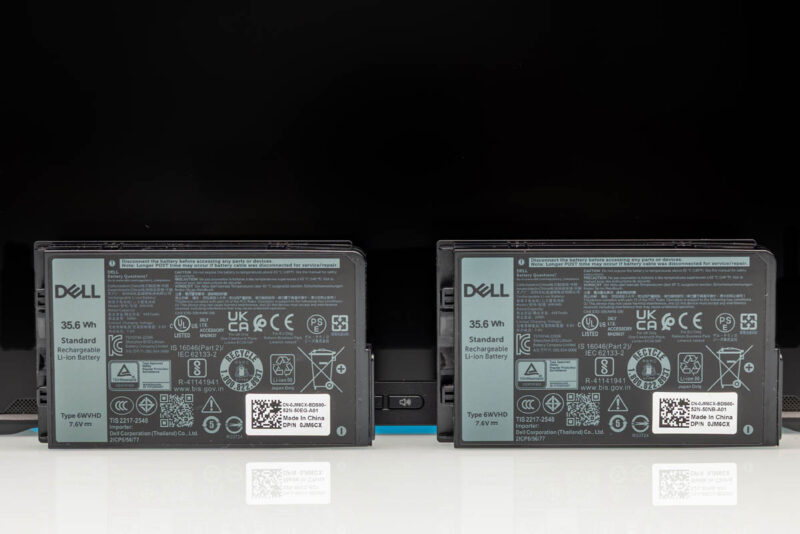
Each battery bay can hold a 35.6Wh battery, giving the tablet a total battery capacity of 71.2Wh. Which for a 12-inch tablet/2-in-1 is a massive amount of battery capacity (just as a point of reference, this is comparable to the battery on a 14-inch MacBook Pro). And especially with the use of Intel’s highly efficient Lunar Lake SoC, the Rugged 12 Tablet has a huge amount of battery capacity relative to its power needs (particularly if you are not running the display at max brightness).
The dual battery bays are also redundant – which is to say that the laptop only needs a single battery to run. This means that it is possible to hot-swap batteries on the tablet to give it a fresh set while it is still running by replacing one battery at a time. It is a niche feature layered on top of a niche feature, but it is also a good illustration of the niche that Dell is targeting with this tablet.
Batteries aside, the other major user-replaceable part in the Rugged 12 Tablet is the M.2 2230 SSD, which goes into its own bay. Like the batteries, this is accessible from the rear, though unlikely the batteries this bay is not toolless and does require taking out a single screw to access it. But once inside, Dell has made is very easy to install/remove the SSD, using a custom drive caddy to allow the drive to be manipulated without having to screw/unscrew the drive itself. The whole process is almost deceptively simple, with a single latch holding the SSD in, and Dell even going as far to imprint the removal instructions into the metal caddy.
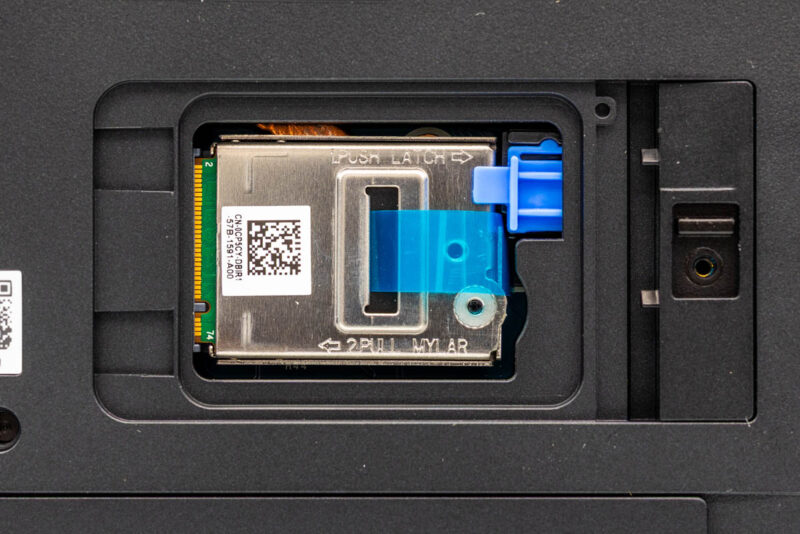
Our review sample came with a 1TB PCIe Gen4 x4 drive based on a Hynix controller and TLC NAND. Dell also offers 256GB, 512GB, and 2TB options here, though the largest capacity is only available with QLC NAND. With the underlying drive form factor being M.2 2230, it does limit Dell’s options a bit, as well as end-user upgrade options at this time.
And while this is the entirety of the user-accessible components for the Rugged 12 Tablet, the complete device is actually quite modular. Dell’s highly detailed service manual for the tablet helpfully illustrates all of the various components within the laptop, including the customizable I/O options.
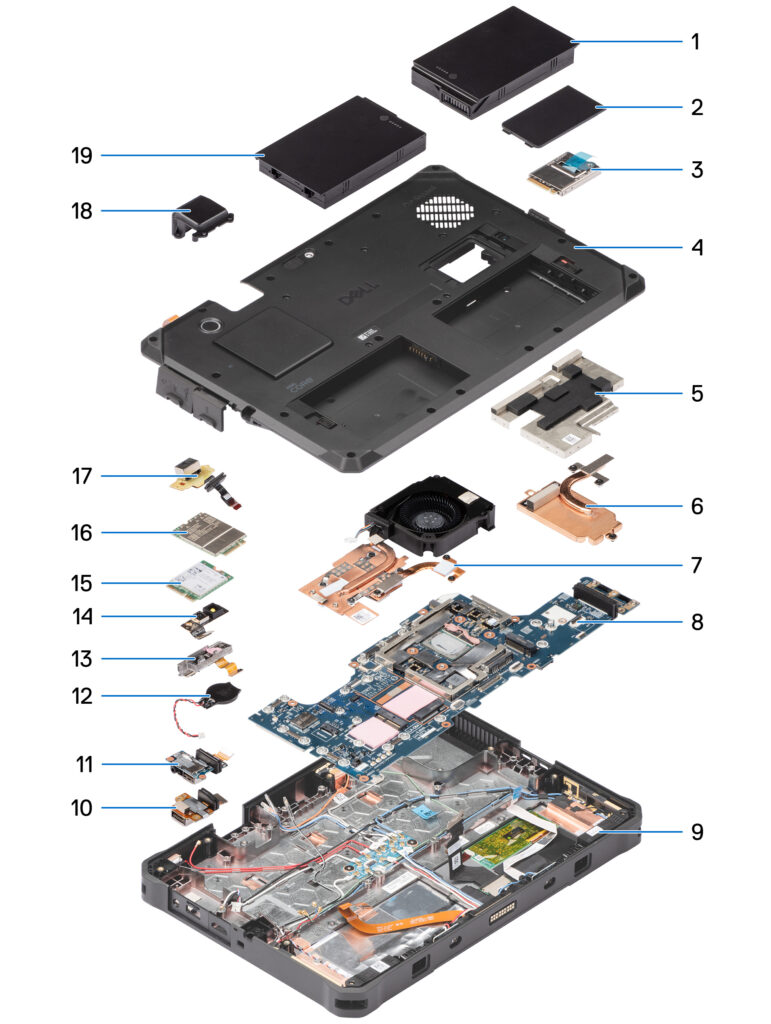
Dell primarily provides these instructions for its service technicians, and anything from its field replaceable part list would definitely qualify as an advanced repair. But so long as nothing on the motherboard itself fails, almost every other component of the tablet can be replaced without having to junk the whole thing.