

Crucial X6 2TB SSD Performance
For this, we wanted to run through our standard benchmarks.
CrystalDiskMark Benchmark
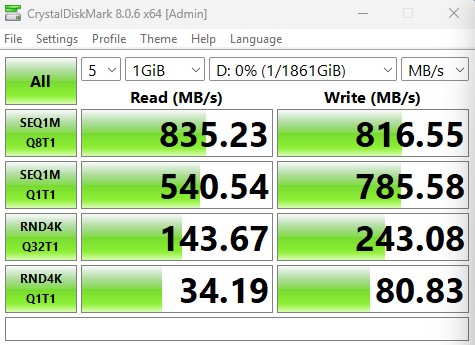
CrystalDiskMark is used as a basic starting point for benchmarks as it is something commonly run by end-users as a sanity check. We use both 1GB and 8GB test sizes.
Here is the 1GB test size.
Here is the 8GB test size.
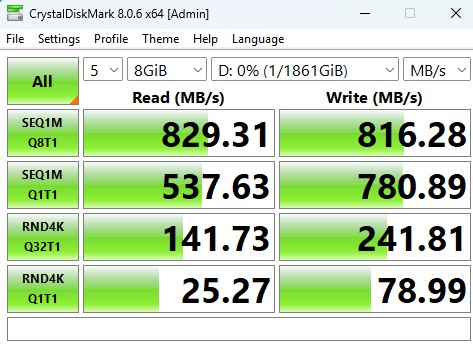
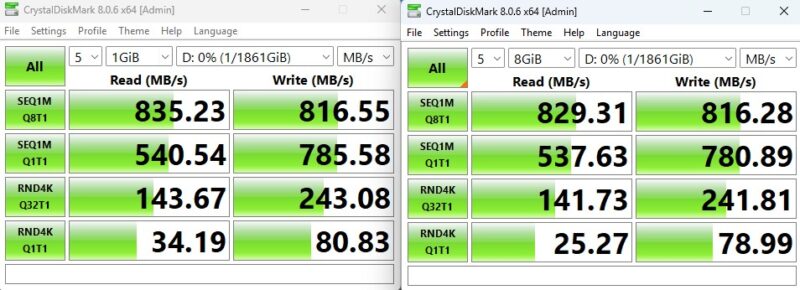
We were very worried that the write speeds would be terrible given the “N/A” in specs, but this is about what we would hope for given the 800MB/s read speed.
ATTO Disk Benchmark
The ATTO Disk Benchmark has been a staple of drive sequential performance testing for years. ATTO was tested at both 256MB and 8GB file sizes. Here is the side-by-side:
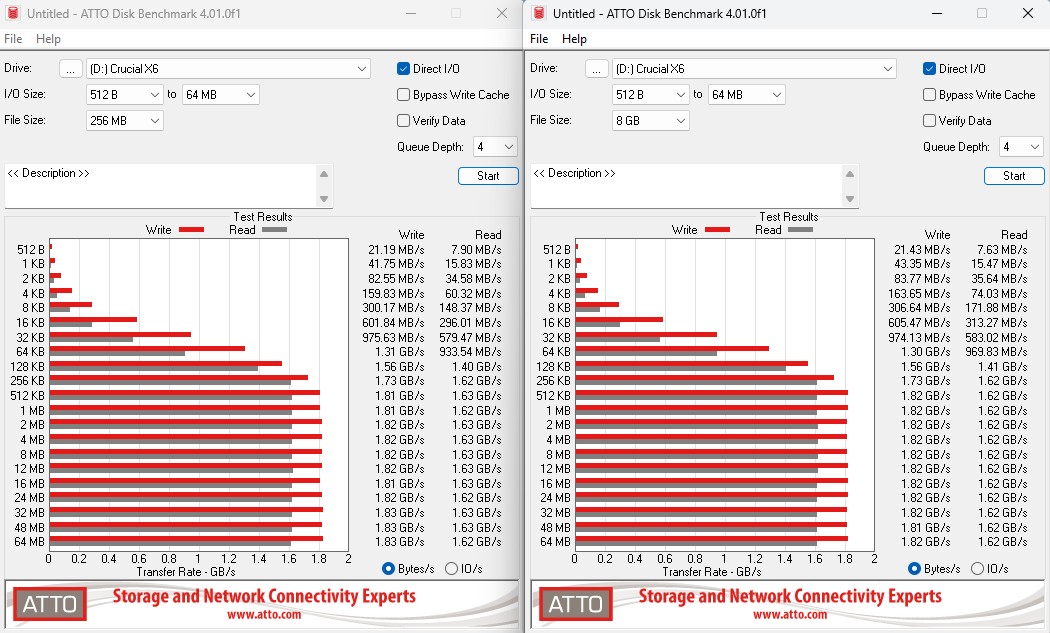
We realized that the system was caching in ATTO, which is why we got these numbers. We caught this in the review process before publishing, but after we had used the drive a lot more making it in a state that is not comparable to others we have tested. As a result, we will show these, but we would not take these as showing the actual drive performance.
Anvil’s Storage Utilities
Anvil’s Storage Utilities is a comprehensive benchmark that gives us a very in-depth look at the performance of the drives tested. This benchmark was run with both a 1GB and 8GB test size.
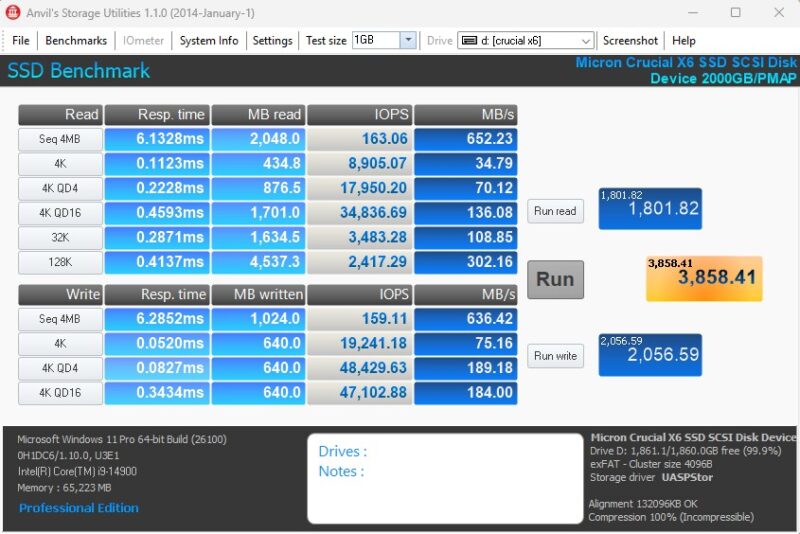
Here is the 8GB result:
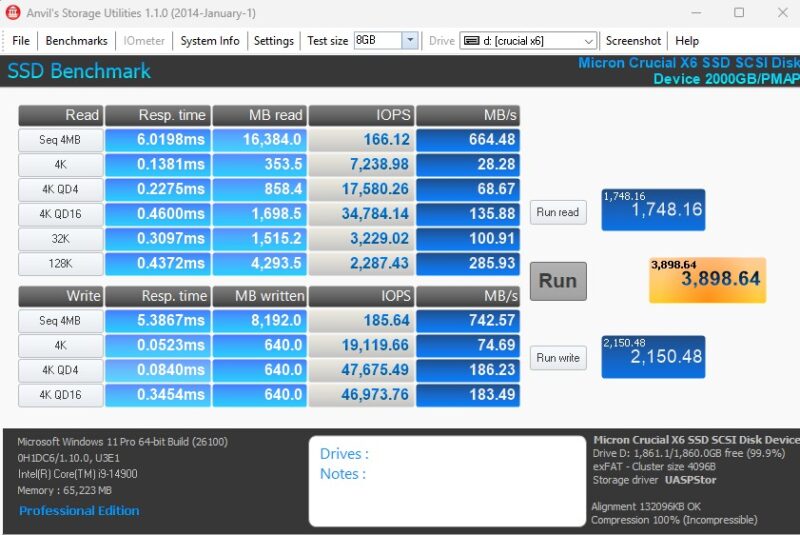
These were a bit lower than on CrystalDiskMark, but they are OK for this class of drive.
AS SSD Benchmark
AS SSD Benchmark is another good benchmark for testing SSDs. We run all three tests for our series. Like other utilities, it was run with both the default 1GB as well as a larger 10GB test set.
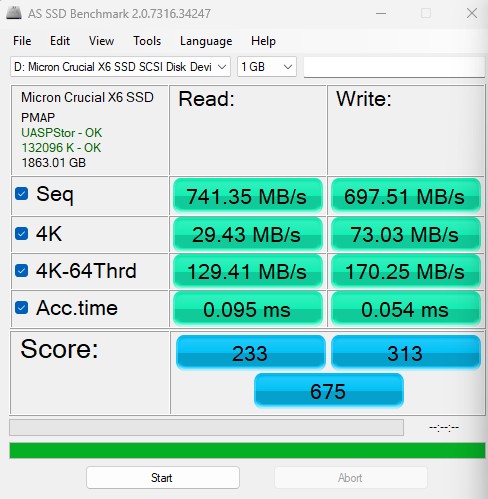
Here is the 10GB result:
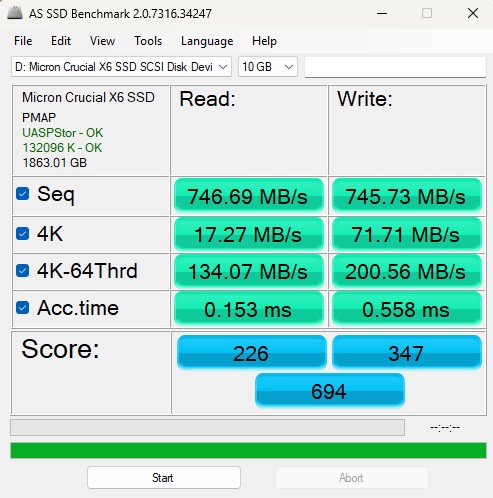
Here is the side-by-side:
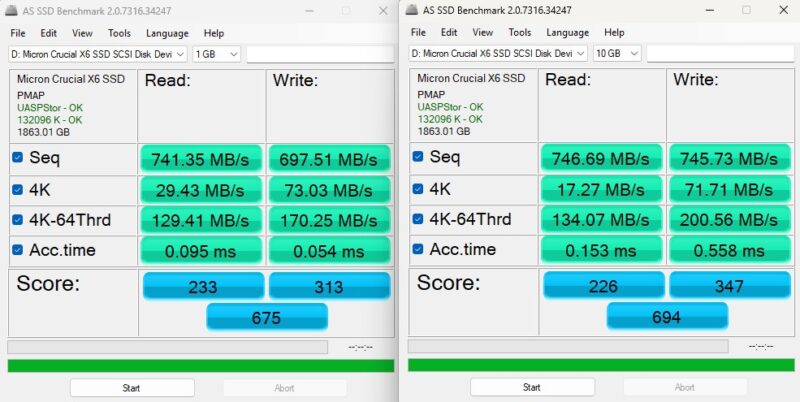
Here we did not get the 800MB/s reads, but we were in the ballpark. The write speed on the smaller test was not great.
BlackMagic Disk Speed Test
BlackMagic Disk Speed Test is focused on testing storage for use in video workflows.
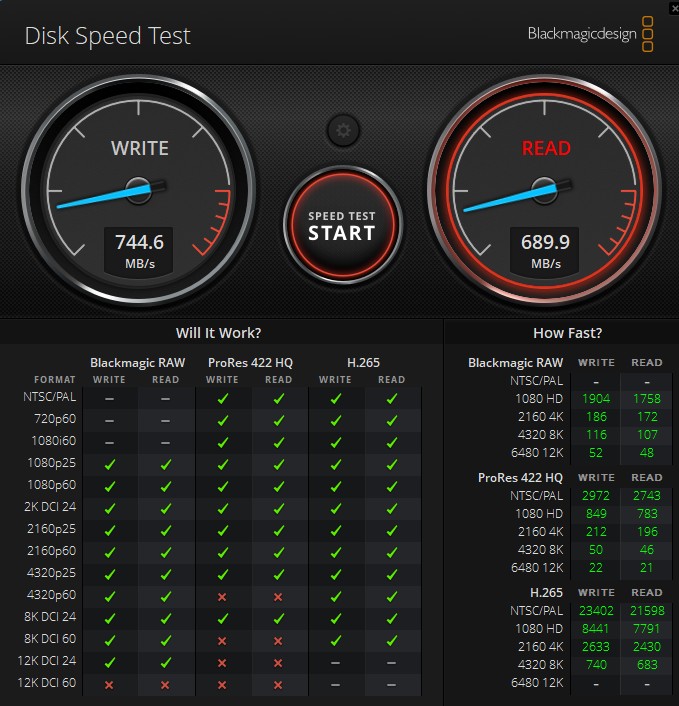
Just for some reference point, here is the Crucial X9 Pro in the same test:
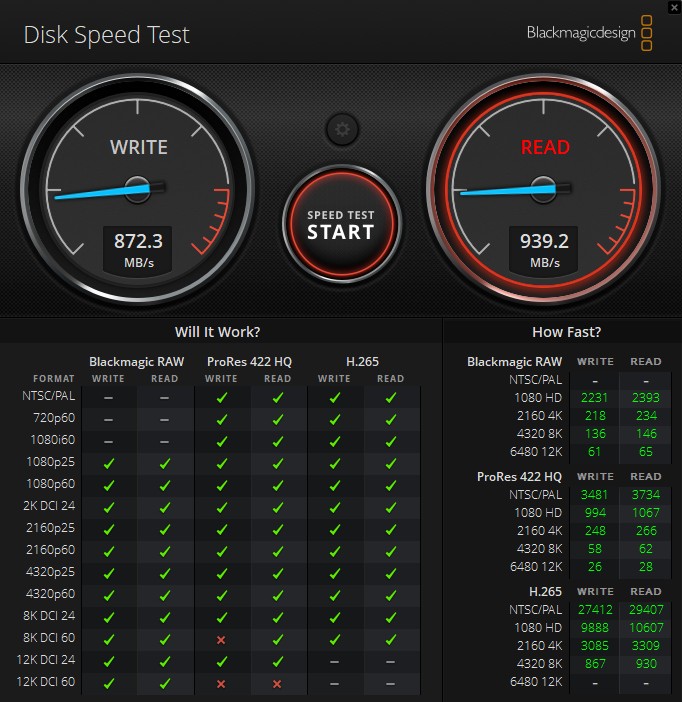
On most of the external SSDs we have tested thus far, the 12K DCI tests have sometimes had a red X or two. This is the first drive in our new series that has failed the 12K DCI 60 test. While 8K and 12K DCI, especially in ProRes 422 HQ, are less common for many creators, it is still notable to see the gap to the higher performance drive.
Final Words
To no surprise, this SSD tested the lowest of the ones we tested. It had the lowest marketed sequential read speed at 800MB/s. This SSD was also the cheapest of the ones tested. We were a bit nervous when the spec page listed “N/A” as the write speed, but it ended up being perhaps better than we were expecting given that.
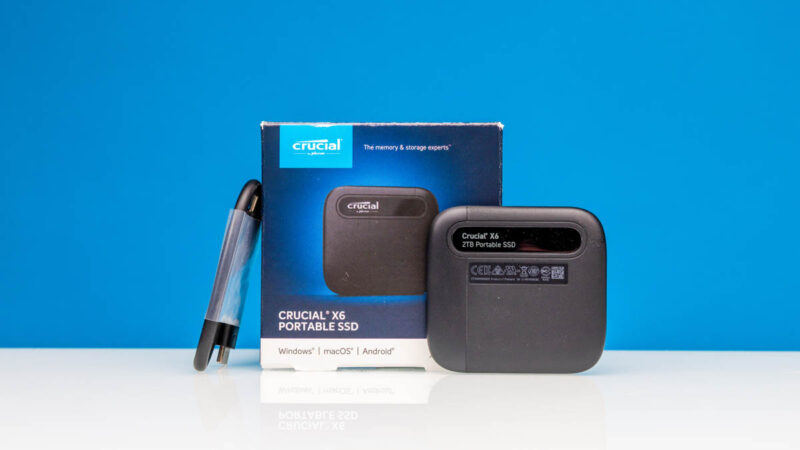
Depending on your budget, this may be an option to consider. For many STH readers, however, they will look for higher-performance drives. Even just simple tasks of copying a lot of data to and from the drive means what you are saving in money, you are paying for in time.
Where to Buy
We purchased our unit on Amazon. If you want to get a Crucial X6 2TB SSD, here is the Amazon Affiliate Link.

For an external SSD I would be interested in cell leakage and shelf-life data retention.