

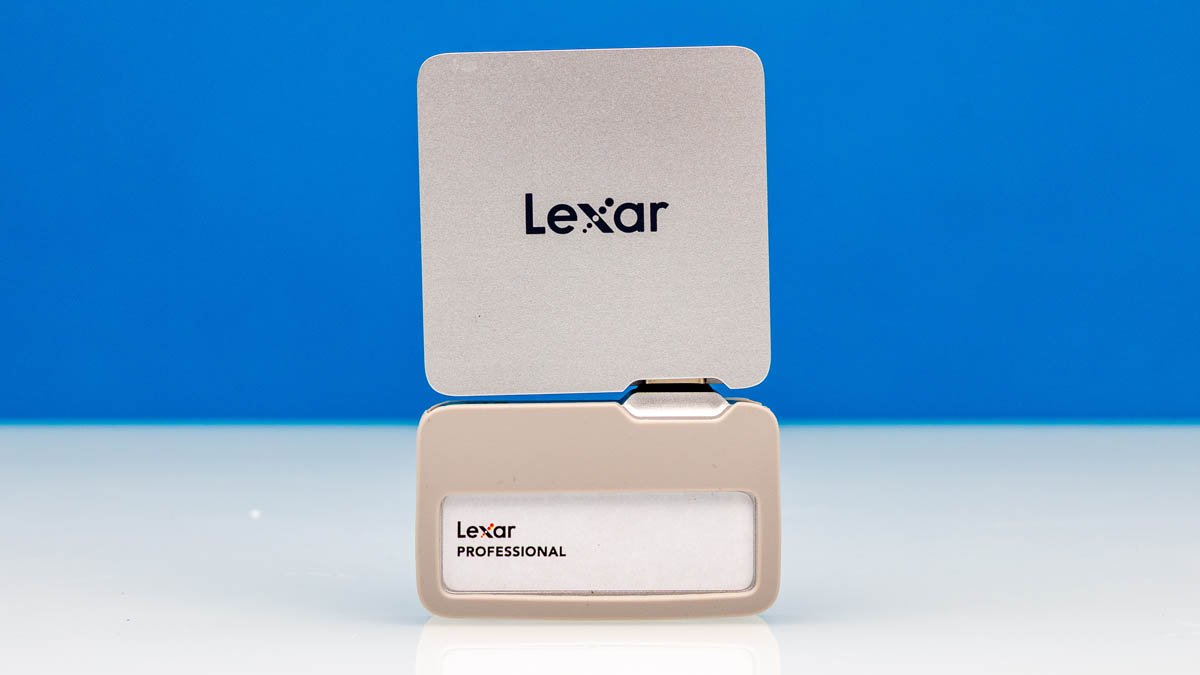
The Lexar 2TB Professional Go Portable SSD is something different. We purchased the version with the Hub as it only costs a few dollars more. What we got was a very small USB Type-C SSD that could also be used with a phone while connecting another accessory like a light or a wireless microphone. Since this was very different, we figured it was worth a review. Interestingly, this is a portable SSD that makes a lot of sense for phones, but perhaps less for PCs.
Here is an Amazon Affiliate link to what we purchased. There are other capacities available, and you can also buy the drive without the hub.
Lexar 2TB Professional Go Portable SSD Hardware Overview
Starting off, this is a USB 3.2 Gen2 portable SSD, so that means we have roughly 10Gbps of USB bandwidth. We recently started looking at USB4 drives with around four times as much available bandwidth.
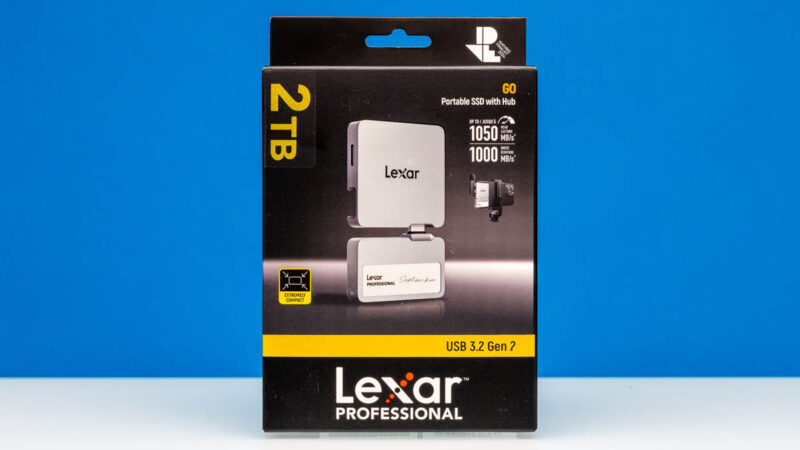
The drive itself is very small. It is much smaller than many of the others we have looked at, perhaps because this is designed as a phone first rather than PC first portable SSD.
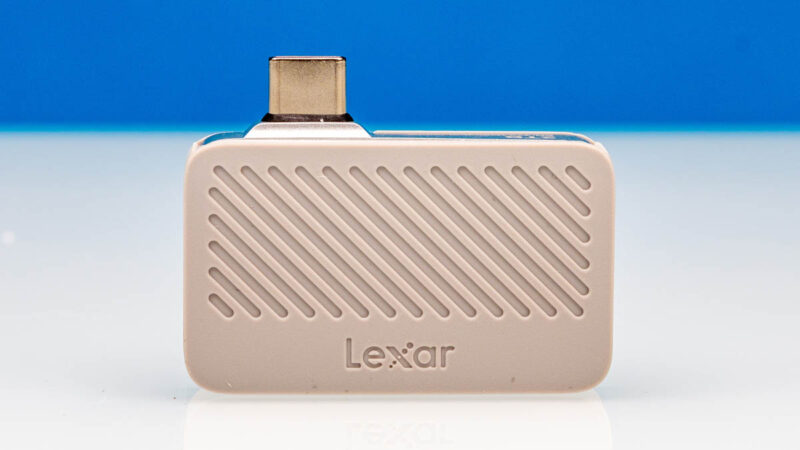
There is a USB 3.2 Gen2 Type-C port, which provides the connectivity. Most other portable SSDs we see have cabled connections, but this Type-C port is built in.

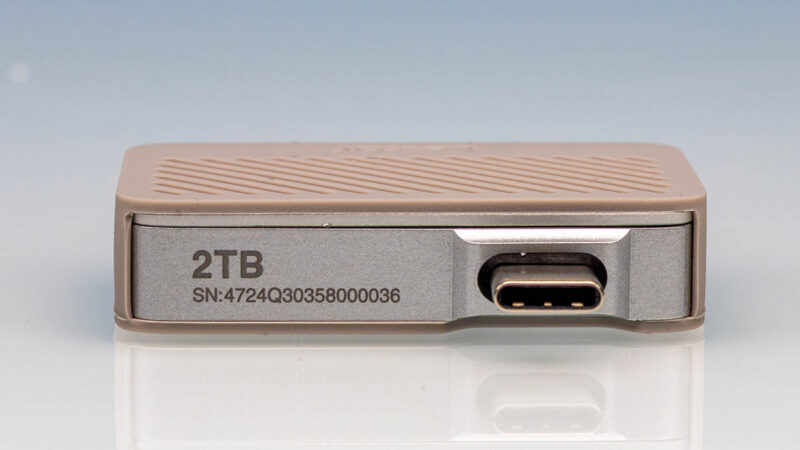
One item we like is high-contrast and larger fonts for the capacity so you can quickly tell how large a drive is.
There are two options when purchasing this drive, either with or without the Hub option. We have the hub option, so we get a relatively gigantic case for everything. It is nice to have a case, but this takes up a lot of room compared to the size of the drive.

Here are the accessories we received.
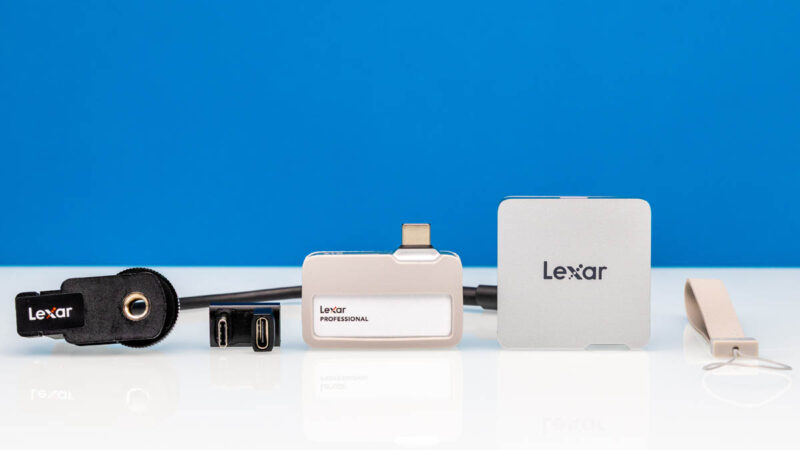
The little USB Type-C bridge is there to make the entire assembly work on a phone with the hub.

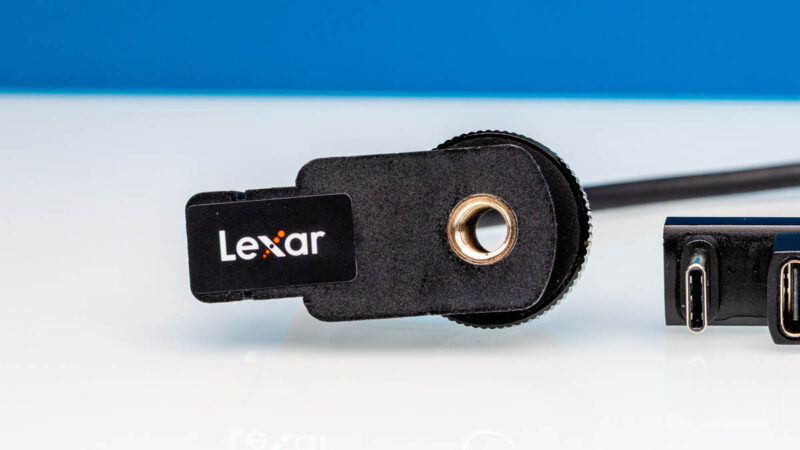
There is also a little adapter for a cold shoe. You may have no idea what that is if you do not work on photography or videography, but thsi is a standard mounting system for accessories.
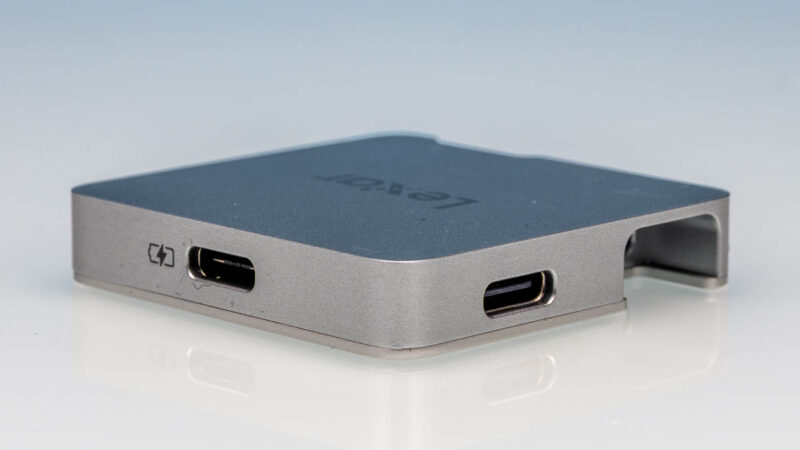
Then there is a hub. This is like a desktop hub, but for a phone. The idea is that you may have one USB port on the phone, but you may have both a wireless microphone receiver and the SSD that you want to connect, so the hub helps get you that extra port.
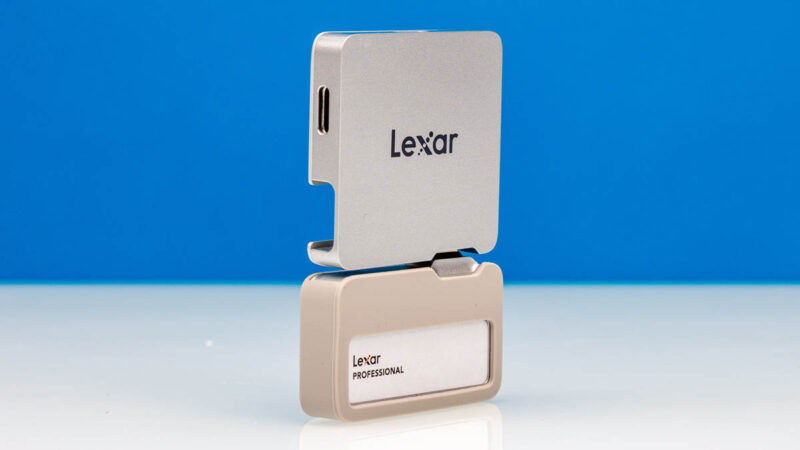
The hub and drive fit together to form a solution roughly the same height as an iPhone 15/16. Add a Type-C angled adapter that is included and you are good to go.
Next, let us plug this in and get to the performance.
Lexar 2TB Professional Go Portable SSD Performance
For this, we wanted to run through our standard benchmarks.
CrystalDiskMark Benchmark
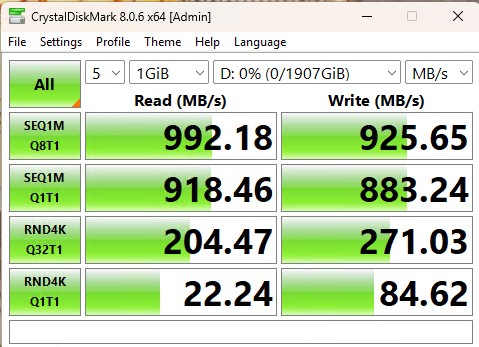
CrystalDiskMark is used as a basic starting point for benchmarks as it is something commonly run by end-users as a sanity check. We use both 1GB and 8GB test sizes.
Here is the 1GB test size:
Here is the 8GB result:
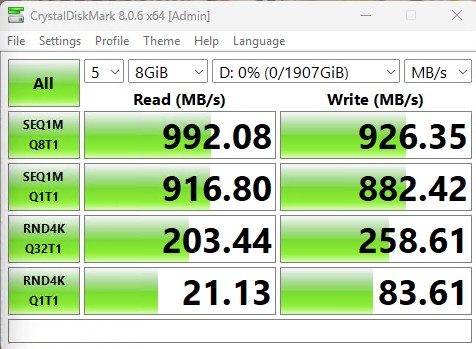
Here is the side-by-side:

This performance is good, but not the best. It is also limited to USB 3.2 Gen2 speeds.
ATTO Disk Benchmark
The ATTO Disk Benchmark has been a staple of drive sequential performance testing for years. ATTO was tested at both 256MB and 8GB file sizes.
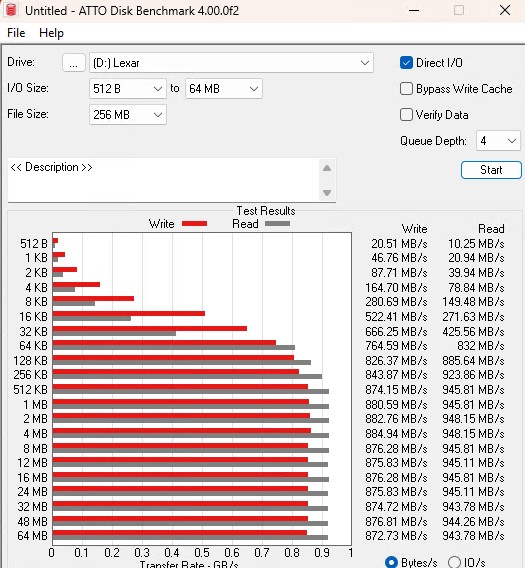
Here is the 8GB:

Here is the side-by-side:

Here the larger transfer sizes with the larger file size see notable drop-offs in sequential performance. It was only something we saw at larger test file sizes.
Anvil’s Storage Utilities
Anvil’s Storage Utilities is a comprehensive benchmark that gives us a very in-depth look at the performance of the drives tested. This benchmark was run with both a 1GB and 8GB test size.
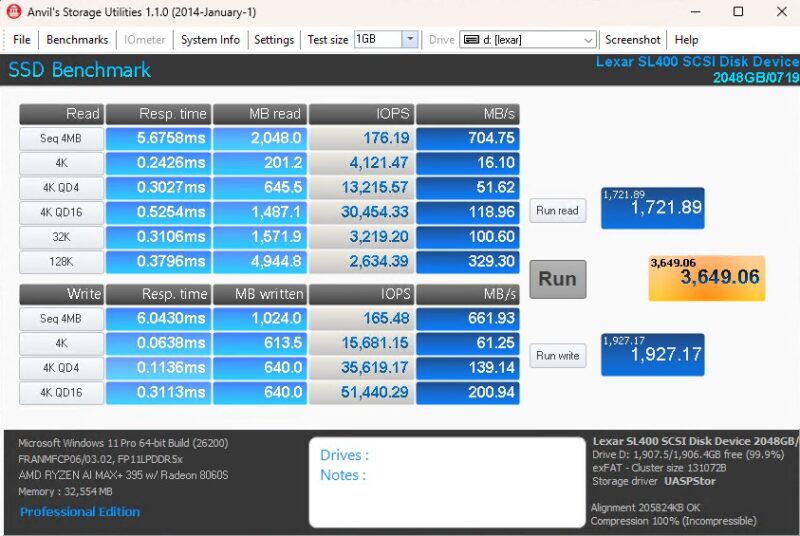
Here is the 8GB:
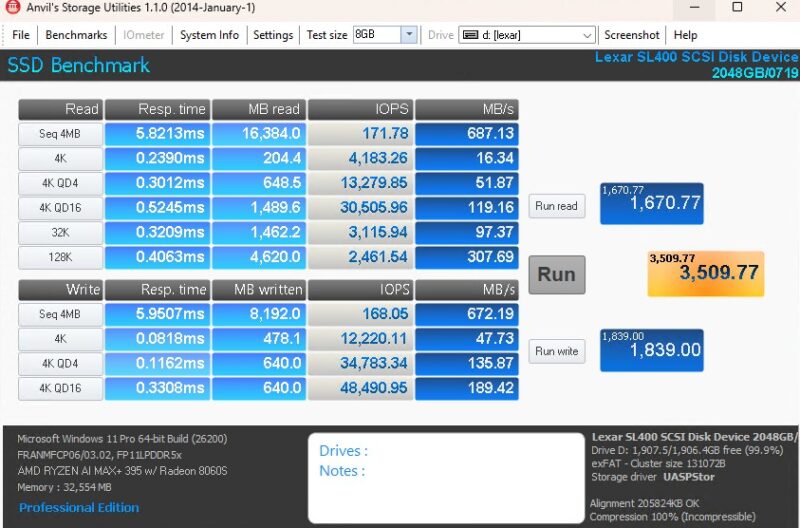
Anvil certainly shows lower performance figures than some of our other tests.
AS SSD Benchmark
AS SSD Benchmark is another good benchmark for testing SSDs. We run all three tests for our series. Like other utilities, it was run with both the default 1GB as well as a larger 10GB test set.

Here is the 10GB result:

Here is the side-by-side:
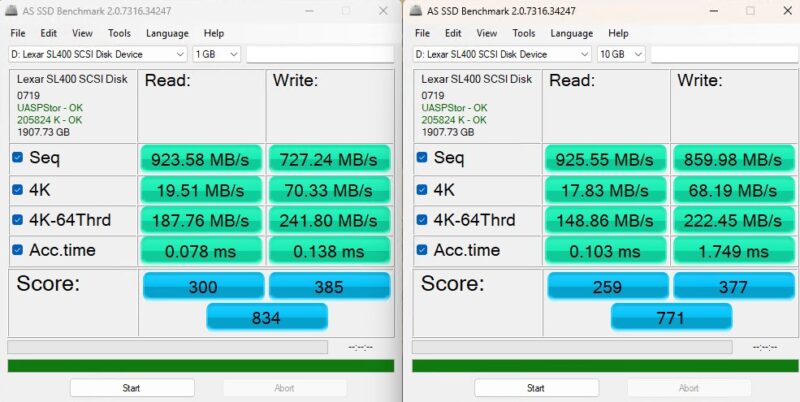
The 4K numbers went down with the larger test here, but the sequential numbers went up. That is not a very common pattern.
BlackMagic Disk Speed Test
BlackMagic Disk Speed Test is focused on testing storage for use in video workflows.
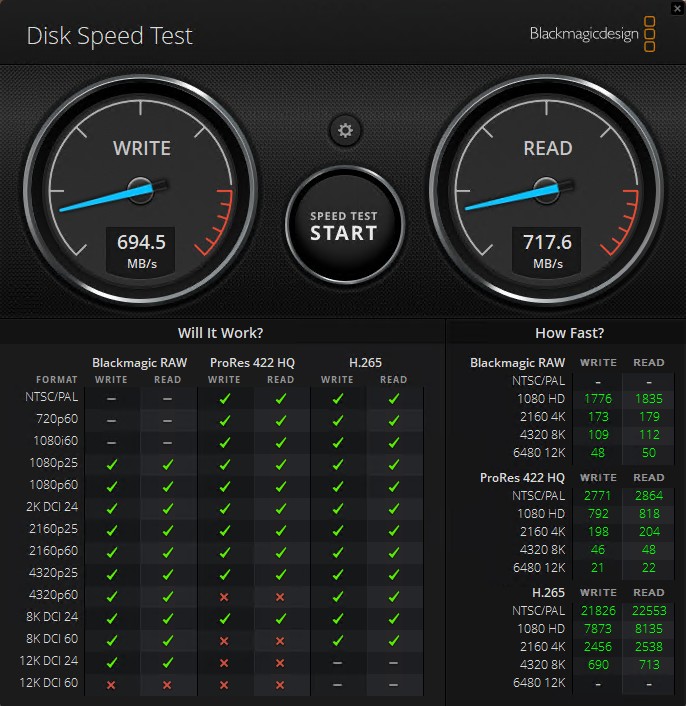
Here, we can see some of the higher-end formats struggle with the drive. If you want these to all be green, then we might suggest something like the Corsair EX400U 4TB USB4 Portable SSD we reviewed.
Final Words
Something we realized while testing this is that it is designed to be used with iPhones, but some of them. We tried an iPhone 15 Pro Max and it worked well. On the iPhone 17 Pro Max we had issues. Apparently, this version works for the iPhone 15/16, but Lexar is designing an updated version for the iPhone 17.

When we purchased this, adding the hub was something like $10 more. For $10, that was worth it. Otherwise, this is just a small portable 2TB SSD. that can be useful in many circumstances. Still, to us, the real winning application is using it alongside an iPhone for shooting footage to a portable SSD while also being able to connect a wireless microphone kit. If you are only buying larger internal capacity iPhones for video storage, then an external solution can end up saving quite a bit of money, so long as you remember to bring and use it.
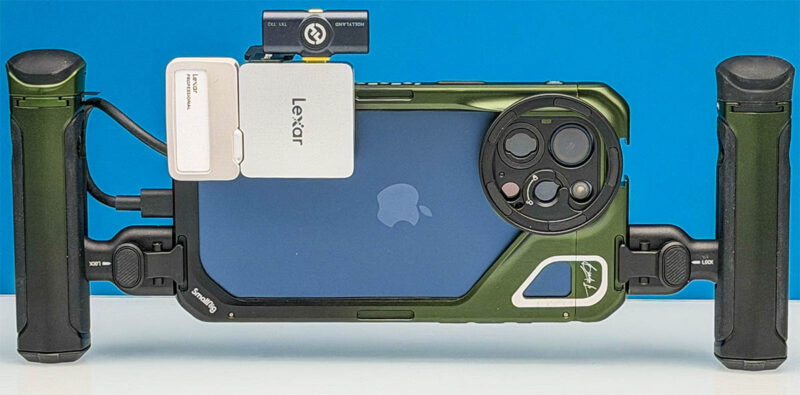
We have used this as a SSD for both Windows and Mac systems, and it works fine and performs decently as we have shown. Still, it feels more like it is tailored to being used with phones.
Where to Buy
If you want to pick one of these up, we purchased ours from Amazon. Here is an Amazon Affiliate link.


That’s what I’m looking for. A bunch of thanks.