

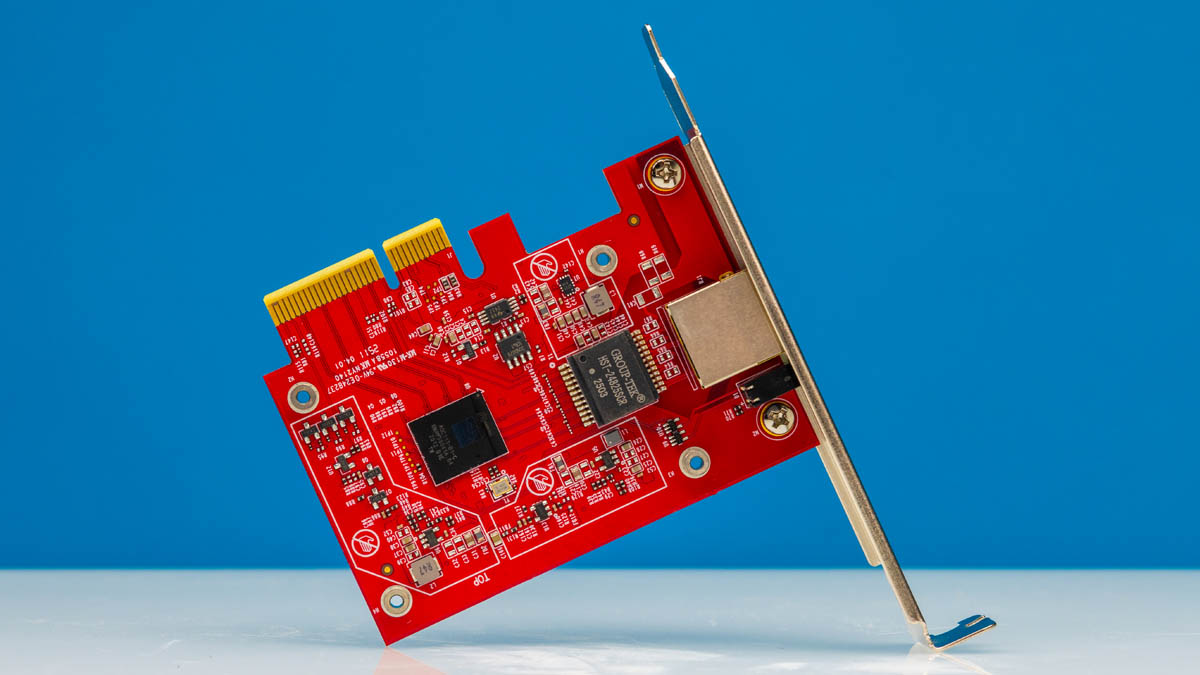
We purchased a TP-Link 10Gigabit PCIe network adapter (TX401) and figured we would take it apart to see how it works. We then saw how it performed. Something we know is that many of our readers are looking for 10Gbase-T these days, so we purchased a few NICs. This one is a Marvell Aquantia-powered unit that we purchased for under $100, making it not the cheapest, but also reasonable if you really need 10GbE.
If you want to buy one of these, or just check pricing, here is an Amazon Affiliate link.
TP-Link 10Gbase-T PCIe Network Adapter Mini-Review
The NIC is a low profile PCIe Gen3 x4 card slot. Although it came with both brackets, we have the full-height bracket on this one.
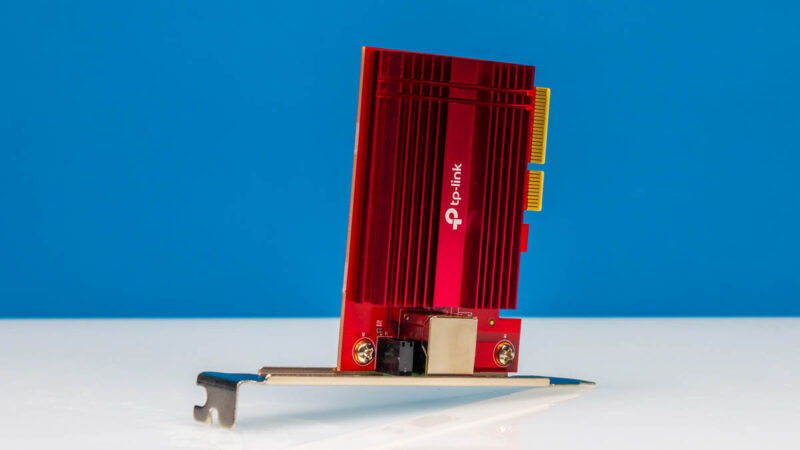
At the I/O side we have a 10GbE port and then status LEDs. It should be noted that aside from common 1GbE speeds, this can also be used for 5GbE and 2.5GbE which is a common ask when we look at these NICs.
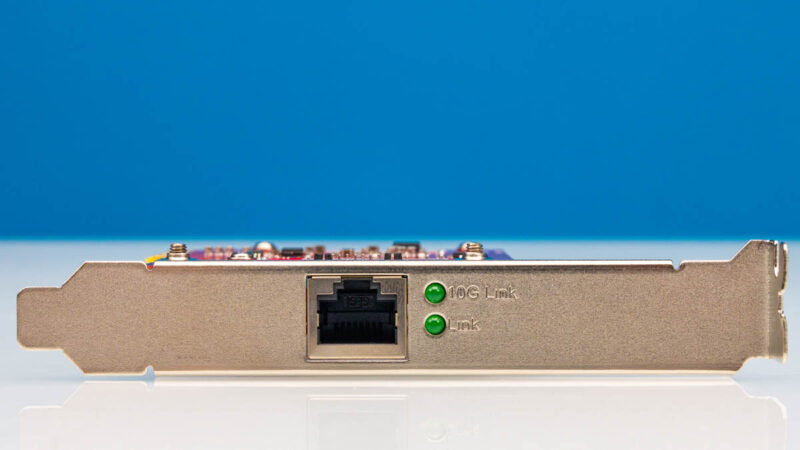
Here is the heatsink side. The Marvell NIC we generally see as a 3-5W device, so this does not need an enormous heatsink. Still, it probably deserves some airflow.
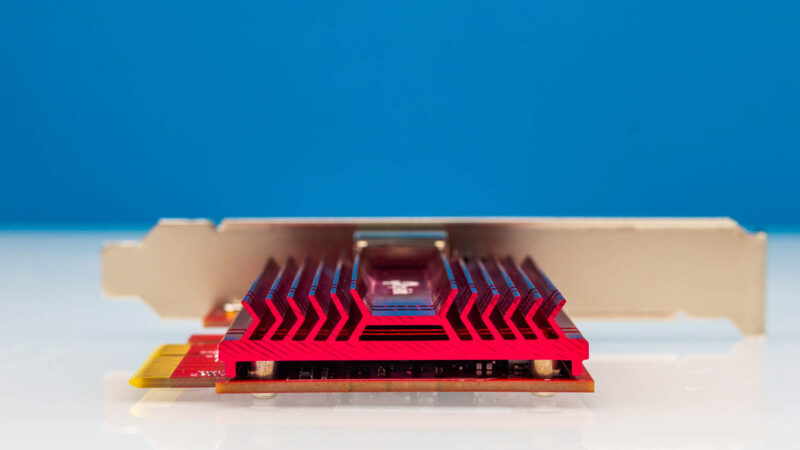
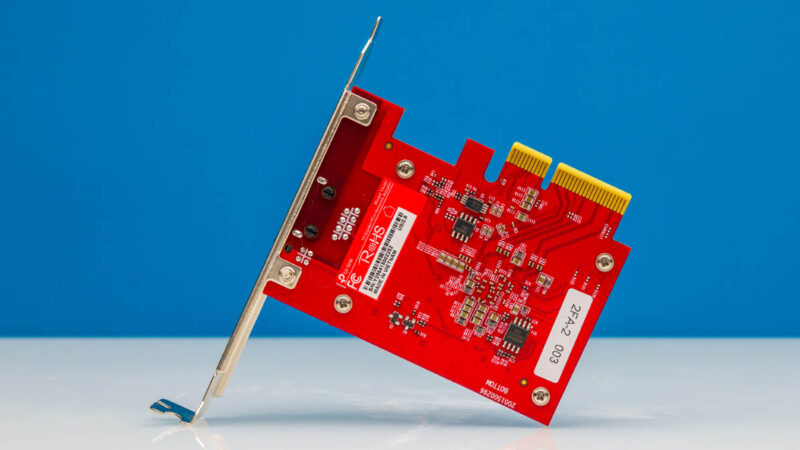
Here is a quick shot at the back of the NIC.
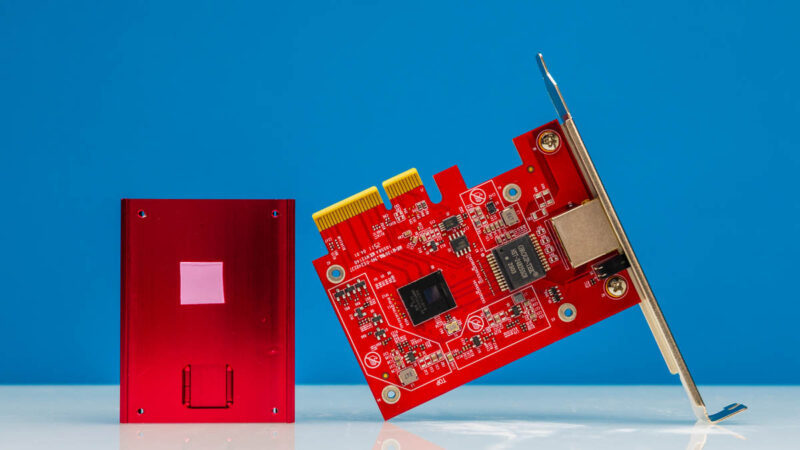
Taking off the heatsink we can see how simple this board is.
Here is a closer shot of the Marvell AQC113-B1-C chip that is the network controller.
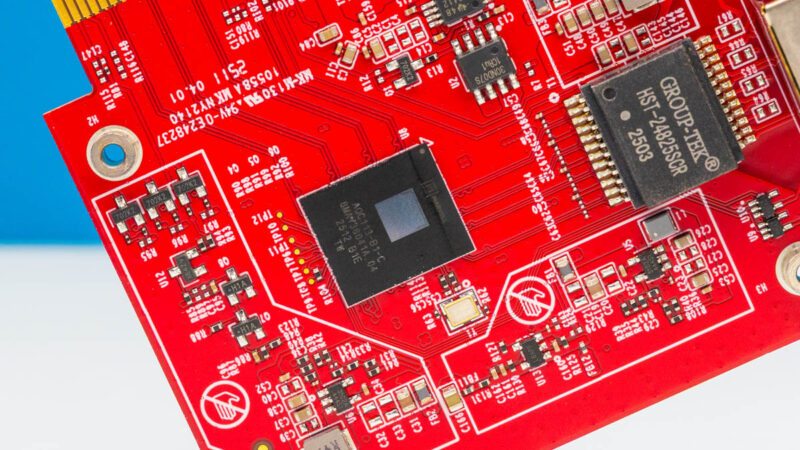
The Marvell AQC113 is a fairly well-known quantity in terms of 10Gbase-T NICs at this point. The AQC tells us that this is from the Aquantia acquisition IP. TP-Link for its part highlights Linux and Windows support.
TP-Link 10Gbase-T PCIe Network Adapter Performance
We tested this with iperf3:
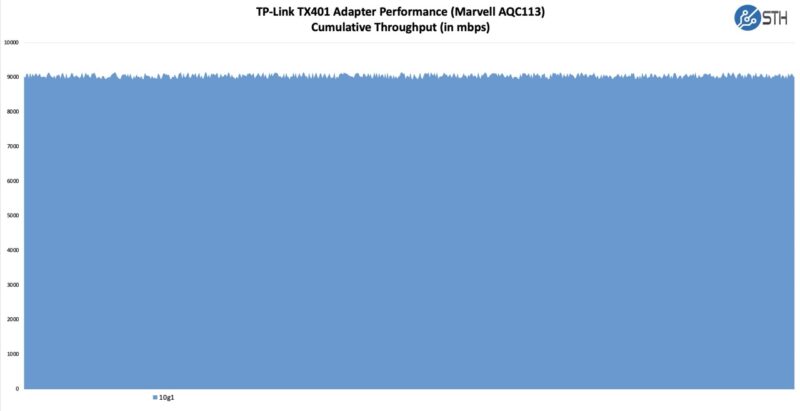
Overall, ths is a fairly standard result and what we would expect from a card like this. Hopefully we can use this in our higher-end network testing rig over the next few months.
Final Words
The main benefit of a small card like this is really being able to put it into some of the smaller mini PCs and NAS units out there to get an extra 10GbE port. Often, a PCIe Gen3 x4 slot is available since sometimes we have seen those come even from chipsets in systems. The other benefit is that whereas some of the older NICs we might have seen take 20W, this is usually in the 3-5W range. We will let you look up the spec sheet, but something to keep in mind is that if you are looking for specific offloads, that is oftentimes a good reason to get a datacenter NIC over one of these. This is more of a low-cost 10Gbase-T or Nbase-T solution with a lower power PHY.
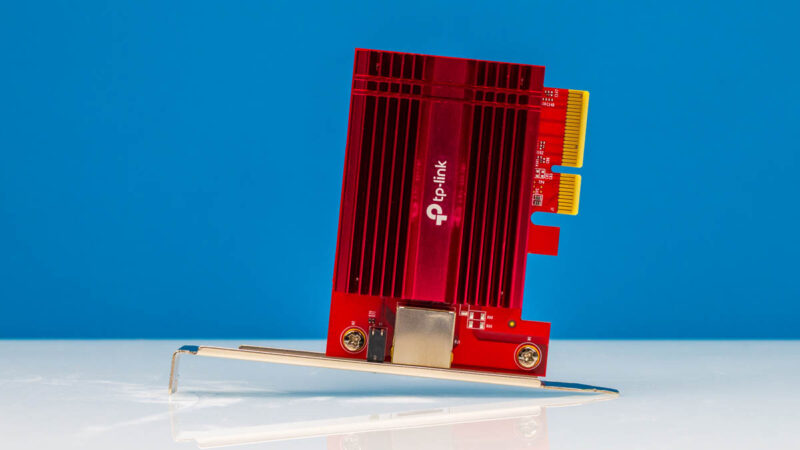
Still, if you just need one of these cards, we figured we would at least take off the heatsink to see what was underneath. Oftentimes these NICs are not advertised with which chip they are using. Also, keep in mind that in the lower-end segment sometimes these chip revisions change over time, but we purchased this in September 2025 for some vintage.
Where to Buy
If you want to buy one of these, or just check pricing, here is an Amazon Affiliate link.

Why is this even newsworthy ?
All these NICs are nothing but a NIC chip + trivial insulation transformer + RJ-45 connector.
Since there is only one cheap 10G NIC source, what’s the point wasting time with various (standardized!) PCBs it might be soldered on ?
Honestly my frustration is the exact opposite. Until Marvell actually gives a damn about writing drivers for this for the various OS’s (Looking at the 3 years untouched FreeBSD driver that doesn’t even support this chip model), why bother caring about it?
Isn’t this the one with stability issues when used heavily over prolonged timespans?
I wouldn’t put this in anything that needs to be even remotely reliable, especially because you can get an Intel X550 fairly cheap these days, but to each their own I guess..
I’m assuming Not_Really_Me is a troll account
They’ve taken off the heatsink and shown which chipset it uses. That’s useful. I’ve searched for AQC113 on the Amazon listing, and I didn’t get any hits, so it’s new info to me.
You saying that there’s only 1 cheap NIC source is incorrect now that Realtek has entered the chat and there’s MANY a listing online with older Intel chips that might be just popped off an old server and put onto a new board.
I’m with James as I don’t like that there’s no good FreeBSD driver.
What I would like to see improved in STH reviews is basic compatibility information.
I run Windows, Linux, FreeBSD, and OpenBSD just in my home.
It’s nice that they posted the chip used (Marvell AQC113) but then it becomes homework for me to lookup compatibility.
A real value-added option that I goto websites for is _reviewing_ the product. This is nothing more then marketing copy.
lspci output?
Kernel’s used?
Windows Device manager screenshot?
AND there’s “performance” settings like Jumbo Frames!
What about comparisons to the (very stable and affordable) Intel x550 series?
To me, I find 10Gbase-T terrible in all forms….it runs hot by default, it’s about the same price as 10GbaseE and it’s less capable.
And you just buy a dac cable for short distance copper – with the option to be able to swap out for 10GbaseSR or LR for real distances.
When you can get an x710-DA2-10G for just over $100 (pcig3x8) why would you want an AQC113 based card? Or x550-T2 2x10G copper is better yet at $60 (pcig3x4) if you wanted that awful cat6 way of doing it. Or even old Connect-X3’s will do dual for cheap. They pull more power the older x710/x540/x520/Connect-X3…but much better cards to run and cheaper in many cases.
I know lots of gamer machines will end up with these in them, but it feels like it should be much cheaper for the meh of support for bsd and the like.
Still waiting for a review on the Intel E610 10gbase-t NICs. Particularly how well their drivers work, their compatibility with various types of devices on the other end, and if their multi-gig works properly to negotiate between 1gbps / 2.5 gbps / 5 gbps and 10gbps.
If the E610 is another dud like the Intel i225 and i226 NICs, then I think I will be rolling with an all-SFP+ solution with optical transceivers for all of my non-wireless devices at home.
@sonny a:
Why are you bringing used market into this ? Is and article about used product ?
Also, what changes with RTL entrance into the game ?
Fine, so now you have two elcheapo choices: RTL and ACQ.
BOTH are determined at the moment you mention the NIC chip’s name.
Everything else around the chip is constant.
There is nothing that the manufacturer can or does do to differentiate.
So, where is point of wasting the eyeballs of one’s audience on this ?
Cake_with_legs – We have some interesting stuff coming with the E610 integrated into Beelink systems as an example. The GTR9 Pro video is already filmed, and with Alex for editing.
For others, the hint here might be that we purchased a few 10GBase-T cards around this time to see what they were using underneath the heatsinks. Next week, we should get to show the cards we were hoping to find (and eventually did.)
The big challenge, scheduling-wise, is that the 2nd full week in October is going to be a huge week, and we are filming a tour that week as well. We had another tour that was going to be filmed the day after in a completely different location, but that one has been pushed out. Our October schedule might be unusual, but there are a host of things in late September/ early October, especially on the networking side, that will be particularly useful in a few weeks as reference material for future pieces.
While the chip used could be guessed, it’s always good to get it confirmed like this if the official product page isn’t clear about it. :)
I have one of the fanless Qotom mini PCs using two of these Aquantia NICs. They have been working perfectly fine so far in Linux. I’m not too bothered by FreeBSD support since it seems to become a less and less relevant platform as time moves on.
I was under the impression that OpenBSD had a more updated driver though, but perhaps that’s also limited to the older AQC107 NICs?
It will be interesting so see reviews of the new Realtek based NICs when they come out. Drivers might take a while to mature though, as is usually the case with Realtek.
Why do people assume this NIC runs hot? Same chip used in mac mini, which has total system power usage of 7w in idle. I do use the AQC113 in my Proxmox server, never had an issue with connection, no cooling, warm to the touch. The only downside it has, is ASPM support which does not allow me to use deeper CPU sleep states, but in the forums there are people flashing modified firmware for support.
What version of the board did you test?
I have v1 and it sucks when transferring large or many files consecutively and especially when r/w to a 2nd networked PC + my SAN.
Stay away
Can’t wait for the Realtek stuff to become ubiquitous to drive pricing down.
@John
You can update the firmware (from Marvell’s site) for v1 which uses AQC107 instead of this newer revision from the article. That fixed instabilities for me.
Wake on LAN support should be mentioned/tested.
I own many of the AQN-107 NICs for PCs in my home. All are Aquantia branded. They all support WOL properly, which is very important to me. The Intel NICs such as X550 do not support WOL at all.
Some OEMs (I’m looking at you, Asus) dropped the WOL support in their Aquantia NICs. I’m guessing some gaming motherboards with integrated Aquantia NICs have the same issue.