
While it would be a bit of an exaggeration to say that monitors have ever fallen out of style, it would not be an exaggeration to say that with laptops taking over the majority of PC sales, the importance of monitors has taken a hit. As high-end laptops have settled into the 16-inch range for screens, and desktop replacement class laptops pushing even higher, there is not quite the same demand for monitors as there once was.
But the recent boom in AI-focused mini-PCs has shaken things up in more ways than one. With the miniature desktop computers reaching new heights for popularity and demand, this has also served as a knock-on effect for PC peripherals. Now you absolutely need a keyboard, a mouse, and, of course, a monitor.
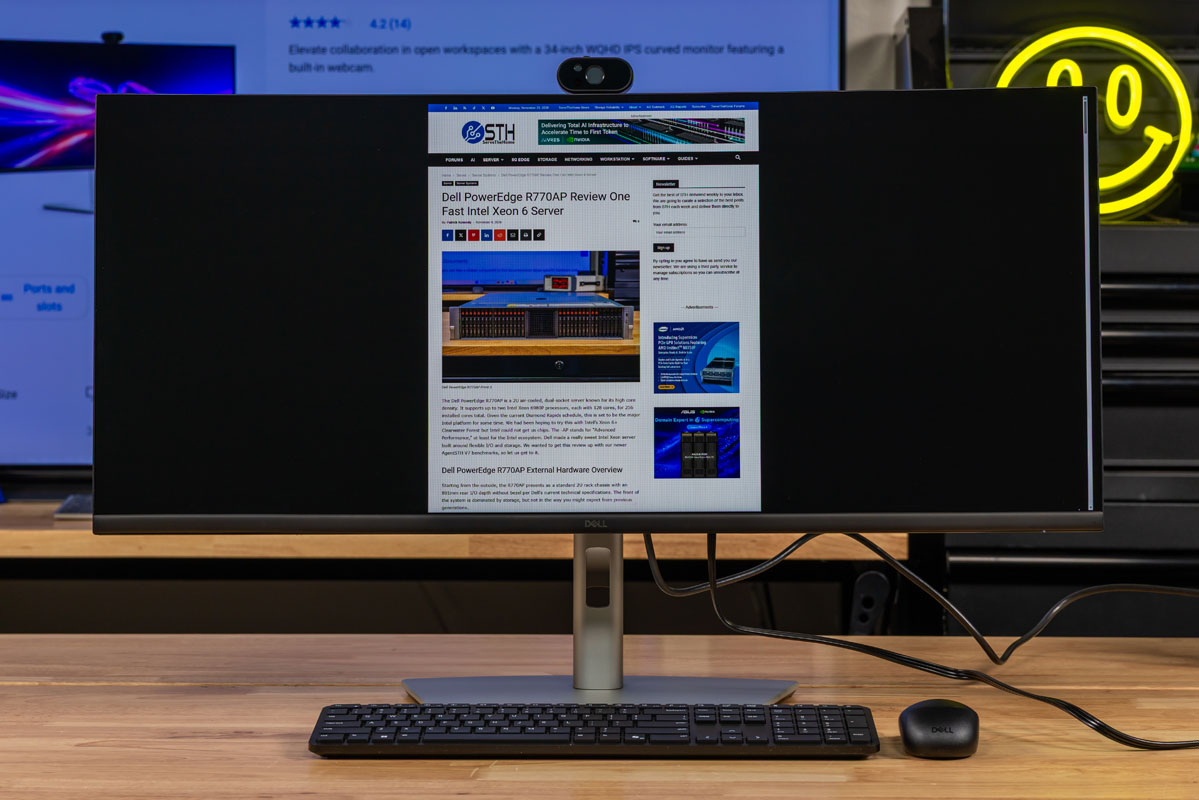
To that end, today we are taking a look at Dell’s Pro P 34 USB-C Hub Webcam Monitor, otherwise known as the Dell Pro P3426WEV. As part of Dell’s business hardware lineup, the 34-inch curved monitor is designed to offer everything the office worker needs to round out their computing experience, offering not only a large ultra-wide aspect ratio monitor, but also functioning as a USB docking station, KVM, and webcam as well.
| Dell Pro P3426WEV USB-C Hub Webcam Monitor Key Specs | |
| Panel | 34.1-inch IPS |
| Resolution | WQHD 3440×1080 (21:9) |
| Curved | 3800R |
| Backlighting | Edge-Lit LED |
| Brightness | 350 nits, 1500:1 contrast ratio |
| Color Gamut | 99% sRGB, 10bpc |
| Max Refresh Rate | 100Hz |
| Inputs | 1x HDMI 2.1, 1x DisplayPort 1.4, 1x USB-C (DP Alt Mode) w/90W PD, 1x USB-B |
| USB Downstream | 3x 5Gbps USB-A, 1x 5Gbps USB-C w/15W PD |
| Weight | 9.76kg (21.52 lbs) |
| Networking | 1GbE |
| Webcam | 4MP + IR w/Shutter |
| PSU | Integrated |
| Color | Black |
It is a rather capable piece of kit that is designed to round off the accessories that one may need with Dell’s own mini-PC lineup, such as the Pro Max with GB10, or any one of a multitude of laptops the company offers.
Dell Pro P3426WEV Hardware Overview
With a 34-inch ultra-wide panel, Dell’s Pro P3426WEV is already a sizable monitor. But Dell did not stop here at just building a monitor; the company has designed the P3426WEV to be a complete monitor, docking station, and USB hub all in one – a complete pairing to go with their laptops and mini-PCs. As a result, the P3426WEV is neither short on features nor short in stature.
Dell sells this monitor under their Pro business lineup, which says a lot about their goals right off the bat. This is a business monitor through and through, with a focus on productivity functionality such as an included webcam and even a built-in 1Gbps Ethernet jack. All clad in Dell black, of course.
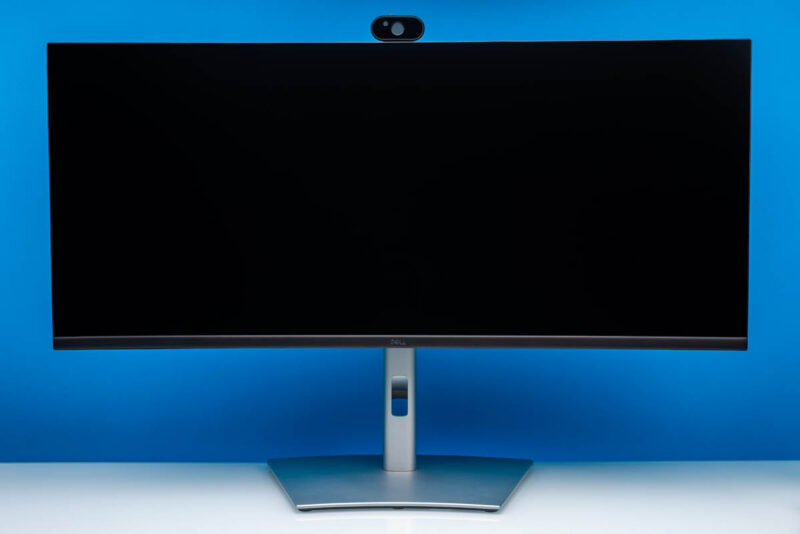
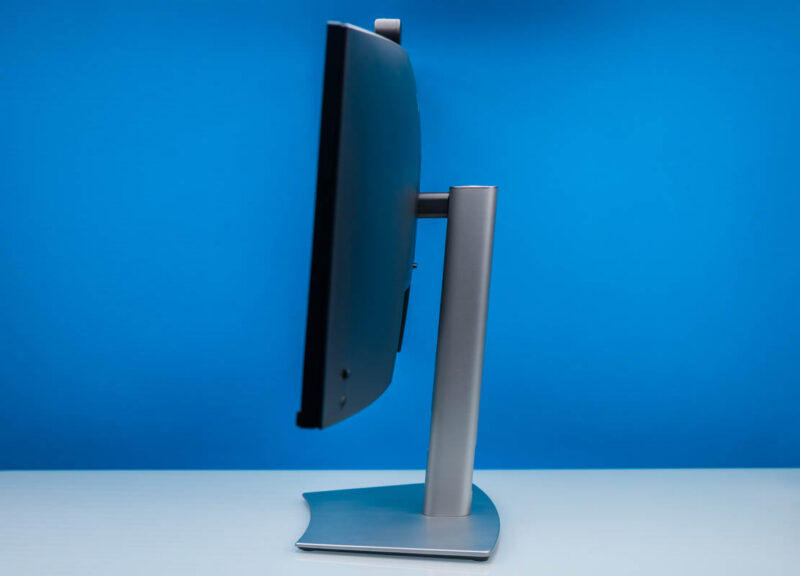
At the heart of the monitor we have the monitor’s display panel, a 34.1-inch 3440×1080 IPS panel. This is an ultra-wide 21:9 aspect ratio display, allowing for additional space at either side of the screen for additional content or side-by-side windows. Given the large dimensions of the screen, Dell has also opted to go with a curved design here with a 3800R curvature, which is nothing too sharp but is just enough to aim the extreme edges of the display back towards the user.
While a Pro product, this is not an HDR monitor in any way. So we are looking at a 10-bit (1.07b color) IPS panel that can cover 99% of the sRGB color spectrum. The display does support high refresh rates, however, and is able to go as high as 100Hz at its native resolution.
Backing the panel is a basic LED edge lighting system, which is what we would expect to find behind an sRGB panel. According to Dell, the typical brightness is 350 nits, which allows for a 1500:1 contrast ratio.
Overall this is a solid productivity-focused display in and of itself, but what sets it apart from more typical monitors is that Dell has loaded it up with additional features to serve as a docking station, USB hub, and KVM switch.
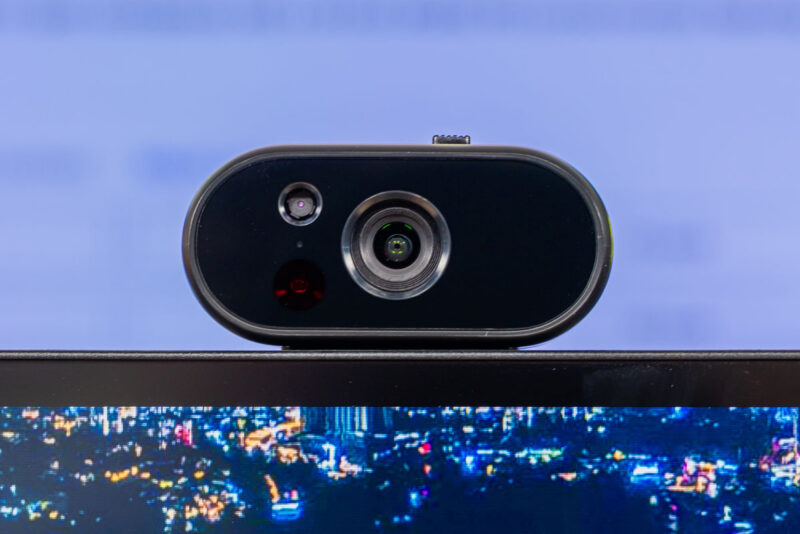
The most visible of these is the included webcam, which sits on top of the monitor (Dell also sells a version without the webcam). Like most of Dell’s laptops, this webcam includes both a color camera and an IR camera, allowing it to be used for Windows Hello and other face-based authentication methods. Meanwhile the color camera is sufficient, but unremarkable – the 4MP camera can either record at 2560×1440 at 30fps, or drop down to 1080p for 60fps recording. There is also a physical shutter switch here for blocking off the color camera entirely when it is unheeded. Otherwise, the backhaul for the camera is an internal USB 2.0 connection leading to the monitor’s central USB hub.
Since it is a USB webcam, Dell has added some basic software functionality to the complete monitor + webcam setup. The webcam can do its own background blurring, which can be accessed as part of the monitor’s settings.
Between the monitor’s size and the built-in USB functionality, Dell has been able to integrate a surprising number of ports into the P3426WEV, both as inputs and downstream USB ports.
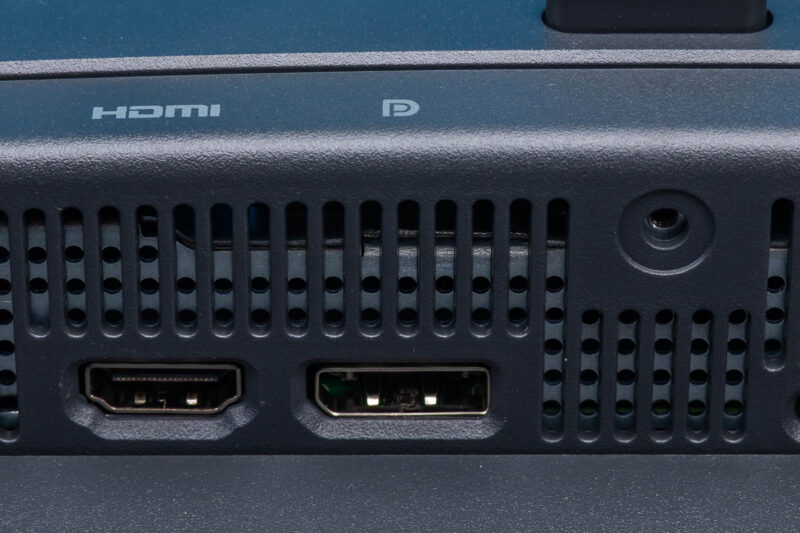
For inputs, we are looking at an HDMI 2.1 port, a DisplayPort 1.4, and then a USB-C input that supports DP Alt mode 1.4. All of these ports are able to drive the monitor at its full resolution and refresh rate, but things get a bit dicey if 10bpc color is being used as well. The HDMI port tops out at 60Hz here, while the DisplayPort-based options allow for 100Hz even at 10bpc. And if using the USB-C input, then DSC is needed when not allocating all of the cable’s high-speed bandwidth to video.
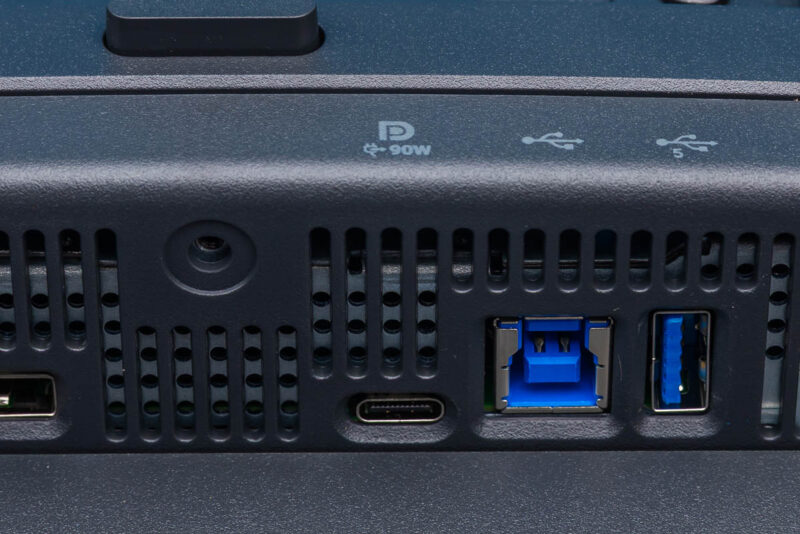
Speaking of which, the USB-C upstream port is Dell’s ideal way to use the monitor. They have designed the P3426WEV to function as a docking station, so a USB-C connection allows the monitor to do that all with one cable. The upstream port even supports 90 Watt (20V@4.5A) USB power delivery, allowing it to charge a host laptop while it is in use.
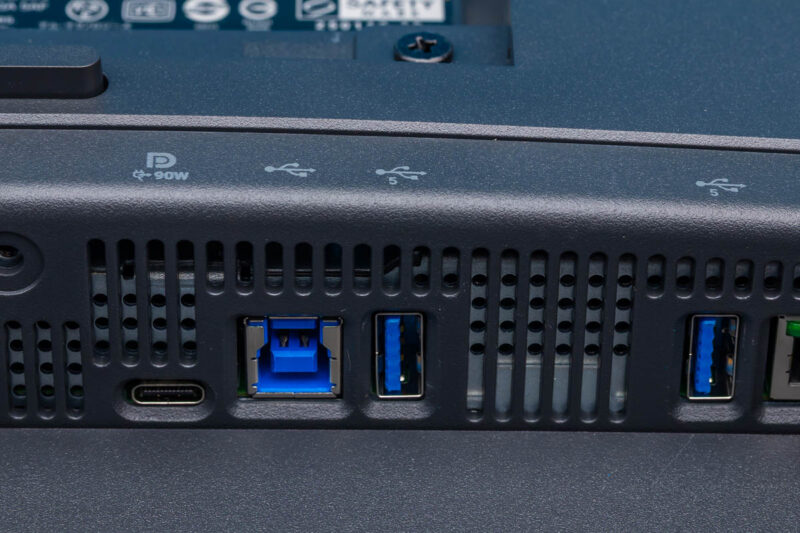
Meanwhile for more classic use cases, Dell also provides a USB Type-B port for upstream duties. Only one upstream port is needed to use the data features of this monitor – so an A-to-C connection would work just as well – but both options are available if needed.
As for downstream USB functionality, the P3426WEV offers three 5Gbps USB-A ports as well as a 5Gbps USB-C port. Two of the USB-A ports are located on the rear of the monitor. Meanwhile the final USB-A port and USB-C port are at the bottom for easier access. These are also slightly more powerful ports; the USB-A port can provide up to 10 Watts of power, while the USB-C port can deliver up to 15 Watts. Do note, however, that this monitor does not support DisplayPort MST, as the bulk of the DP bandwidth is consumed by this monitor from the start.
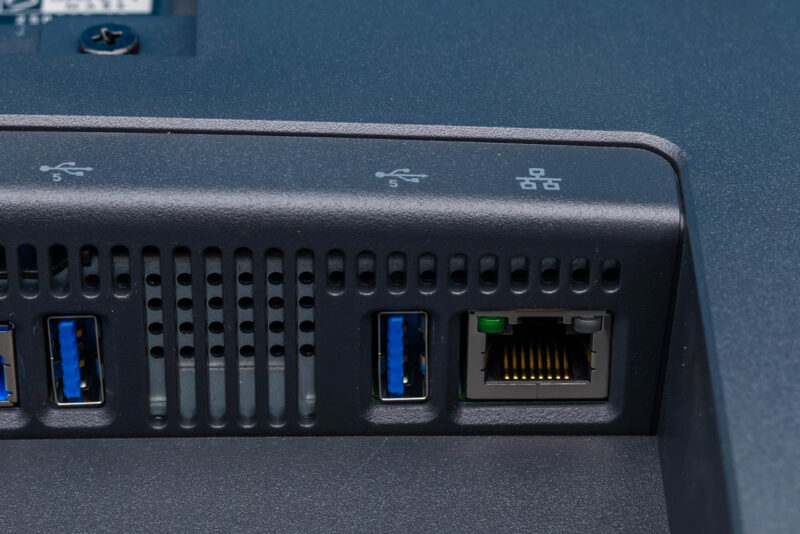
Further fleshing out its docking station credentials, the P3426WEV includes a 1Gbps Ethernet port, which can be found on the rear of the monitor alongside the USB ports. Like all of the other functionality of the monitor, this is hanging off of the USB hub – so you will want to be sure to have a USB 3.x connection back to the host system – but its presence really does allow for getting a system connected down to a single USB-C cable.
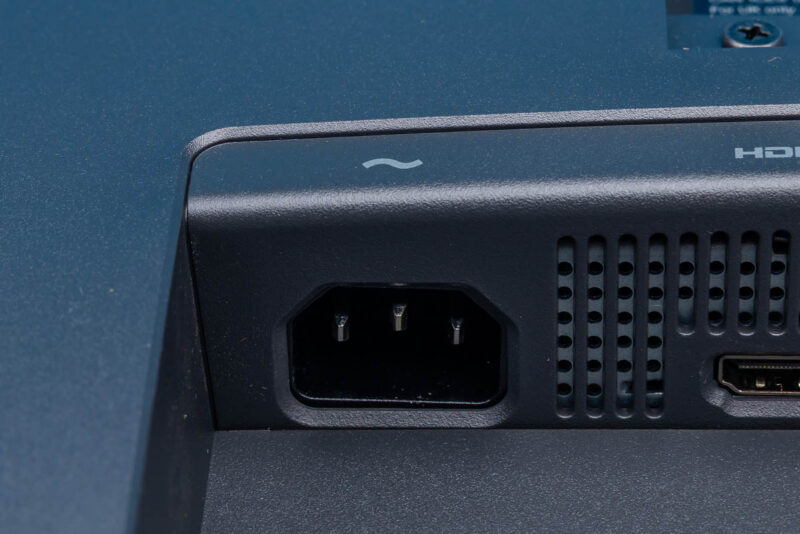
Speaking of connectivity and plugs, the size of the monitor has also afforded Dell the space needed to integrate the monitor’s power supply – so there is no external power brick needed here. The monitor takes a standard C13 cable (included), and while Dell does not list the specifications for the power supply itself, the monitor has a maximum power rating of 205 Watts.
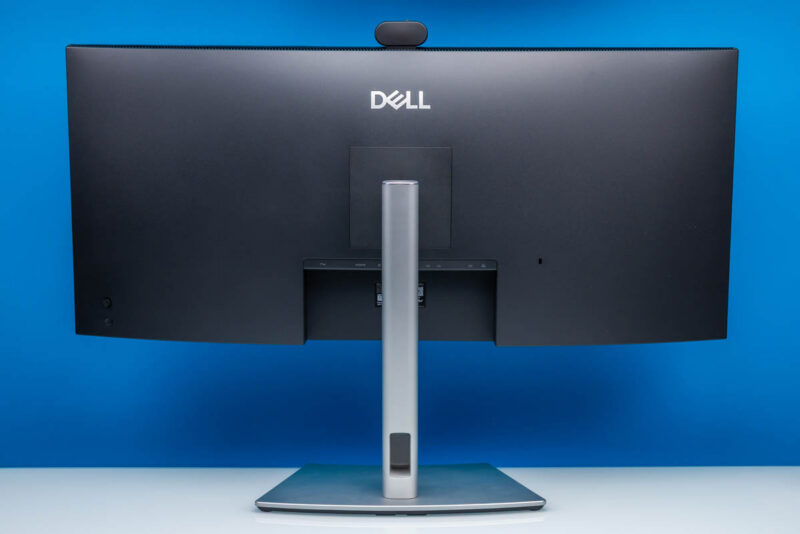
Finally, the monitor ships with a capable (but not especially fancy) stand. Dell’s default stand offers full tilt, swivel, and height adjustments, but there is not any support for pivoting the ultra-wide monitor. The tilt range is from -5 to 21°, meanwhile there is 150mm (5.91 inches) of track for adjusting the height of the monitor.
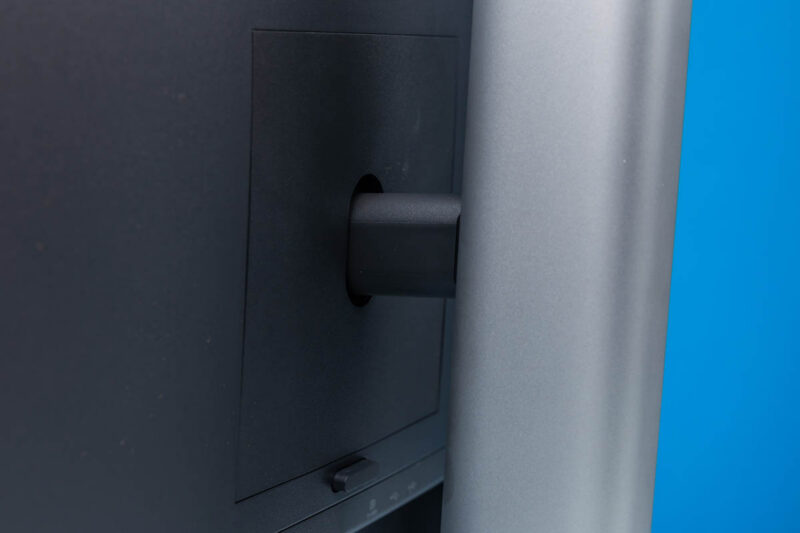
Alternatively, Dell’s default stand can be replaced with any other stand or mount with a VESA 100×100 fitting.
Next, let us see how the Dell Pro P3426WEV performs.