

HPE iLO 6 Essentials vs iLO 6 Advanced – Remote Console & Media
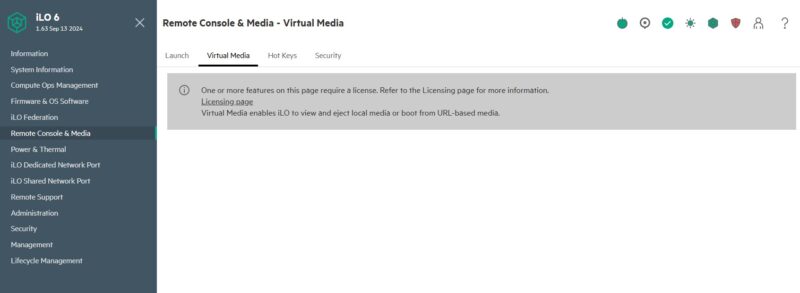
Next, we moved to the Remote Console & Media section, to the Virtual Media tab where we again were met with a feature that required an iLO Advanced License.
After updating the license, here is what we saw.
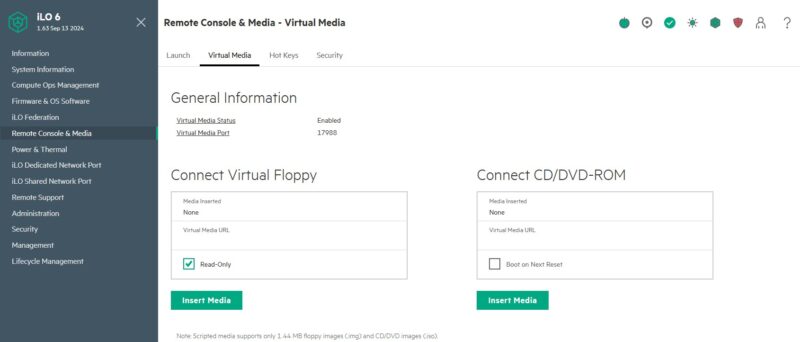
Previously we have heard that the remote console and virtual media features are a major draw to the higher-end iLO Advanced licenses.
Next, let us get to the Power & Thermal section.
HPE iLO 6 Essentials vs iLO 6 Advanced – Power & Thermal
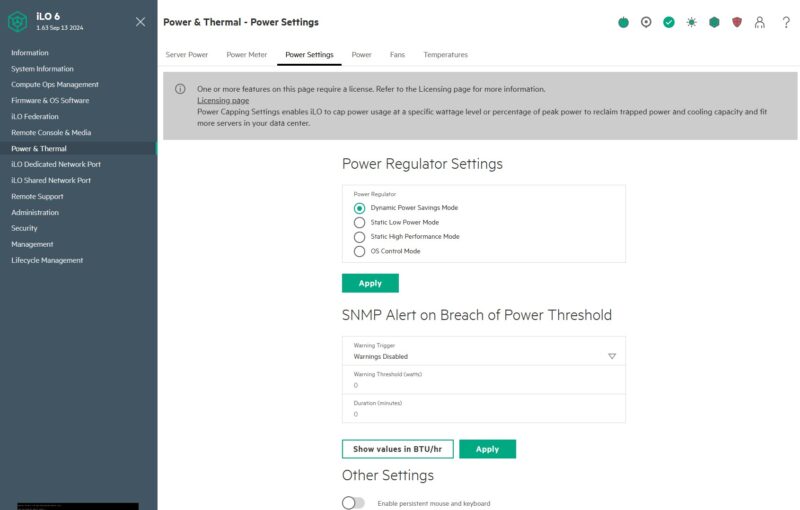
When we were at the Power & Thermal menu and the Power Settings tab, we saw some settings available with the iLO Eseentials license level, but again we saw a bar saying we could get more with an upgrade.
Interestingly, when we added the iLO Advanced license and went back to the Power Settings we ran into something different with our MicroServer Gen11.
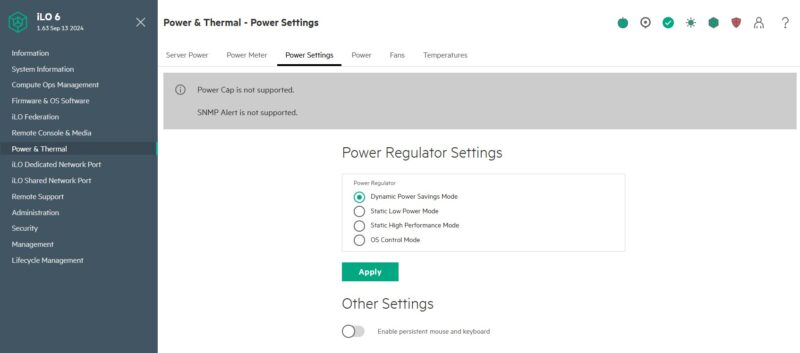
Both the Power Cap and the SNMP Alert were not supported on the machine. It is a good thing we did not purchase the license with the expectation that it would activate these features, but they do work on other HPE ProLiant systems. This is just a function of the system we are using being a lower-end server.
Next, let us get to the Administration section.
HPE iLO 6 Essentials vs iLO 6 Advanced – Administration
When we went to Administration then to the Key Manager we were again greeted by a Licensing note in our iLO Essentials base license.
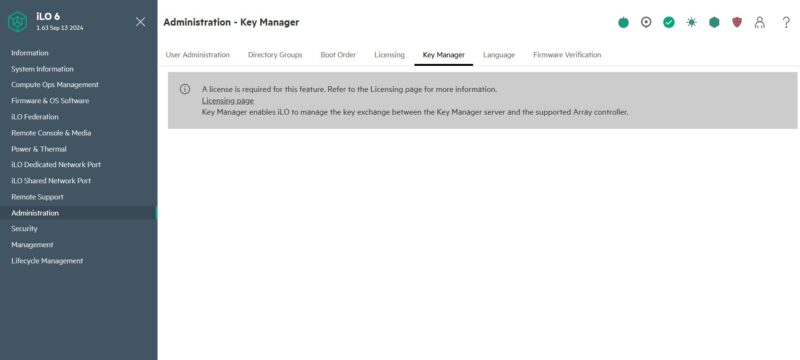
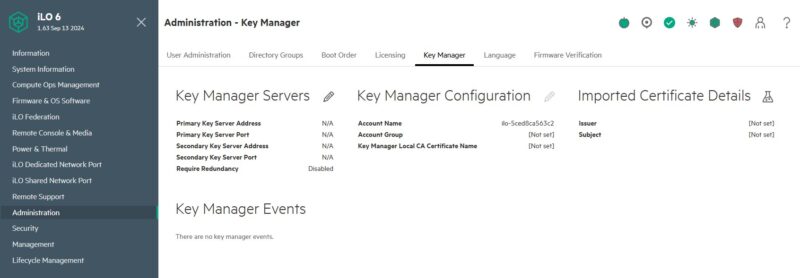
Upgrading to iLO Advanced enabled the Key Manager screen and allowed us to setup key manager servers.
Next we went to Administration and Firmware Verification.
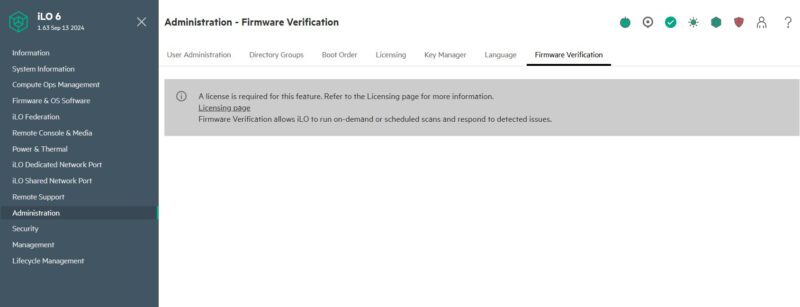
Here you can see one that with the iLO Advanced license our Firmware Verification check completed.
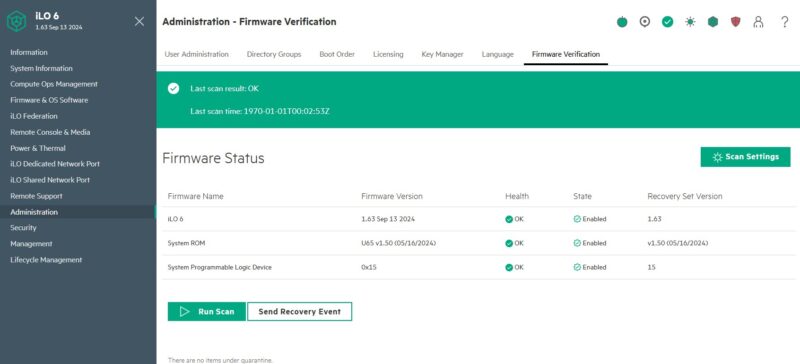
We took these screenshots alongside the MicroServer Gen11 review, but you can see something odd here. The “Last scan time” was a timestamp listed in 1970, roughly 55 years before we actually entered the iLO Advanced license.
Next, let us get to the security section.

We sell HPE. You don’t have any idea how useful this is. TYVM STH.
Thank you to the STH team for this level of detail on iLO.
I’m not sure whether I need any features beyond improved remote video and media capabilities, but I’ve just purchased an upgrade for our fleet of 74 MicroServer Gen11 servers.
That group firmware update and versioning was what sold me.
You buy, and pay for an enterprise solution. I’m continually amazed on how they nickel and dime you for everything. I bought the Mercedes, don’t make me pay for power windows for God’s sake. I moved away from HPE after the shenanigans with needed a current support contract to get current security updates for firmware. I know this isn’t new, but the enshittification of ILO and other remote access solutions has been decades in the making. I wonder now that we have sub $100 hardware solutions that could be scaled to racks of equipment if the calculus changes for the “big Iron” providers. Probably not, but it should.
Having only really dealt with Dell, Supermicro and a tad bit of Lenovo, and these pages skip over it, but does the essentials license give you a remote console? With the Dell iDRAC you need the higher license for this (except for blade servers as those don’t have any other way to connect a console).
In response to the “nickel and dime” comment, I think one of the reasons Supermicro has been gaining market share is exactly because they don’t extract an additional toll to enable functionality that is already built in.