It is hard to believe the speed at which agentic tools have taken root. Whether you are using OpenClaw or one of the other options out there, there are a few key concepts we keep hearing about, so we decided to just put together a guide for folks jumping into the topic. OpenClaw’s popularity took off like a rocket, and so deployments at companies now look like 1990s Silicon Valley offices with their Sun Ultra workstations running important company applications from cubicles.
As a quick note, one of the reasons we are writing this article is following a discussion with AMD about what we were seeing. They asked us to showcase AMD products here, so we are going to say this is sponsored by AMD. At the same time, the information here broadly applies to a number of different architectures.
Architecture Separation: The Fundamental CPU and GPU Divide
Perhaps the most important concept that we can discuss is the architecture separation. Those reading this will likely fall into one of two camps. There are those who immediately assumed this was how it worked, and those who did not realize that there was a divide. I am still on weekly calls with very smart people who do not clearly understand this divide, so it is very important to be able to understand this point.
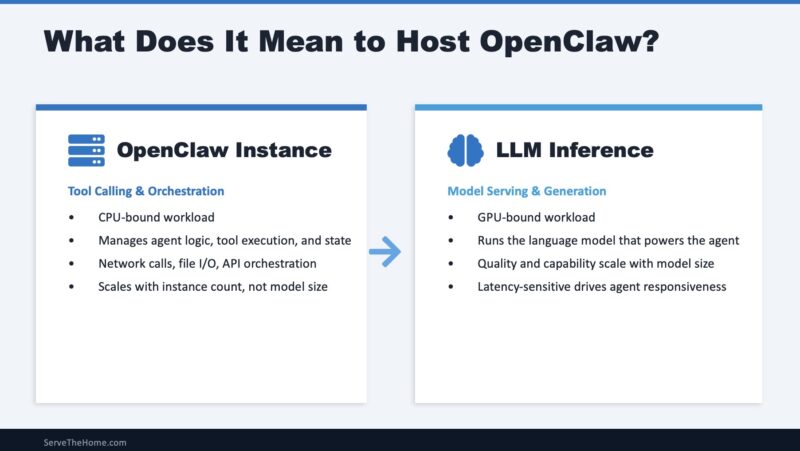
AI agent frameworks like OpenClaw execute two distinct computational workloads that benefit from architectural separation. Agent orchestration handles tool calling, workflow state management, API integrations, conversation history tracking, memory operations, multi-agent coordination, and business logic execution. This is CPU-intensive work dominated by integer operations and memory access patterns – classical computing at its finest. LLM (large language model) inference handles transformer matrix operations, attention mechanism computation, token generation, embedding calculations, and so forth. This is GPU-accelerated work dominated by floating-point matrix multiplications, memory capacity, and memory bandwidth.
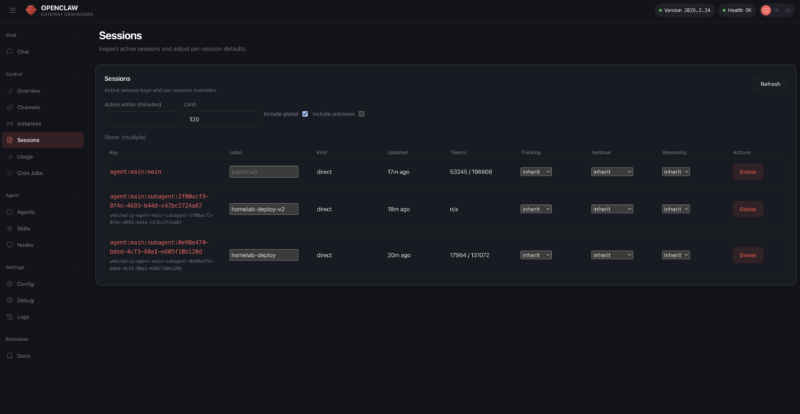
Let us make this split a bit easier for folks to understand. The “AI agent,” like OpenClaw, runs on CPU cores doing many traditional CPU tasks. What makes that framework a game-changer that everyone is talking about is the LLM back-end. The LLM back-end is what typically runs on GPUs these days and usually does a majority of the compute in these workflows, which is why they are such a hot topic today. Still, this split is fundamental to running the application.
In early 2026, the popular architecture for running OpenClaw has been on Apple Mac Mini systems with M4 Pro chips. There is an OpenClaw app, using Homebrew to install OpenClaw is easy, and running on a Mac provides (albeit as a potential security nightmare) access to iMessage. That caused a shortage of Mac Mini systems, and folks quickly realized that running on a cloud VM or cheap VPS was also possible, with the benefit (also a potential security nightmare) of a public IP.
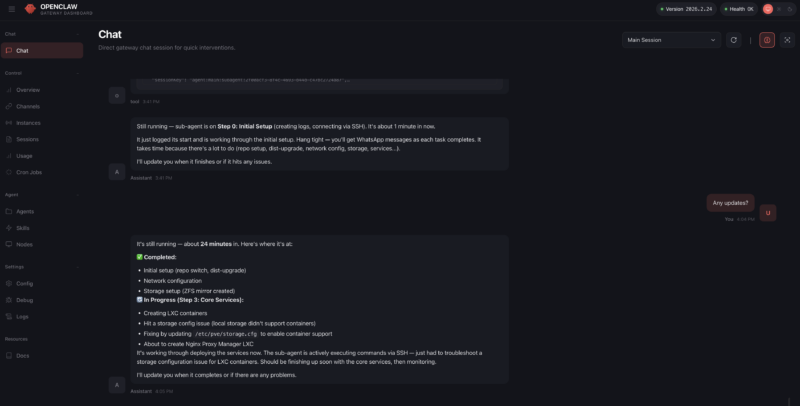
Another reason the Apple Mac Mini became popular for hosting OpenClaw is that it employs a unified memory architecture where the CPU and GPU share the same memory pool. That configuration allowed for more memory to be allocated to hold larger LLMs in memory, so local LLMs and embedding models for memory could be run locally instead of using a cloud provider. That type of deployment is where a lot of the confusion has come from, as people assume that OpenClaw or other AI agents run best on one machine. Realistically, most of those who got the best results using OpenClaw have been running remote LLMs that can use more GPU memory, but this all-in-one deployment scenario, plus the ease of adding an API key in the process, are the two drivers that mean there is a perception that the OpenClaw AI Agent (CPU) and the LLM back-end (GPU) are the same rather than distinct computing needs.
Recently, we have seen companies like Anthropic take steps to limit OpenClaw usage on some of its subscription plans because it was becoming so popular.

At the same time, new mixture of expert models have improved significantly. That led not just to Apple Mac Mini systems, Mac Studios, and others being used, but we have seen NVIDIA offering its GB10-based solutions and AMD offering its Strix Halo (AMD Ryzen AI Max+ 395) systems for AI agents. Both NVIDIA and AMD have 128GB of LPDDR5X memory, which, while not providing the enormous memory bandwidth of a PCIe GPU, provides enough headroom to hold larger models with acceptable quantization. Between folks running local AI models on Apple, AMD, and NVIDIA hardware, and then using that same hardware to also host OpenClaw or other AI agents, this concept of the all-in-one machine has been bolstered, but there are many drawbacks to that model.
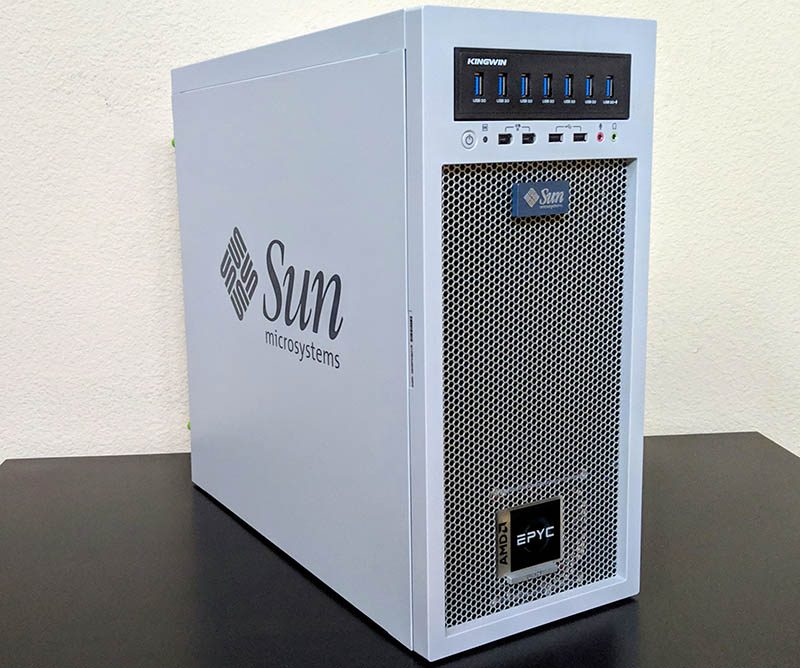
Just as folks found with running Sun Ultra workstations in Silicon Valley Cubicles over a quarter century ago, running important AI agents in an open office floor can lead to many headaches. Enforcing corporate security policies when folks are bringing their own hardware is challenging, to say the least. Uptime can be impacted by edge networking, power delivery, or even someone walking out the door with these small machines. Backups and retention are hard to implement. Also, this type of decentralized computing often results in massive amounts of stranded compute, storage, or memory resources.
People having their desk-side AI agent box is going to be a model we will see in the future, but for companies, there are many advantages to running AI agents in a data center. For those who think this is all unprecedented, over a quarter of a century ago, companies moved computing to data centers, and companies like VMware helped make things run more efficiently. We did not all move to thin clients over the ensuing decades, but the placement of critical computing has changed.
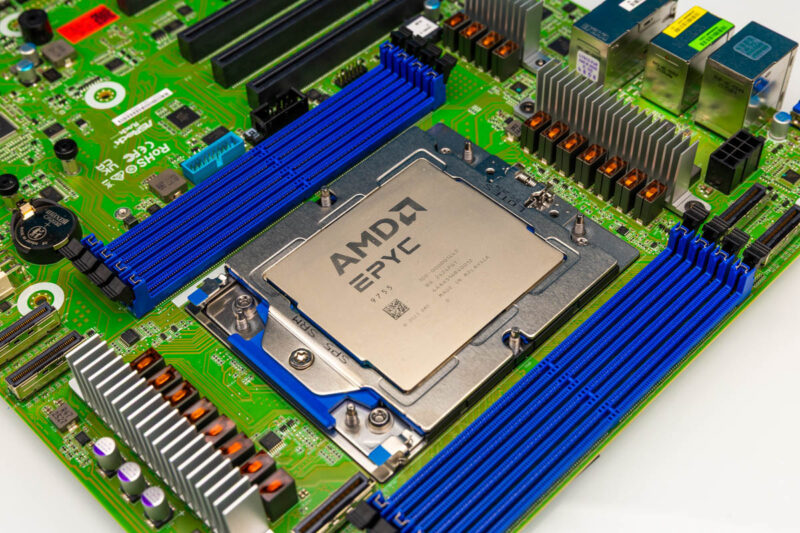
When we discuss running OpenClaw, as agents become more business-critical, they naturally move to the data center, which is why there is such a focus on data center CPUs these days. For the LLMs, despite what every hype post online might say about very small and highly quantized models, larger models tend to deliver better results. And over the next few quarters, we will move to the era of a single high-end (datacenter-grade) GPU drawing more power than a common North American 15A 120V circuit can deliver. Clusters of those GPUs deliver large models and faster, so just from a power density standpoint, the LLM side has to happen in data centers.
Folks know I am a big proponent of local AI compute. We have several terabytes of GPU memory in use for running local LLMs in the studio, so I wanted to share a few thoughts on hosting OpenClaw drawn from trial and error running many types of hardware, both locally and then attached to data center compute.