

Beelink Mate Mini Dual M.2 Internal Hardware Overview
Once you get inside the dock, the design is actually quite nice aside from the many screws required for disassembly.
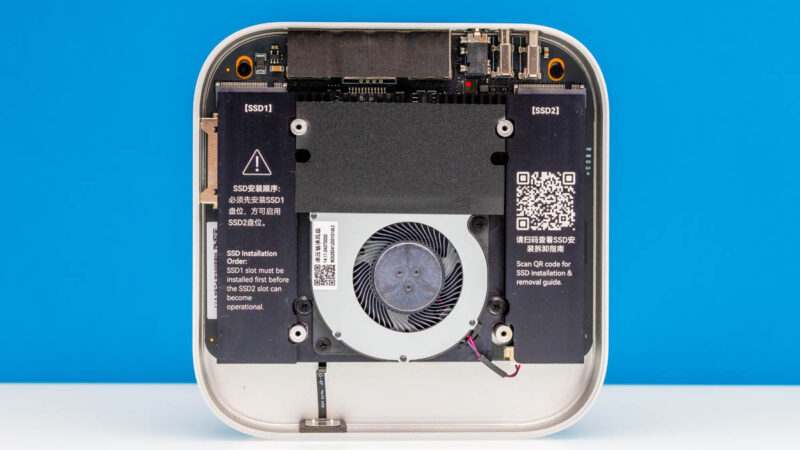
There is a cooling unit that is there to keep the components, but mostly the M.2 SSDs cool.
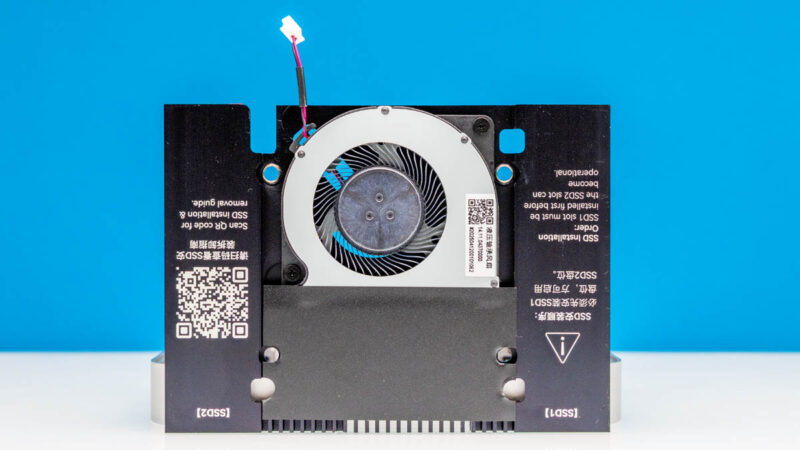
Here is the other side of that assembly and you can see the two spots for the M.2 SSDs.
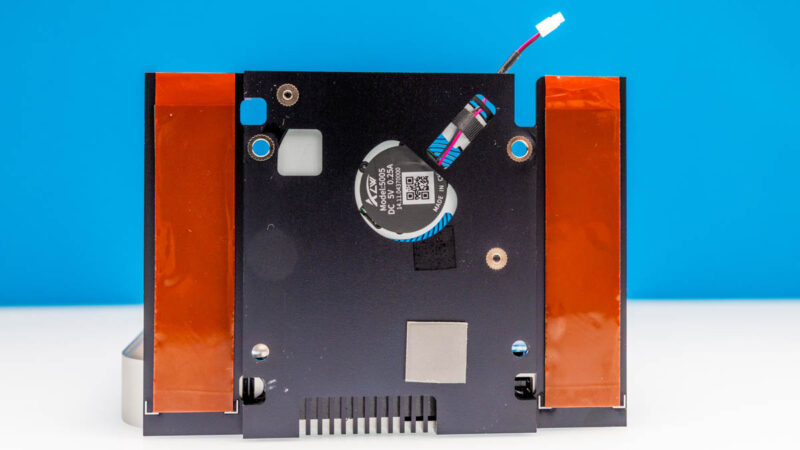
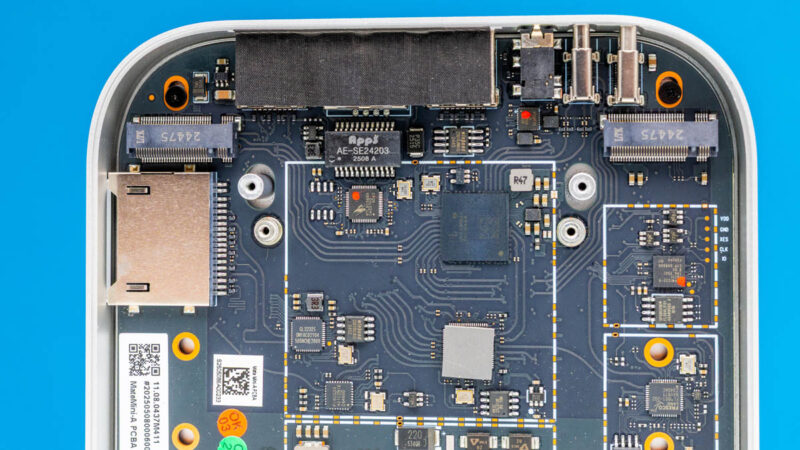
It also means that you need to remove not just bottom cover, but also the cooling to get to the SSDs. You can see the two M.2 slots at either side of the chassis below.
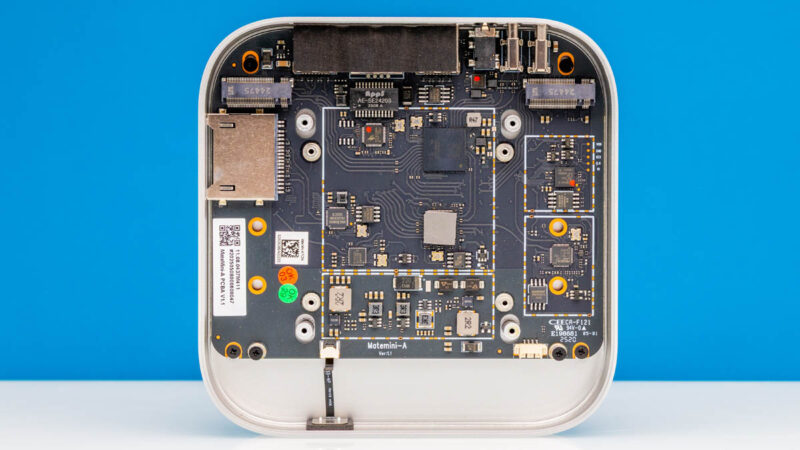
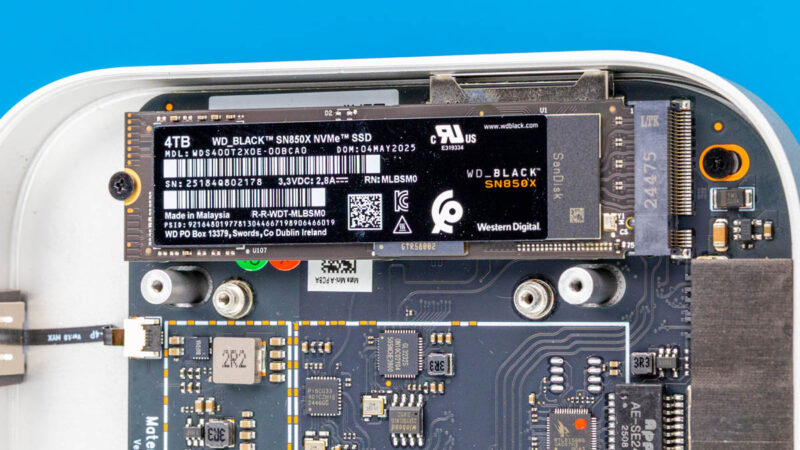
We used WD Black SN850X 4TB drives, which were probably overkill, but they were what we had free in the studio. We tried both single and dual drive configurations. There is another variant of this that instead of splitting the connectivity to two drives, is designed for higher performance with a single drive. We did not have that variant.
Inside we can also see components like the Realtek RTL8156BG powering the network port.
Next, let us get to performance.
SSD Performance
Installing a single drive and we can see the WD Black SN850X 4TB installed.
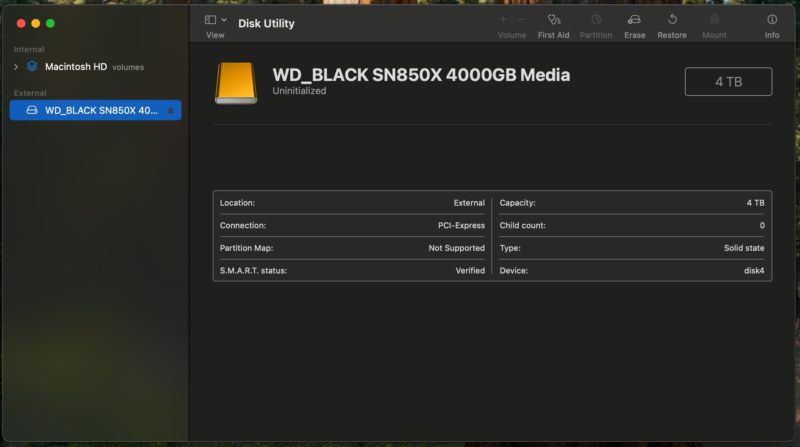
Here is what the drive looks like and we can see the PCI-Express connection.
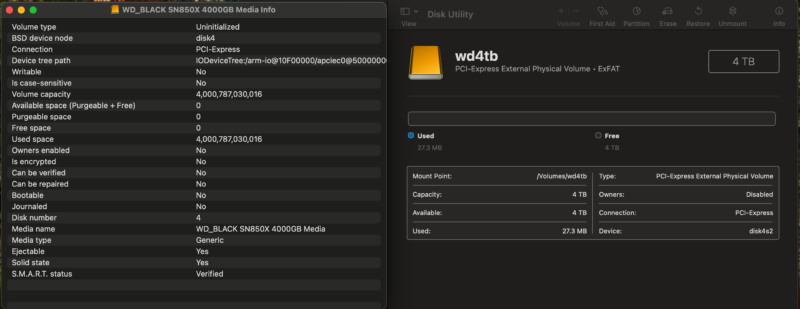
We then added a second drive, and that showed up as well.
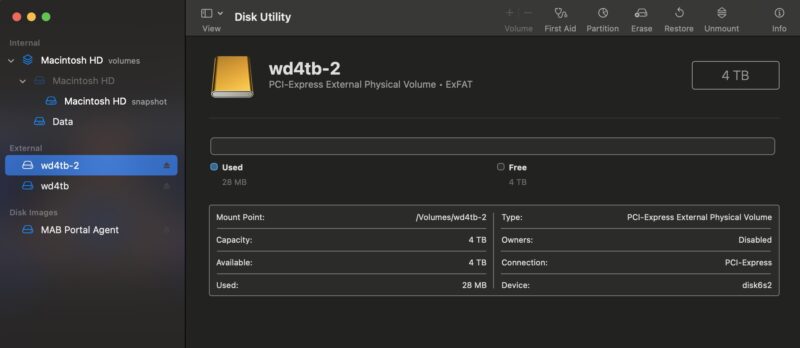
We tested both drives and we certainly got lower performance than we did in the WD Black SN850X 1TB Review we did due to splitting the channels to two drives. Even with only a single drive installed into the first slot, we saw roughly the same performance as we saw when adding the second drive (~3% difference which is a test run variance.)
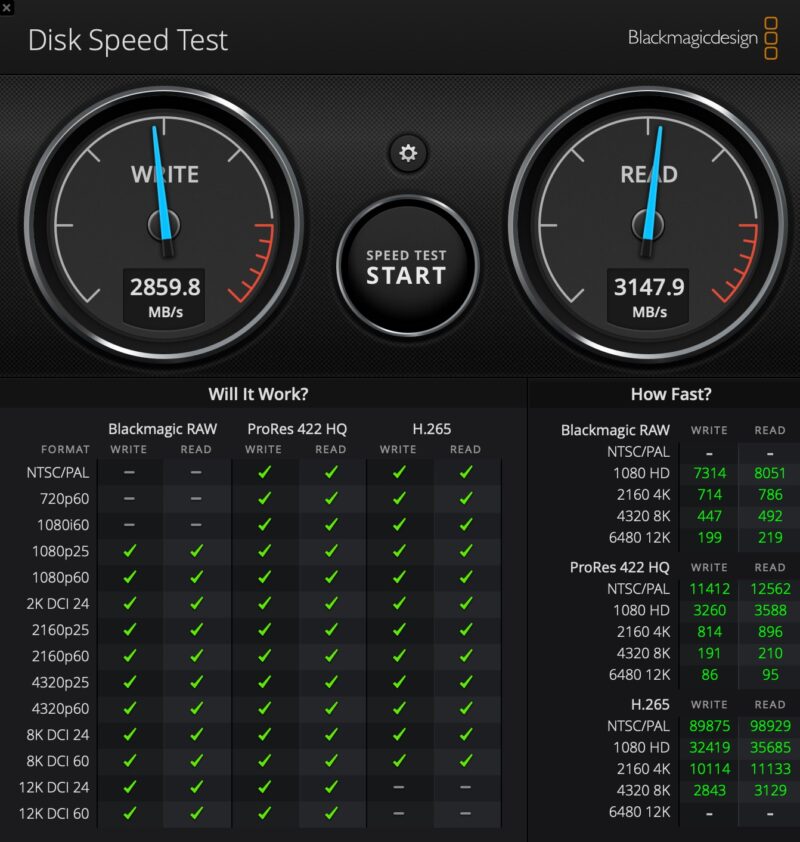
Here is the second drive using Blackmagic’s Disk Speed Test. Even this speed is fine for most video editing formats.
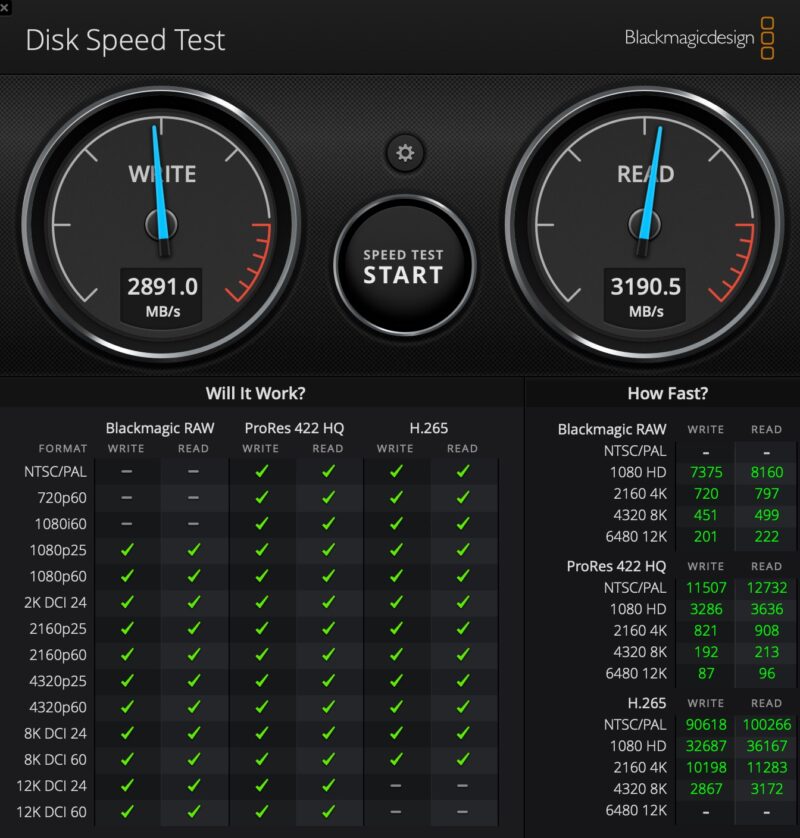
Some folks will want higher performance, but this is pretty decent if you are using this for a task like photo/ video editing since 12K DCI 60 ProRes 422 HQ is a very high-end format.
Final Words
Here is the funny thing. We have a few Mac Mini’s in the studio. As much as we like this, it almost feels more useful with the Macbook Pro M4 Max or the Mac Studio M3 Ultra 512GB we have. For those, you can just use a Thunderbolt 5 cable and it works (we tried both.) The challenge is that it looks really strange and you need to buy that cable.
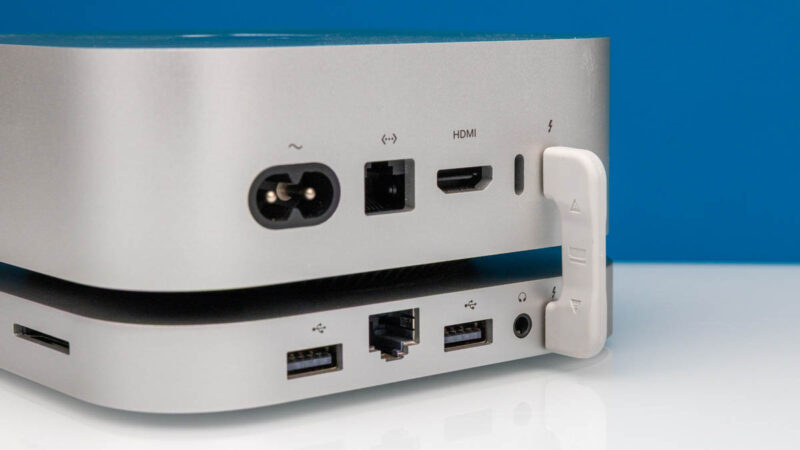
Still, especially for our upgraded Mac Mini, this is going to be a nice pairing. Having decent performance and extra expansion in a small form factor is always a nice capability. It is also a lot less expensive to get something like two 4TB drives and this Mate Mini to get 8TB of storage compared to what Apple charges. Allegedly you can also use two 8TB drives for 16TB, but we did not get to try that since the 8TB WD SN850X drives we have are in high demand. Still, for a lot of users, having the storage locally like this is great. The Thunderbolt 5 bridges were neat, but a cable is probaly less tidy but more useful. At the time we are reviewing this it is $179 which is in-line with similar docks.
If you want to check out current pricing, here is an Amazon affiliate link.

Great way to use up your 2TB Gen 3 drives, like Gold P31s.
A bunch of these styles of docks block the wifi on the Mac mini, would be nice to test this and add it to the article
I bought the higher-performance single-drive model and I’m getting around 5.8~5.9 GB/s reads and writes on a 4TB SN850X. What surprises me most about this device is how cheap it is compared to the other external TB5 enclosures out there (Acasis, UGREEN, etc.), despite the fact that this includes integrated device expansion.
Why USB-A ports and not C? Its 2025 – USB-A needs to die especially since Apple hasn’t used in several years