

Alta Labs Route10 Performance
Our test methodology is to look at the wired performance. A big part of that is that our 2Tbps load-generation device is great for testing higher-end devices, even the NVIDIA ConnectX-8 C8240 800G NIC, but WiFi protocol testing is something else entirely. First, we conducted a straight, bidirectional throughput test using our Keysight CyPerf test setup using the two SFP+ ports as LAN and WAN. That way we could test the maximum port-to-port throughput of the device.
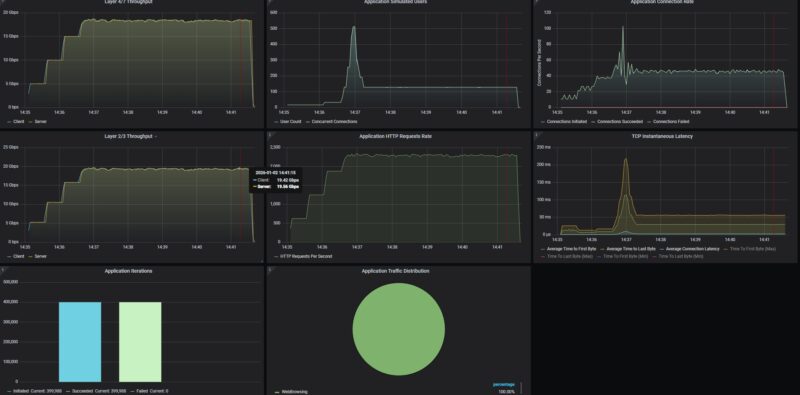
19.5Gbps on this is quite good. We are using our IxNetwork tester, so we are not looking at L2/L3, not L1 stats here. We can say this is a 10Gbps-capable device.
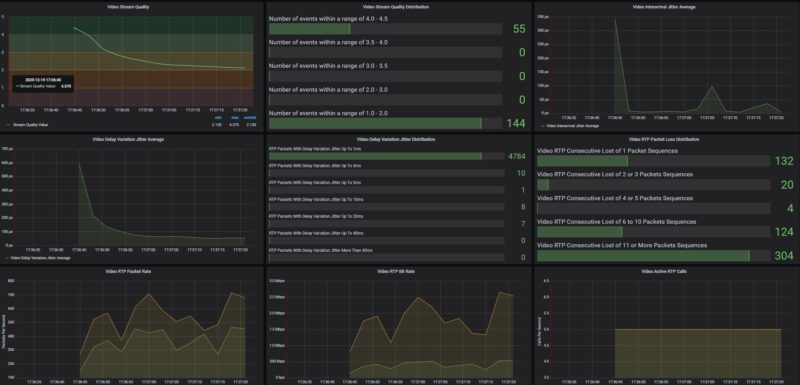
We also tried our Zoom All-Hands call stats, which we will probably pull out of our testing methodology. We realized that we did our baseline profiling on a very beefy system that could handle 500 users. When we tried 50 users, the stats were not great, with a lot of sequential UDP packet losses on the video.
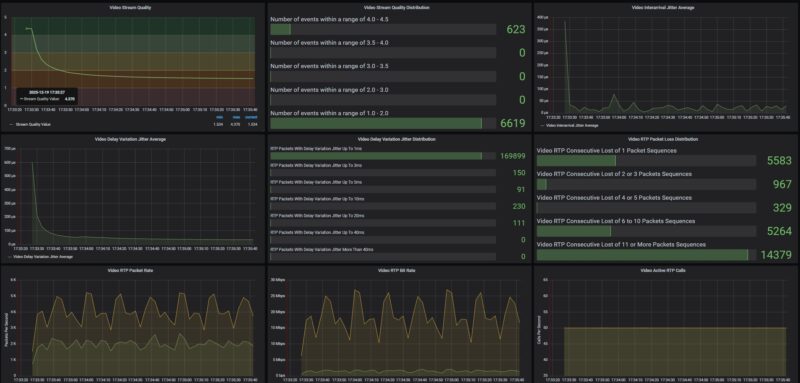
At 5 users, it was quite good.
We then tried our standard low-end STH gateway device review 11 app mix of ChatGPT, Google Drive, Google Sheets, LinkedIn, Netflix, Office365 Outlook and Calendar, Reddit, X.com, and YouTube:
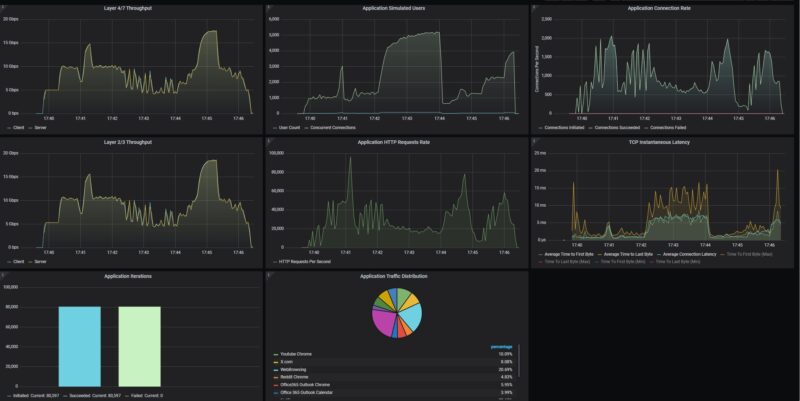
Things certainly get more interesting. As CyPerf pushes past 1280 users we start to see a drop in throughput and spike in latency. Again, as we start pushing real traffic through the device, we tend not to get straight line performance.
New for this round, is that we are adding what happens when we turn on IDS/ IPS features.
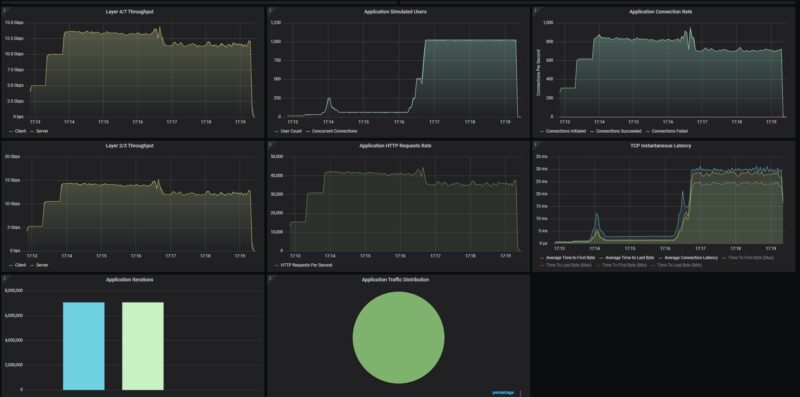
This one is super cool. First, you will see that we dropped roughly 5Gbps just by turning on the security features. You can also see that as the number of users increased, we saw further drops in throughput, but also jumps in latency. This happened much earlier than when security features were not on.
Then, we get to the very exciting part. We turned the security features on the Alta Labs up to “High”, and then added a few hundred attacks. Most of the ones we are using in the library are browser attacks for Chrome, Microsoft, Apple, and Firefox, and then we are usign the Monthly Malware list from 2025.
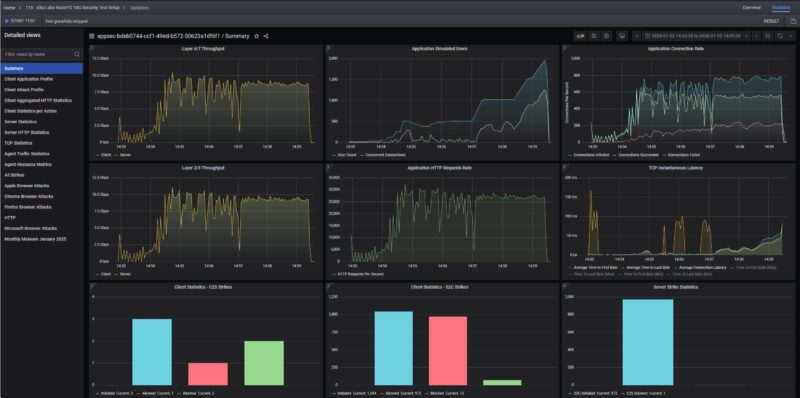
Here we see 72 of the attacks were blocked using the default settings, just with the setting on High in the Alta Labs configuration.
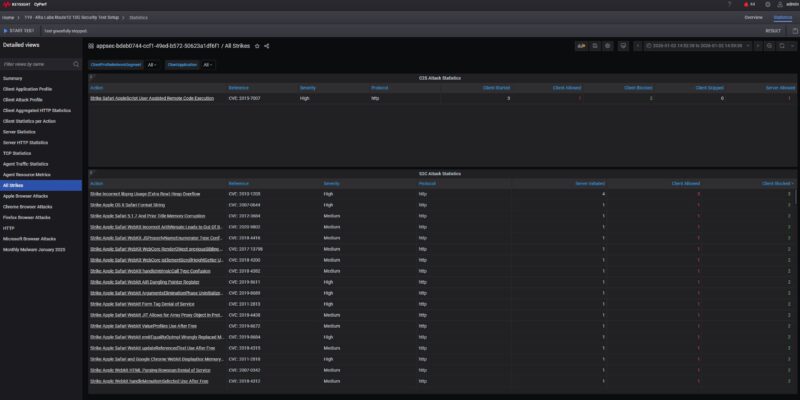
Of course, there is a lot more in the attack library, and more knobs to turn in the Alta Labs configuration, but this at least gives you some sense of what you can expect with turning on the base level of settings.
Alta Labs Route10 Power Consumption and Noise
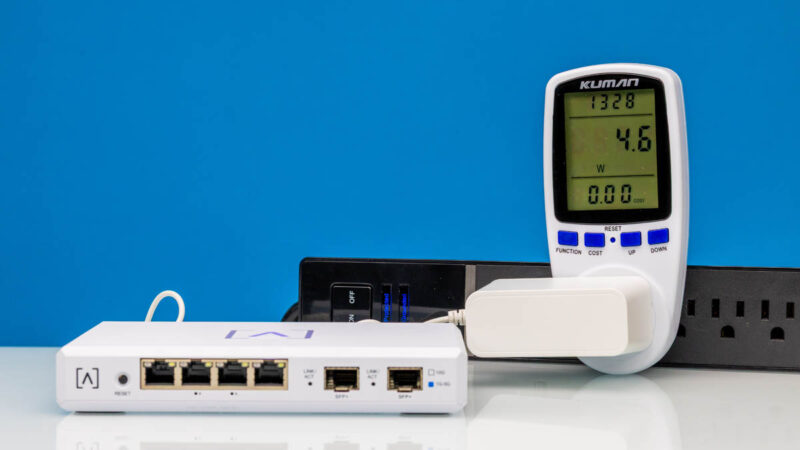
On the power side, we have a 54V 1.3A power adapter.
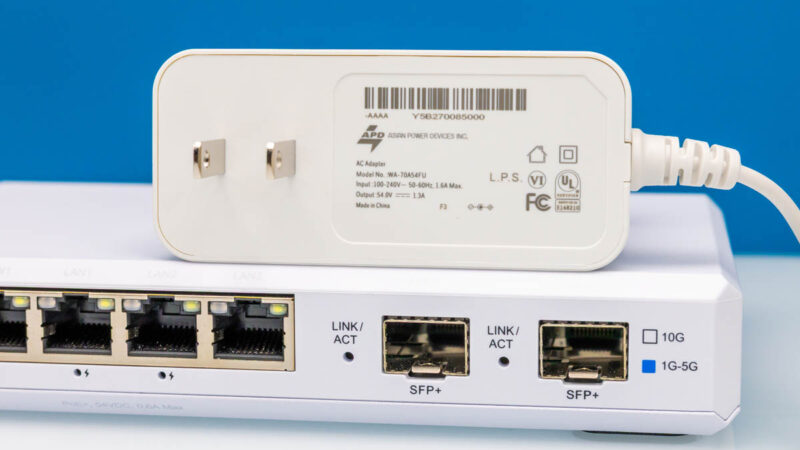
When we turned this on, we got 4.6W at idle.
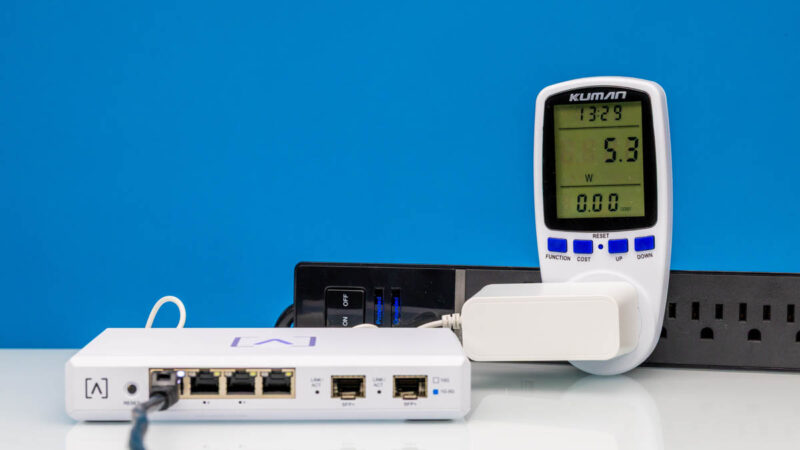
Adding a 2.5GbE port, we went up to 5.3W or 0.7W incremental power consumption.
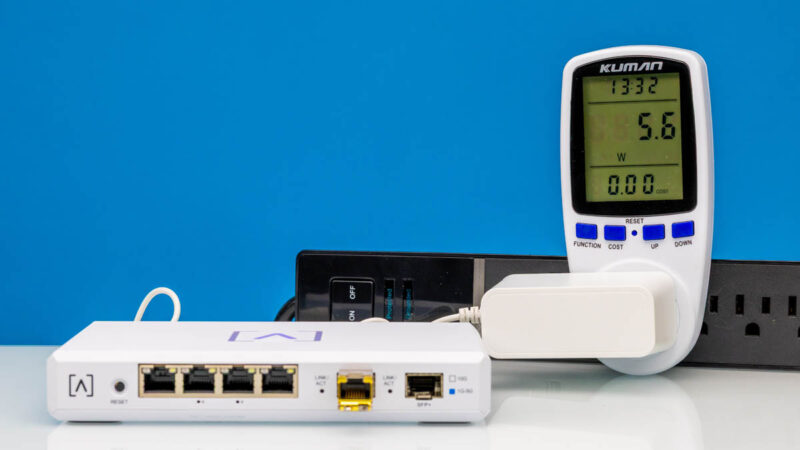
Adding the SFP+ to 10Gbase-T adapter, we add 1W over idle. That is relatively low.
On the noise front, this gateway does not have an internal fan, so it runs silently.
Final Words
What a cool piece of kit. For $199, we get a little cloud-managed gateway that can push a decent amount of traffic through it. We were a little skeptical since we saw this on Amazon and had not heard of Alta Labs. It turns out, they make a pretty neat box. Frankly, I would prefer to have a local management option since it looks like OpenWRT under the hood. Still, even with the cloud management, the price tag makes it very attractive. Having four 2.5GbE ports (two PoE+) and the two SFP+ ports makes this very versatile, especially for smaller deployments.
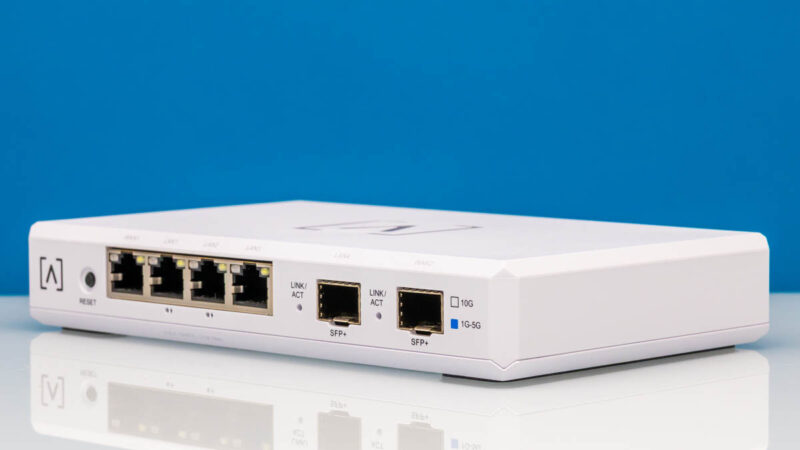
It is hard not to look at this and not think about Ubiquiti and other ecosystems that are larger and have more device types. At the same time, if you are looking for an alternative, then this is an interesting option.
Where to Buy
Here is an Amazon Affiliate link to what we purchased.




There’s now such a gap between STH and other sites on their testing of gateways. I wish you’d do wifi too.
Also I’d like to see regular updates of the vulnerabilities tested.
I have one of these and in general it’s good. I like that it’s silent. As a home user I don’t really seem to tax it and I can utilise pretty much all of my 10Gb connection.
For me the big let down is the self-hosted container for the controller, I wish this had been covered in the review. It’s a rather older version of the controller and doesn’t get updated very often. To update you need to let the controller software itself do the update and not by pulling a new container. Moreover, the container doesn’t save state so you end up having to update the controller and restore the backup if anything happens.
Speaking of backups, it’s also currently a manual process to take a backup so you have to remember do it each time you make changes.
I hope they fix this as for me it spoils an otherwise good system.
STH reviews continue to be odd.
You cover some really great things that other sites don’t. But then you leave great big gaping holes. Why no discussion of the self-hosted controller option?
I will say, I really appreciate that you didn’t just ignore the security features this time, as you’ve done in previous reviews. That’s a big improvement.
great hands on coverage of both the physical design and how the ports are laid out. good read if you are considering a high speed network upgrade.
Might want to mention who is behind Alta beyond mentioning it as a company you haven’t heard of.
https://chrisbuechler.com
ex pfSense and UBNT
I am evaluating a new gateway, and this (along with the far mode expensive UXG fiber) could be a candidate.
A really nice-to-have feature is having redundant links to my home switches, either via a L2 portchannel, or via L3 dynamic routing.
Ubiquiti UXG/UCG line are missing LAG, but support OSPF, so I can have 2 interfaces upstreaming the same subnet advertisement.
Anyone can confirm whether either method is available on this Route10?
I’ve just looked and I couldn’t see any options in the Controller GUI. It might be possible from the CLI, but this goes beyond my knowledge to answer.
The forum is usually quite helpful, you could ask on there for a more definite answer.
Nice review! I’m kinda curious what firmware version the router was tested on. Looking through their forum it looks like there’s been some hardware offload changes/improvements on later firmware versions.
And to answer Ivan’s question, going through the release notes it looks like they added support for OSPF (and BGP) back in November if that helps at all.
Can-it be used as a switch ?
For those wanting a more comprehensive write-up on the people behind Alta (as pointed out above, former PFSense / UBNT engineers), here’s a link to Alta’s own spiel:
https://www.alta.inc/blog/why-alta-labs-is-not-a-startup