Tag Archive | "virtual machine"

VMWare Configuration Tab - Advanced Settings for VMDirectPath

Configure Passthrough-VMDirectPath in VMWare ESXi for RAID Cards, HBAs, and USB Drives

Oftentimes people talk about passing a RAID controller/ HBA/ USB drive through to a guest OS in VMware ESXi (this guide is based on 4.1 and works for ESX too) using VMDirectPath I/O or disk through disk in Microsoft Hyper-V. This is especially useful when one either needs direct RAID controller/ HBA access for an operating system which is recommended for OpenSolaris/ FreeBSD solutions or USB access for an OS installation. It is a fairly simple process, so I figured I would provide a quick guide. Before embarking on this process, please note that the server will need to be restarted mid-process so this is not something that should be done on an ESX host with critical virtual machines running on the host. Read the full story

Posted in Virtualization - OtherComments (14)

Secure Windows 7 VM on a WHS Server in Hyper-V

Secure Windows 7 VM on a WHS Server in Hyper-V

One of the slickest things that one can do with a Windows Home Server machine is run it virtualized in a Hyper-V Virtual Machine. Windows Home Server frankly uses very little power itself leaving CPU cycles sitting idle. Of the CEOs, CIOs, and CFOs of companies with more than 10,000 employees I have talked to recently, all of them are looking at application virtualization to keep costs in the data center versus on user desktops. Perhaps I have heard the words “thin client” more times in the past six months from these folks than I have since the 1990′s. For Windows Home Server users, there is a really practical, and important thing that they can do to increase security at home, and that is use a dedicated, disposable, virtual machine for things such as banking (and for the more conservative online shopping). Read the full story

Posted in Hyper-V VirtualizationComments (6)

Bottom of modified PCMIG board and simple fan controller in RPC-4220 DAS Enclosure

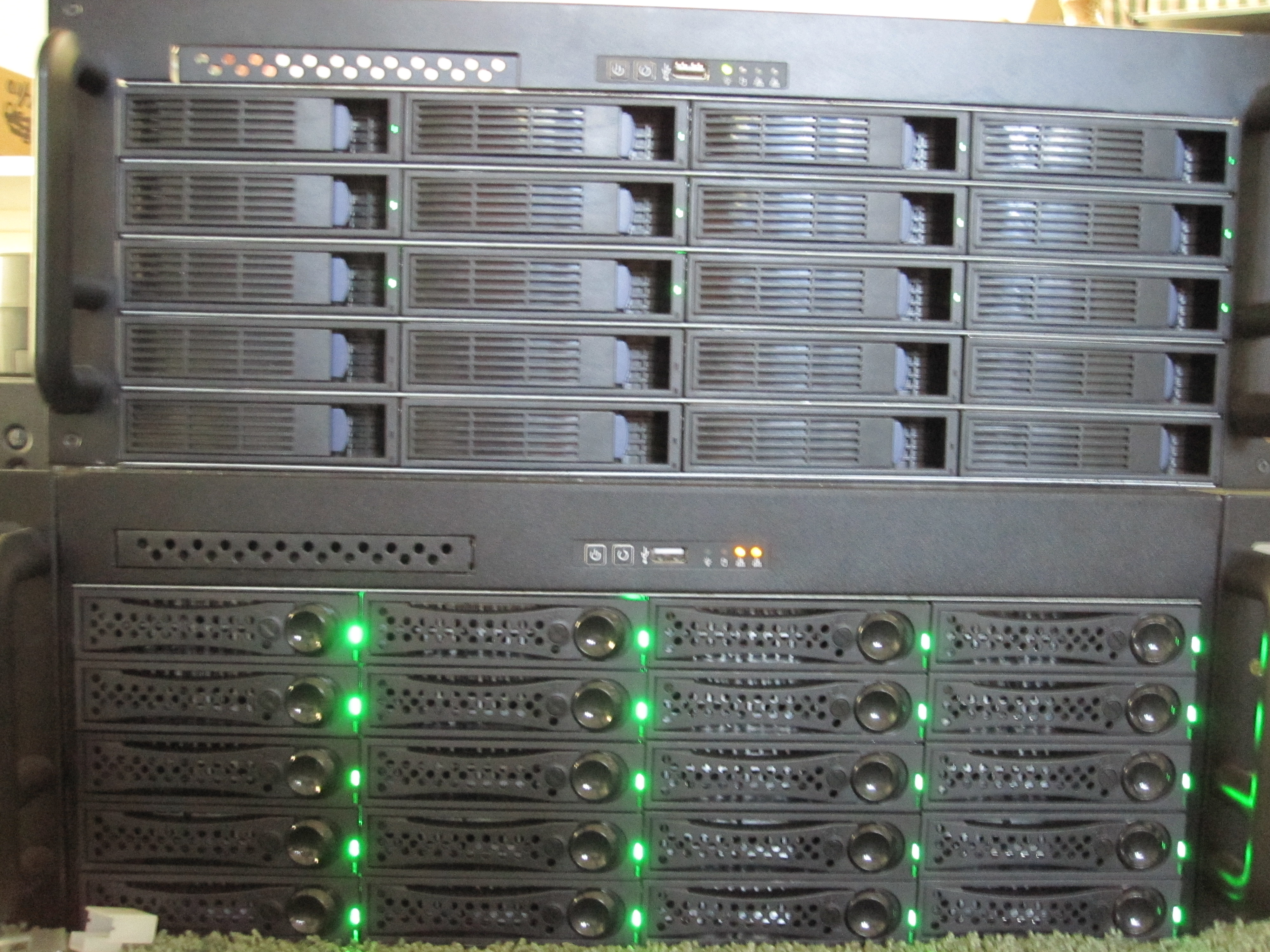
The Big WHS: May Update 60TB Edition

The Big WHS was originally supposed to house approximately 30TB of storage when the plans were first detailed on an Excel spreadsheet BOM in December 2009. This was a big upgrade to my first DIY Windows Home Server box that had well under 20TB. About five months later, the storage capacity has crested 60TB, with further room to expand. The Big WHS now spans two 4U Norco cases (using a total of 8U of rackspace and another 4U chassis is in the works) has over 60TB of storage, and requires well over a dozen ports on the gigabit switch.

Read the full story

Posted in The Big WHSComments (18)

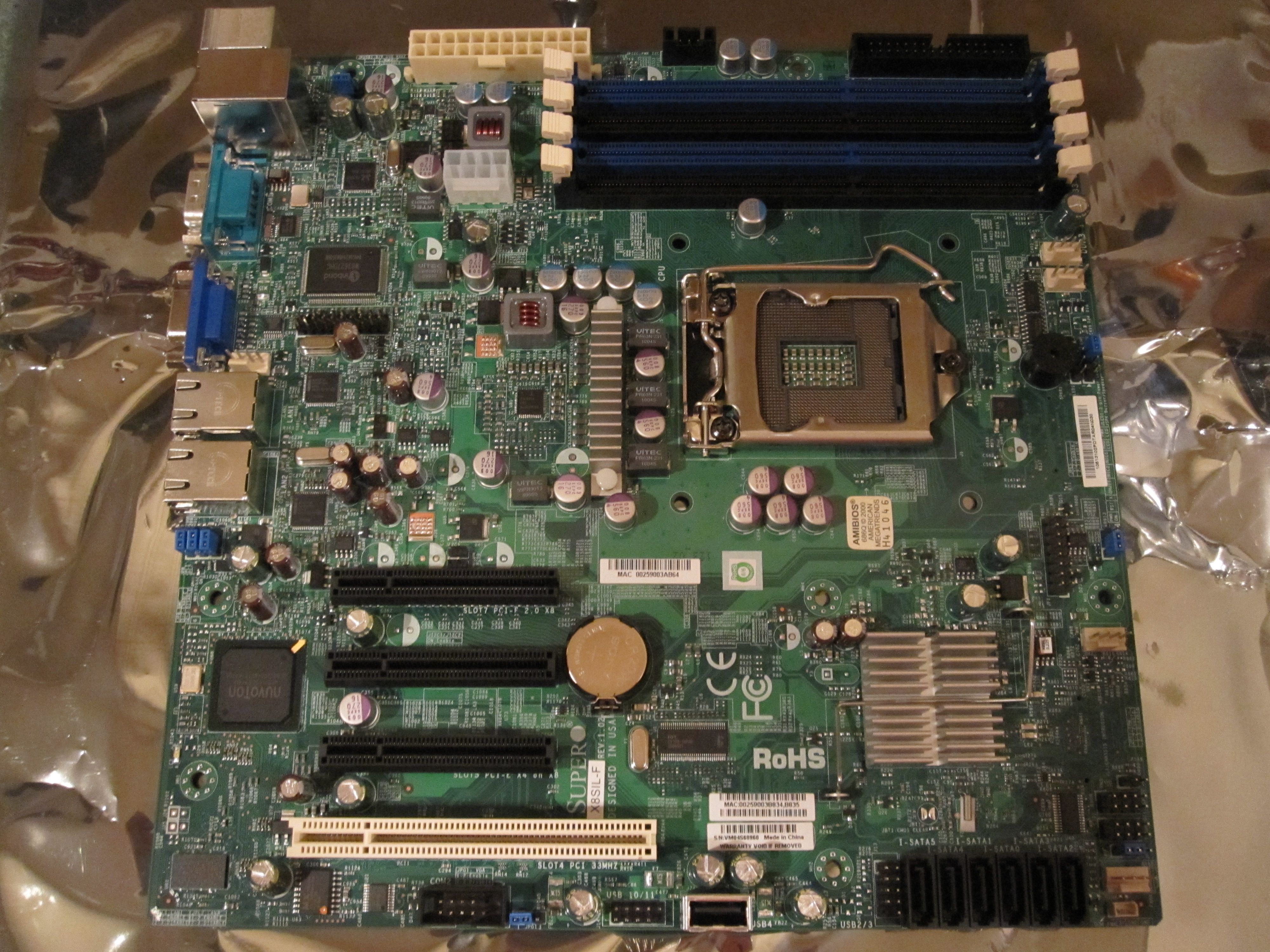
Supermicro X8SIL-F rev 1.02 that supports Intel Clarkdale CPUs

Supermicro X8SIL-F Motherboard Review

The Supermicro X8SIL-F motherboard is an excellent board for home and small business servers. When building a file server built upon Windows Home Server (V1 or V2 Vail) or another open source NAS project such as FreeNAS, Openfiler, EON ZFS storage, the Supermicro has a feature set that differentiates itself from both AMD and Intel based consumer-level motherboards. Compatibility with those operating systems and virtualization platforms such as Microsoft’s Hyper-V make the X8SIL-F a strong contender for a DIY storage or virtual machine server.

Read the full story

Posted in MotherboardsComments (26)

Intel X25-V 40GB attached to the DAS box through the HP SAS Expander

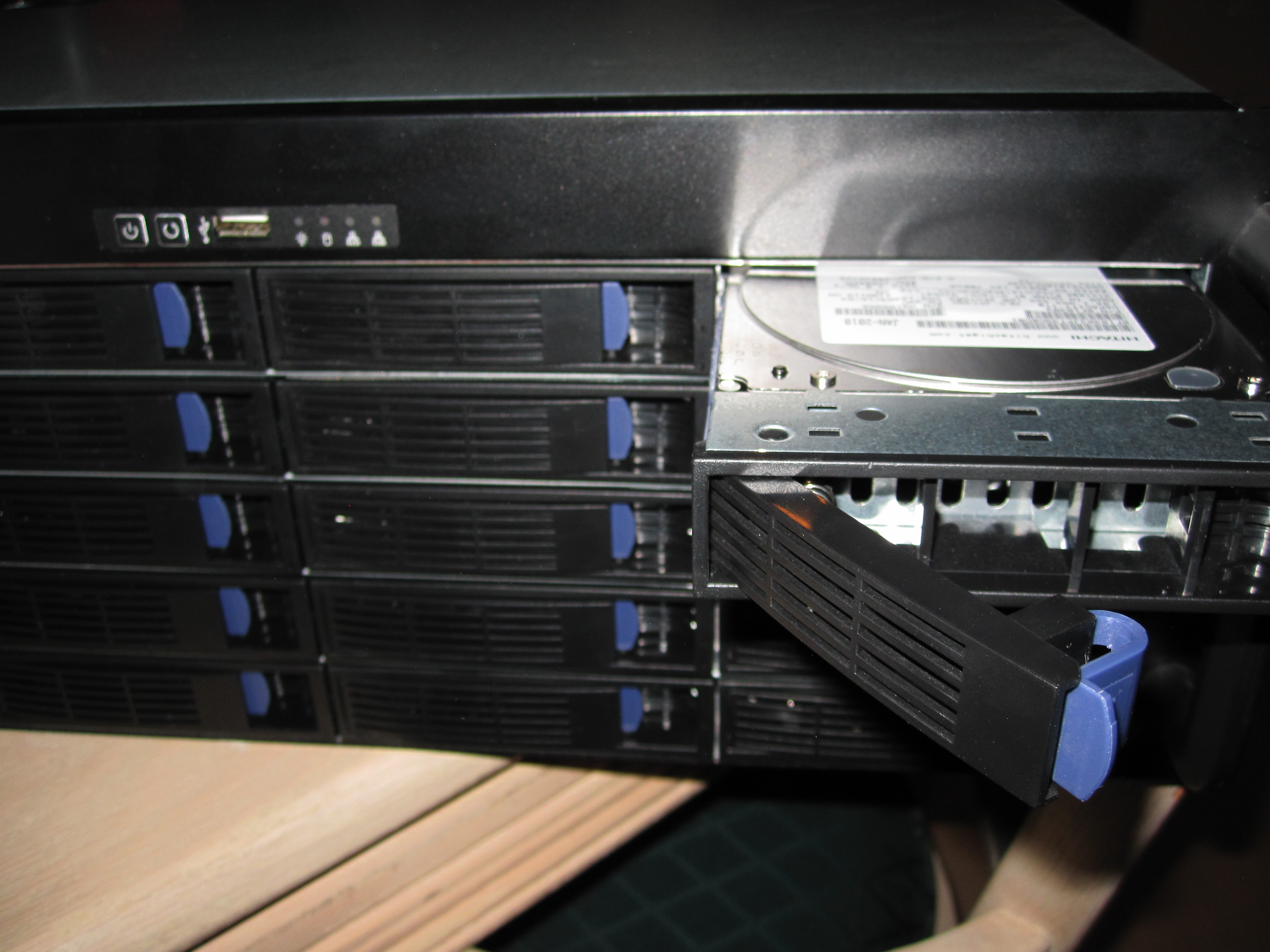
SAS Expanders, Build Your Own JBOD DAS Enclosure and Save – Iteration 1

Oftentimes, users running file servers such as Windows 2008 Server R2, Windows Home Server, Linux variants (including Openfiler), OpenSolaris, FreeBSD (including FreeNAS), and so forth will require more storage than their server can physically store. One option is to add more servers to the SAN. Another option is to add more storage to an existing server. Adding a second (or third) enclosure for additional disks is a great option. This allows a server administrator to build a massive DAS storage system very inexpensively for applications like iSCSI, backup storage, media storage, virtual machine storage, and etc. Oftentimes, the ensuing research will lead IT professionals to JBOD DAS enclosures with SAS expanders built in.

Read the full story

Posted in The Big WHSComments (15)

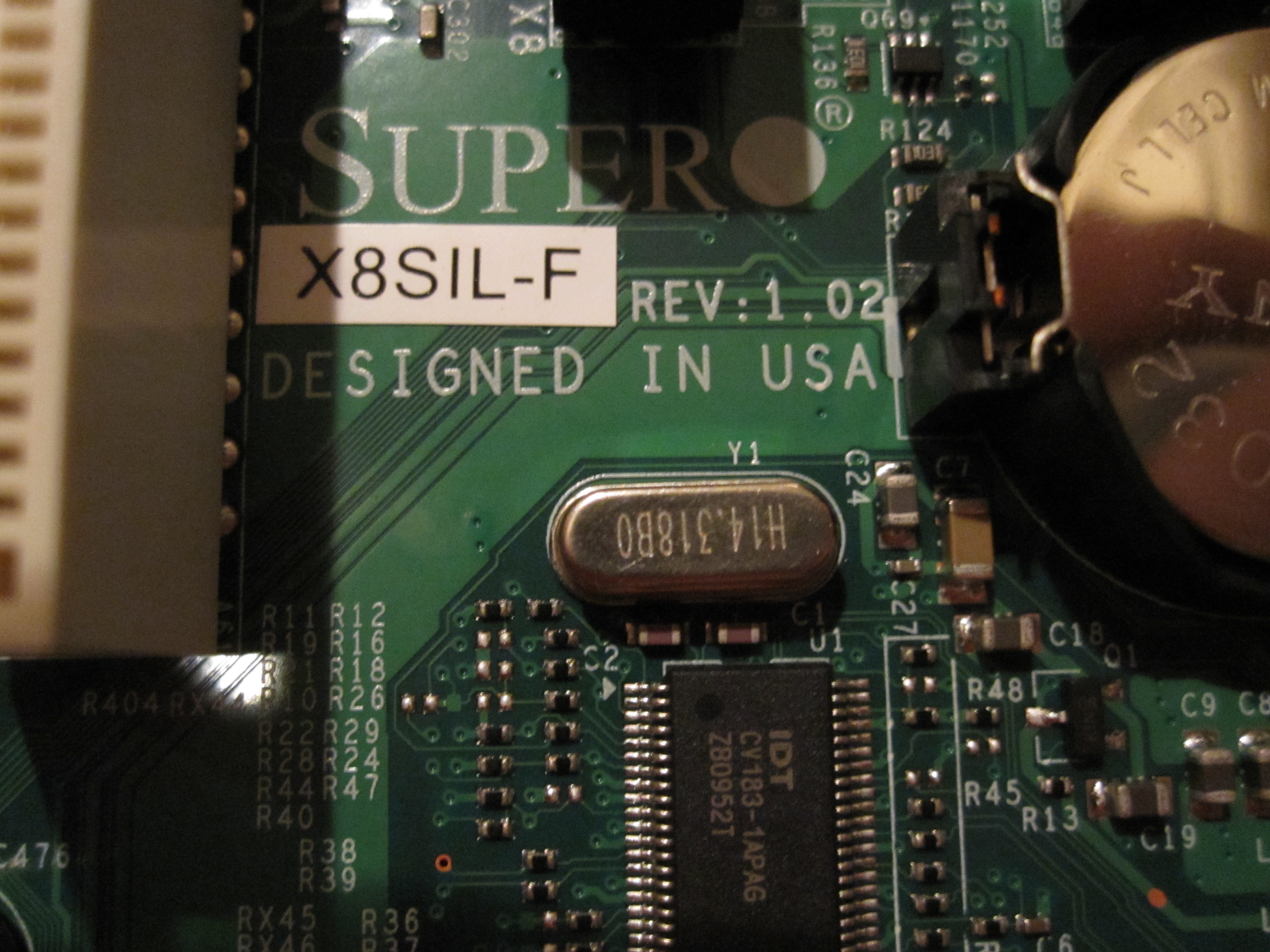
2 New Jumpers on the X8SIL-F rev 1.02 PCB

Supermicro X8SIL-F v1.01 versus v1.02 differences

The Supermicro X8SIL-F mATX motherboard is becoming a favorite for home servers, especially those built upon Core i3′s and Core i5′s because it provides lots of expandability in a small form factor, and has IPMI 2.0. The Supermicro X8SIL-F’s supported processors can easily handle a network attached storage (NAS) virtual machine as well as additional virtual machines for other purposes. As I eluded to in my previous post, the major difference between the revision v1.01 and v1.02 boards, at least as far as I have seen, is the support for the Intel Core i3 and i5 CPU’s as well as the Intel Pentium G6950 in the v1.02 X8SIL-F versus support only for Intel   CPU’s in v1.01. With the virtualization support and hyperthreading in the Intel Core i3 and i5′s as well as the low power consumption of Intel’s 32nm process, it is a great, low cost and low power combination.

Read the full story

Posted in MotherboardsComments (12)

Vail Preview Hyper-V Ready to Go

Windows Home Server (WHS) V2 VAIL – Installed in Hyper-V – Early Release Clue

If one browses this site they will quickly see that I am a fan of Hyper-V virtualization and also Windows Home Server. On April 26, 2010, Microsoft released the public preview of the long awaited Windows Home Server V2 codenamed VAIL. Of course, I did have a test system lying around, but the WHS V2 code base is supposed to be Windows Server 2008 R2 which is why it requires a 64-bit CPU. Now, I could have installed the VAIL preview onto a physical machine, but there are probably editors at 30 sites doing that right now. So how about something interesting, and more appropriate for software labeled beta and preview, a Hyper-V installation!

Read the full story

Posted in Hyper-V Virtualization, Operating SystemsComments (5)

FreeNAS Hyper-V LAN Finish and Exit Config

Install FreeNAS in Hyper-V: Part 2 Installing FreeNAS to a vhd

In previous articles we have shown how to set up a basic Hyper-V virtual machine that works with FreeBSD and FreeNAS as well as how to configure the Hyper-V VM and boot FreeNAS in it. The next step of course is to install FreeNAS to a vhd, so it no longer needs to run off of the LiveCD. This is primarily important so you can configure FreeNAS and save that configuration through reboots. Also, as FreeNAS seems to only work with drives attached to the IDE controllers, installing FreeNAS to a vhd allows one to free up one IDE channel for another drive (by removing the default DVD drive).

Read the full story

Posted in Hyper-V VirtualizationComments (2)

FreeNAS (64-bit) running in a Hyper-V VM off of a LiveCD image

Install FreeNAS in Hyper-V: Part 1 Basic Configuration

To install FreeNAS in a Hyper-V virtual machine one needs to do some configuration of the virtual machine, just as one would with a physical machine. Allocating hardware resources is much easier in Hyper-V versus physical machines because you can do it remotely through screens instead of physically taking a box offline and installing hardware. This guide will show the basic Hyper-V virtual machine setup for installing FreeNAS, an open source NAS appliance based on FreeBSD.

Read the full story

Posted in Hyper-V VirtualizationComments (2)

Hyper-V - Create Network

Create a Hyper-V VM for FreeNAS, Openfiler, Linux, FreeBSD, OpenSolaris, and more

As many have read, I have been trying different NAS solutions on the Big Windows Home Server. This guide will show the base procedures for installing open-source NAS/ SAN appliances such as FreeNAS, OpenFiler, Ubuntu (and other Linux distros), OpenSolaris (and variants such as CentOS) into a Hyper-V VM. 

For this guide, I will be using screenshots from the Hyper-V manager in Microsoft Windows Server 2008 R2. Microsoft offers a free Hyper-V Server R2 product for those that want to try and do not have access to a Server 2008 R2 testbed. Later I will detail installing the OS’es onto the Hyper-V platforms, but I wanted a base article that showed the basics so I can link rather than duplicate later (think of this as WordPress Dedupe). It should be noted up-front this guide is for a non-Windows Hyper-V installation. Also, everything below can be changed as necessary for your environment/ installation. 

Read the full story

Posted in Hyper-V VirtualizationComments (6)

Page 1 of 212

Server Parts by Amazon.com

Image of TYAN S5510GM3NR LGA 1155 Intel C204 Micro ATX Intel Xeon Processor E3-1200 series, Intel Core i3-2100 series Server Motherboard TYAN S5510GM3NR
Image of SUPERMICRO X8ST3-F - Motherboard - ATX - LGA1366 Socket - iX58 - 2 x Gigabit Ethernet - onboard graphics Supermicro X8ST3-F
Image of Hitachi Deskstar 2 TB 3.5-Inch CoolSpin RPM SATA III 6Gbps 32 MB Cache Internal Hard Drive 0F12117 Hitachi 2TB