

One project that inspired some of my own work has been the Backblaze storage pod v1 which held 67TB in a custom 45 drive 4U chassis. It was essentially a lower cost and lower performance Sun Thumper that utilized commodity parts to achieve high storage densities at a very low cost per TB (or PB since that is the scale the company is looking at.) For those not familiar, Backblaze is a cloud storage provider offering $5 for unlimited storage. Backblaze recently revealed its updated v2 platform with 3.0gbps drives providing 135TB of capacity for under $8000. Better yet, they are freely distributing how they did this. It puts my DIY DAS to shame, but does look fairly similar with the dual PSUs and X8SIL-F to my DIY SAS Expander Enclosure V2 from last summer.
The Backblaze storage pod consists of a few key parts:
- A consumer motherboard
- A consumer CPU (e.g. non-Xeon or Opteron)
- Two power supplies
- Silicon Image based SATA controllers
- Silicon Image based port multipliers
- A low cost boot drive
- A custom designed chassis
- A bunch of drives
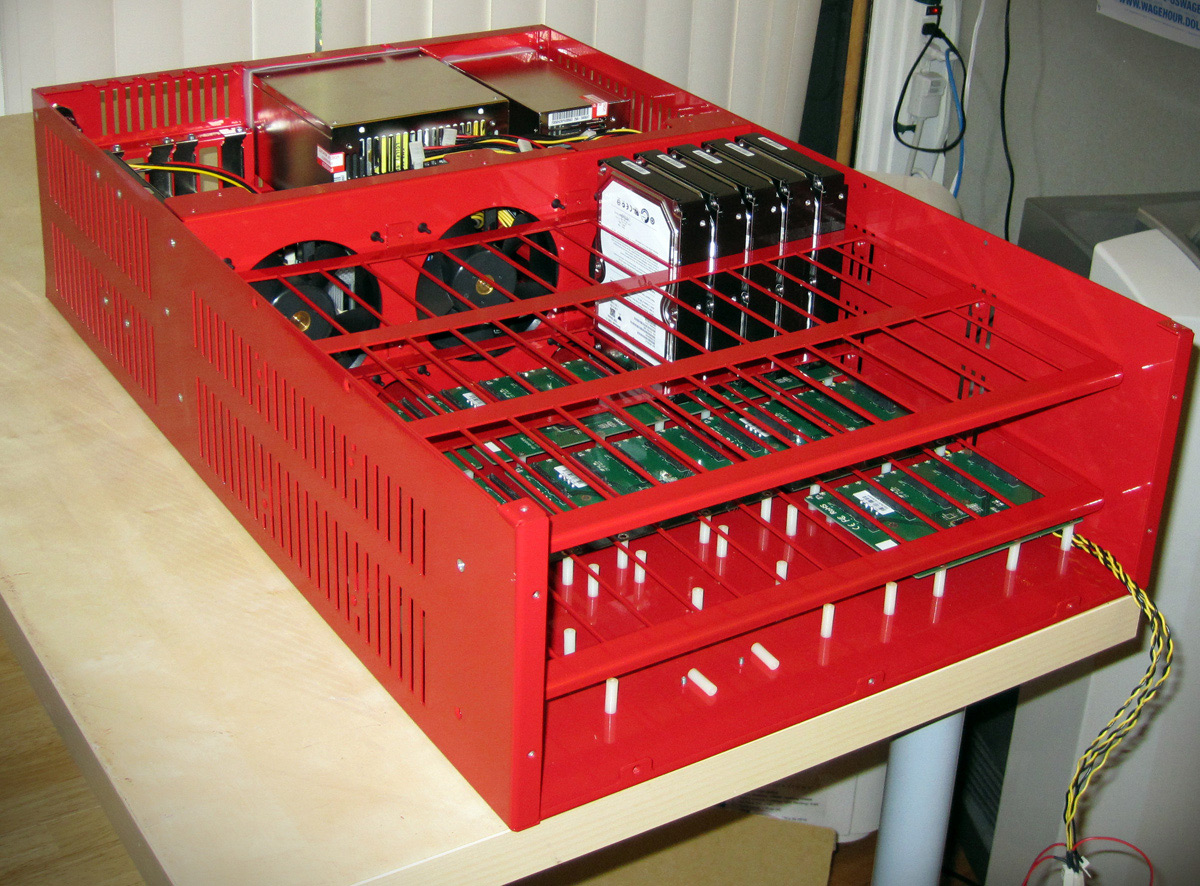
Miscellaneous hardware aside, those have been the big mainstay’s of the storage pod. For version 2.0 Backblaze upgraded the motherboard and CPU to a Supermicro X8SIL-F and a 32nm Core i3-540 which is very similar to the X8SIL-F and Core i3-530 combination seen on this site. Utilizing a Linux OS now with ext4, Backblaze is able to use commodity hardware to greatly lower costs.
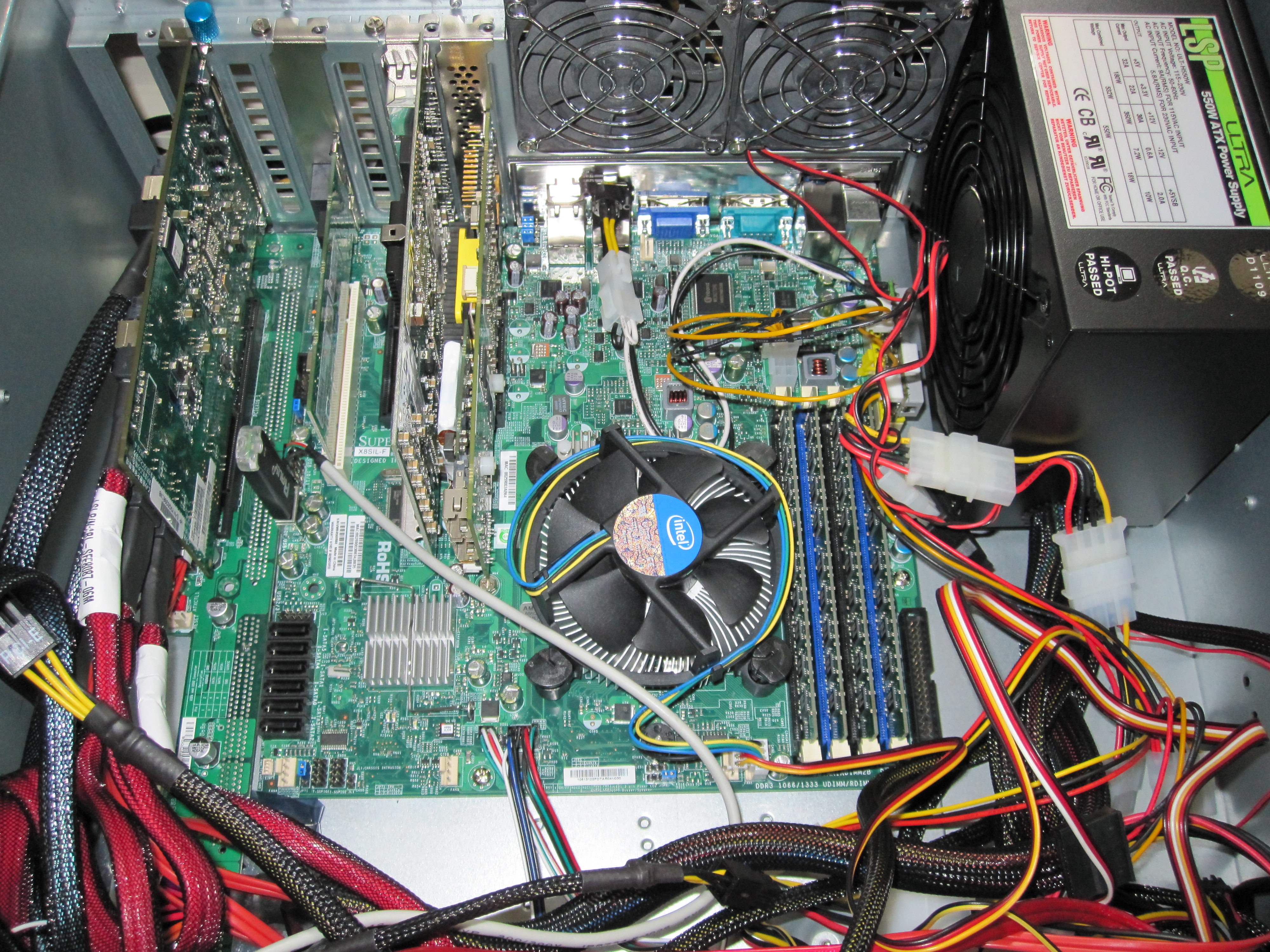
Moving to the X8SIL-F gave Backblaze storage pods a few things including remote management via KVM-over-IP, dual Intel 82574L NICs, more PCIe slots, and the ability to use a newer 32nm CPU. KVM-over-IP is important in this scenario because it lowers your labor costs to maintain this many devices since remote administration can occur for things prior to booting into Linux. The dual Intel NICs provide more throughput to the box. More PCIe slots allow using three Syba SATA II (3.0gbps) Silicon Image 4-port cards and no PCI controllers. Finally, moving from the Core 2 architecture to the 32nm generation gives the machine two additional threads through Intel Hyper-Threading.
I may end up purchasing a chassis myself because I have a few areas I think the design could be improved upon:
- Use either a Supermicro X8SI6-F or Tyan S5512WGM2NR motherboard for onboard LSI SAS 2008
- Utilize a Core i5 CPU for either platform to provide AES-NI acceleration.
- Add a SAS expander (or two)
Although it seems like Backblaze has been using the port multiplier architecture with great success, one is still limited to a maximum of 3.0gbps per five drives. Total disk I/O is bound by 27gbps. I understand that they are using S.M.A.R.T. through the Silicon Image cards, but moving everything to 6.0gbps SAS links would give 48.0gbps of total bandwidth for the 45 drives. Cost wise, the two upgrades would not add much, especially if using onboard LSI SAS 2008 controllers. One issue that would have to be overcome is power/ SAS backplanes to fit the drives in the case. I have been playing with a few HP and Dell backplanes trying to find one that would work easily and fit the chassis, but have yet to solve this part.
Either way, head over to the Backblaze blog and read on if you are into big and low-cost storage.


Did you mean:
3. Add a SAS Expander (or two)
Thinking about this some more, unless you are really pressed for space in your home, you can do better with two Norco RPC-4224 cases. You get 48 (instead of 45) hot-swap bays. You can have two MBs and two CPUs. Total of six IBM ServeRAID M1015 cards cross-flashed to IT mode ($75/ea on ebay) give you a lot more bandwidth than backblaze’s port multipliers.
The total cost comes out quite close to what backblaze comes up with, and yet you have more storage, more disk bandwidth, and more CPU power with the dual-case solution. Only real downside is 8U of space is required instead of 4U. That matters in a datacenter. But not so much for a home server.
That case is so sick!
It would be nice to see 6Gb/s SATA III Port Multipliers combined with native SATA III on AMD chipsets (SB850/SB950).
Have you thought about silent data corruption? CERN did a study on this and reports much higher occurence of silent data corruption than anticipated.
The reason we use ECC RAM is because bits will flip spontaneously in RAM. ECC detects and corrects the Silent corruption. However, bit rot also occurs in disk drives, but much more frequently.
ext4, JFS, XFS, etc – do no protect against Silent Corruption. Neither does hardware raid. Here are more information and research on this:
http://en.wikipedia.org/wiki/ZFS#Data_Integrity
Nice review of this board. However, this board does not accept NON ECC modules. The design is ECC UDIMMS only. I thought I should point that out.